 Click to zoom
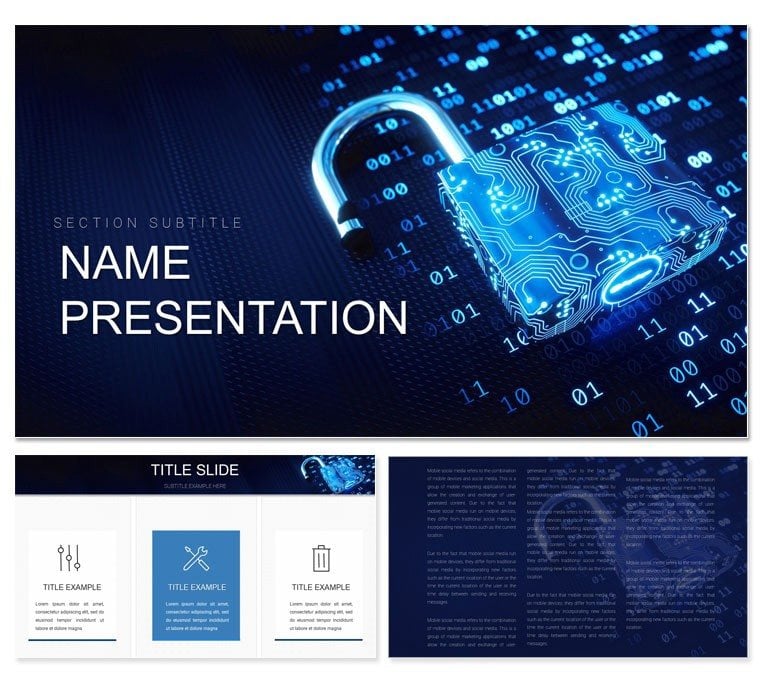
Cyber Security Keynote Template: Secure Your Message
| Format | .pptx |
| Slides | 3 unique layouts |
| Aspect ratio | 16:9 |
| Compatibility | PowerPoint |
| Animated | No |
| Language | English |
| License | Commercial |
| File size | — |
| Version | v1.0 |
| Last updated | November 2023 |
What's inside
Imagine standing before a boardroom full of stakeholders, armed with complex data on emerging threats, but your slides fall flat - text-heavy and uninspiring. That's where this cyber security Keynote template steps in, transforming raw information into a compelling narrative that grips your audience from the first slide. Tailored for cybersecurity professionals, IT managers, and corporate leaders, this template offers 59 fully editable slides across 3 master layouts and 3 background styles, ensuring your presentations on risk assessments, incident responses, or compliance training resonate with precision and poise.
With its sleek, tech-infused design - think subtle circuit patterns and shield motifs - this template isn't just visually striking; it's a strategic tool that aligns with the high-stakes world of digital defense. Whether you're briefing on ransomware tactics or outlining zero-trust architectures, the built-in 28 diagrams provide ready-to-adapt visuals like flowcharts for attack vectors and pie charts for vulnerability distributions. And with 7 color schemes ranging from cool blues for trust to stark reds for alerts, you can match your brand or mood effortlessly.
Core Features That Shield Your Content
Diving deeper, this template's backbone is its flexibility. Start with the master slides: one minimalist for data dumps, another layered for executive overviews, and a third dynamic for interactive elements. Swap backgrounds seamlessly - opt for a dark mode grid for late-night strategy sessions or a light ethereal wave for daytime demos. The diagrams? They're the real heroes: editable vectors mean you resize icons of locks and firewalls without pixelation, while smart art objects update automatically as you tweak numbers.
- 28 Specialized Diagrams: From timeline sequences for breach timelines to radial maps for network topologies, each is pre-animated for smooth transitions.
- 7 Color Palettes: Choose from corporate neutrals or high-contrast schemes to highlight key risks without overwhelming the eye.
- Full Editability: Drag-and-drop placeholders for logos, screenshots of security dashboards, or embedded videos of simulations.
Compatible with Keynote 2016 and later, it integrates flawlessly with macOS tools, letting you pull in live data from Excel or even script simple automations for real-time threat feeds during rehearsals.
Streamlining Your Workflow: A Quick Setup Guide
- Import and Customize: Open the .key file, select a master, and apply your color scheme via the inspector panel - takes under two minutes.
- Populate Diagrams: Click into a flowchart, replace dummy text with your incident phases (e.g., detection to mitigation), and watch connections reform.
- Add Personal Touches: Layer in photos of your team or client testimonials; the template's grid system keeps everything aligned.
- Rehearse and Export: Use Keynote's presenter notes for speaker cues on phishing examples, then export to PDF for secure sharing.
This streamlined process cuts prep time, letting you focus on the story: how your firm's proactive measures turned a potential disaster into a success story, much like how leading consultancies visualize their frameworks.
Real-World Applications: From Boardrooms to Briefings
Picture a CISO at a Fortune 500 firm using this template for a quarterly threat landscape review. The radial diagram on slide 12 breaks down global attack trends, with segments for phishing, DDoS, and insider threats - each popping with a hover effect to reveal mitigation stats. Or consider a training session for new analysts: the timeline diagram sequences a mock breach response, step-by-step, fostering hands-on learning without the chaos of building from scratch.
In academic settings, educators adapt the infographic slides to teach encryption basics, layering in real protocols like AES alongside visual keys and locks. For sales teams pitching endpoint solutions, the comparison charts pit basic firewalls against advanced AI-driven ones, driving home value propositions with side-by-side visuals that stick.
Tailored Use Cases for Every Scenario
- Risk Assessment Decks: Leverage pyramid diagrams to layer threats from low to critical, guiding discussions on prioritization.
- Compliance Audits: Use checklist infographics to map GDPR or NIST requirements, with checkmarks that toggle for progress tracking.
- Investor Pitches: Highlight ROI with bar graphs showing reduced breach costs post-implementation, customized to your metrics.
These applications aren't hypothetical; they're drawn from how pros in the field - like those crafting reports for industry bodies - leverage similar structured visuals to build credibility and urgency.
Why This Template Outshines Standard Slides
Compared to vanilla Keynote builds, this template skips the blank-canvas frustration. No more fiddling with alignment tools for hours; the pre-set guides and object libraries handle that. It's not just faster - it's smarter, with responsive elements that scale across devices, ensuring your remote team's Zoom shares look as sharp as in-person.
Plus, the thematic icons - a vault for data safes, a web for interconnected risks - add layers of meaning without words, echoing principles from visual storytelling experts who emphasize icons as memory anchors. Integrate it into your workflow alongside tools like Lucidchart for exports or Notion for notes, creating a cohesive ecosystem for ongoing security comms.
Pro Tips for Maximum Impact
- Pair animations sparingly: Fade in threat icons one by one to build tension, then resolve with solution reveals.
- Test on varied screens: The vector-based designs hold up on projectors, ensuring no lost details in dim conference halls.
- Layer narratives: Use build orders to sequence data points, mimicking a detective's reveal in cyber forensics tales.
These tweaks turn good presentations into unforgettable ones, where your audience leaves not just informed, but empowered to act.
Ready to Lock Down Your Next Presentation?
Don't let mediocre slides undermine your expertise. This cyber security Keynote template equips you with the visuals to command attention and convey complexity with ease. Download it today for $22 and start securing not just data, but minds.
Frequently Asked Questions
What versions of Keynote does this template support?
It works seamlessly with Keynote 2016 and newer versions on macOS.
Can I customize the colors to match my company branding?
Yes, with 7 built-in schemes and full edit access, adapting to your palette is straightforward.
Are the diagrams fully vector-based for scalability?
Absolutely, ensuring crisp quality whether resized for icons or full slides.
Does it include animations or transitions?
Pre-set subtle animations are included, but you can add or modify via Keynote's tools.
Is this template suitable for remote presentations?
Yes, its responsive design shines in video calls and shared screens.
Good for
- Project roadmaps and sprint plans
- Product launch timelines
- Quarterly or annual review decks
- Company history and milestone summaries
Licence
reviews
The arrows and process graphics were easier to edit than expected.
Saved me from starting with blank slides again.
Used for a statistics project and the pie charts helped explain things better.
Some slide transitions felt unnecessary so I deleted them.
I don’t really notice design details but this looked organized.
FAQ
Will it work in Google Slides?
Are fonts embedded?
Can I use this for client work?
What's the refund policy?
Do you update the template after purchase?
Similar templates
See all Keynote templates →

All 1 slides