 Click to zoom
Cybersecurity Diagrams - Editable Keynote | ImagineLayout
| Format | .pptx |
| Slides | 3 unique layouts |
| Aspect ratio | 16:9 |
| Compatibility | PowerPoint |
| Animated | No |
| Language | English |
| License | Commercial |
| File size | — |
| Version | v1.0 |
| Last updated | April 2026 |
What's inside
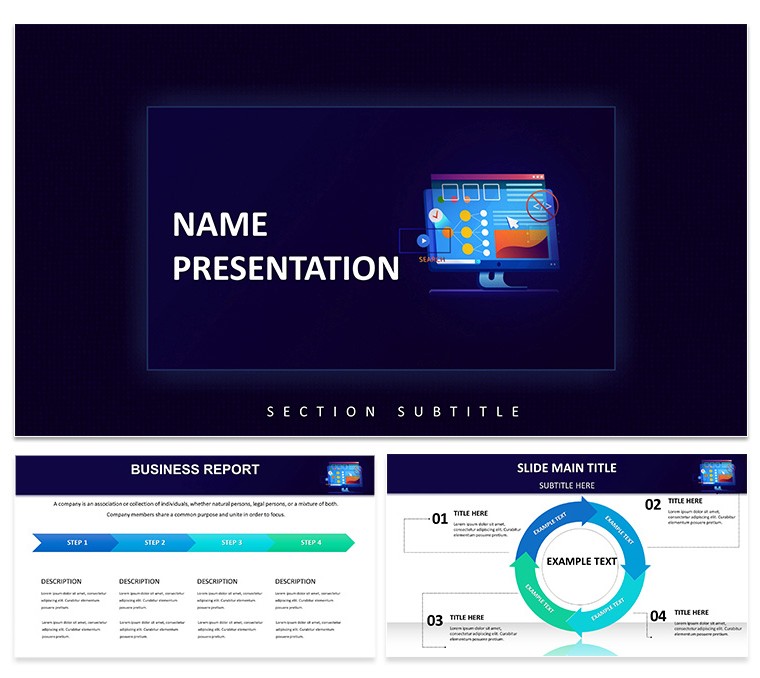
Cybersecurity Keynote Diagrams
No generic placeholders here just 28 diagrams and 7 color schemes focused on data protection.
For quarterly board decks with no designer the files deliver ready structures.
Free and paid differences are not listed on the page yet the full set covers every diagram.
Security analysts rely on this when mapping protocols to executives.
The diagrams replace manual drawing so you finish faster.
It keeps structure readable on one slide.
Color changes via slide master apply everywhere in moments.
You know how compliance deadlines sneak up and one edit keeps everything aligned.
This Keynote diagram template works best for structured security topics.
It is not suited for photo-heavy marketing decks.
Do not use it if you need freeform animation instead of clear diagram blocks.
See also the Cyber Security Keynote Template and the Cybersecurity Keynote Template for more options.
FeatureDetailsSlides / diagrams28 diagramsFile formatKEY and KTHSoftware versionKeynote 12+Color schemes7 color schemes switched via slide masterEditable elementsText icons and shapes resize and recolor independentlyAspect ratio16:9Free vs PaidPage does not specify exact differences but full set includes all diagrams and schemesMasters / BackgroundsMultiple masters for instant theme applicationDownload and start editing immediately
How do I change colors using the slide master in Keynote?Open any slide then go to View > Edit Master Slides. Select the master slide that controls your diagrams and update the theme colors there. This change applies instantly to all 28 diagrams across every color scheme without manual fixes on individual slides.
Can I use this template for client work?Yes the standard license permits you to create presentations for external clients. One purchase covers unlimited client projects as long as you do not resell or redistribute the original KEY or KTH files. Always keep the template files private to your own use.
What is the difference between free and paid versions?The page does not list exact free versus paid differences. In most cases the paid version delivers the complete 28 diagrams plus all 7 color schemes in full KEY and KTH formats. Check the download page at purchase time for the latest inclusions.
What are the refund conditions?Refunds are available within 14 days of purchase if the files do not meet your needs. Contact support with your order number and reason for a smooth process. Once files are downloaded and opened refunds are no longer possible.
Does the template support export to PDF video or web?Yes you can export the entire deck to PDF directly from Keynote. Video export works through the built-in record feature and web sharing is possible via Keynote Live. Diagrams remain crisp in every format.
Good for
- Project roadmaps and sprint plans
- Product launch timelines
- Quarterly or annual review decks
- Company history and milestone summaries
Licence
reviews
Prepared a product launch presentation that received strong approval from leadership. The template accelerated my workflow significantly.
Design emphasizes clarity with smart alignment guides visible during editing. Typography feels fresh without being trendy.
Most aspects worked as expected though some footer elements required repositioning. Overall a reliable option.
Visual consistency across all slides made the deck appear custom-made for our brand.
FAQ
Will it work in Google Slides?
Are fonts embedded?
Can I use this for client work?
What's the refund policy?
Do you update the template after purchase?
Similar templates
See all Keynote templates →


All 1 slides