 Click to zoom
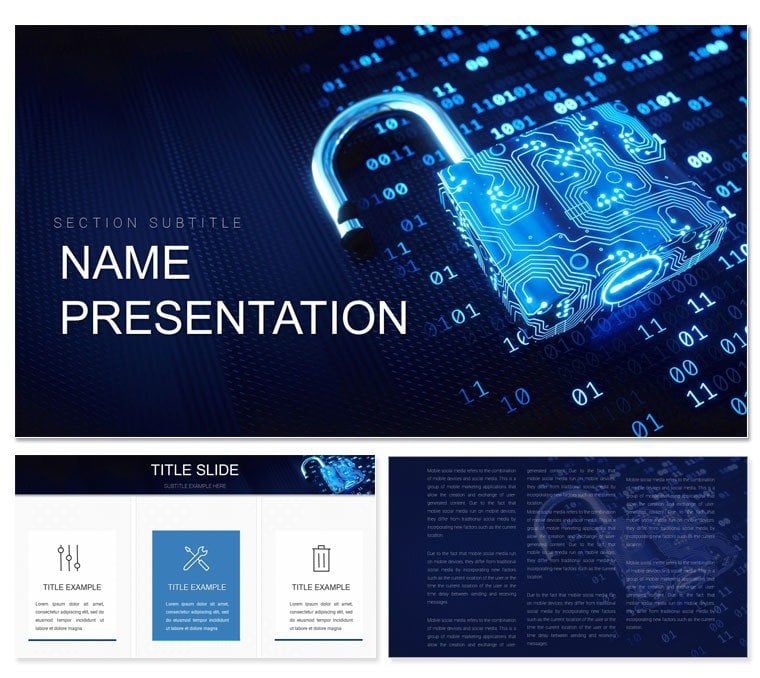
Cyber Security and Cybercrime PowerPoint Template
| Format | .pptx |
| Slides | 3 unique layouts |
| Aspect ratio | 16:9 |
| Compatibility | PowerPoint |
| Animated | No |
| Language | English |
| License | Commercial |
| File size | — |
| Version | v1.0 |
| Last updated | March 2022 |
What's inside
In the fast-paced world of tech, where threats lurk in every code line, your presentations need to strike back with precision and poise. Enter this Cyber Security and Cybercrime PowerPoint template - a battle-ready toolkit for developers, security analysts, and programming educators. Boasting 28 razor-sharp diagrams, three adaptable masters, and three thematic backgrounds, it equips you to dissect vulnerabilities and showcase defenses like a pro.
From mapping malware propagation to illustrating firewall architectures, these slides make the invisible dangers visible and actionable. Tailored for sessions on software safeguards or internet perils, it's your ally in turning technical jargon into gripping narratives. For only $22, unlock a design that doesn't just inform - it empowers your audience to act. Let's armor up your next demo and make cyber threats bow to your visuals.
Delving into the Template's Robust Features
This template's foundation is rock-solid, with three masters that lock in your branding across every slide. Opt for a dark mode background for late-night coding reviews or a light one for daylight briefings - the choice is yours, with three options to fit any setting.
The 28 diagrams form the arsenal: think network topology maps for cybercrime pathways or layered security pyramids that build tension as they reveal protections. Seven color schemes let you signal severity - fiery oranges for high-risk alerts or greens for fortified zones. Every piece is crafted for scalability, ensuring your visuals hold strong on any screen size.
- Vector Graphics: Scalable icons of hackers, shields, and code snippets for authentic flair.
- Smart Layouts: Auto-adjusting grids that keep elements balanced during edits.
- Integrated Timelines: For tracing attack timelines with milestone markers.
Works flawlessly in PowerPoint 2016 onward, syncing with OneDrive for team edits.
Practical Deployment in Cyber Defense Presentations
Envision prepping a workshop on ransomware tactics. Load the template and head to the process flow diagram on slide 5. Outline entry points to exfiltration, using drag-and-drop arrows to connect stages. Infuse your data - phishing rates or patch delays - and watch the scheme's colors differentiate attack vectors.
For executive overviews, slide 18's risk matrix shines. Quadrants plot likelihood against impact, with customizable bubbles for threats like DDoS. Animate paths to simulate progression, drawing viewers into the strategy. A developer shared how this layout clarified a code audit, sparking team-wide protocol updates.
Your Roadmap to Tailoring Cyber Slides
- Launch and Layer: Open the file, navigate to Slide Master for global font and logo tweaks.
- Diagram Dynamics: Select a graphic, use Shape Format to morph lines or add glows for emphasis.
- Content Calibration: Insert real logs into placeholders; formulas update linked charts on the fly.
- Scheme Shift: Design tab > Colors > Customize for on-the-spot palette swaps.
- Finalize Flow: Rehearse with Presenter View, exporting video for async shares.
This method streamlines from concept to delivery, especially in agile environments.
Elevating Above Standard Slide Decks
Unlike vanilla PowerPoint's rigid boxes, this template flows with your story. Pre-set transitions mimic digital pulses, syncing with cyber themes. The org chart on slide 12, for incident teams, branches organically - no more crooked lines.
For cross-platform needs, it renders cleanly in Google Slides exports. Add QR codes to diagrams for deep-dive resources, enhancing interactivity in virtual forums.
Versatile Use Cases for Tech Guardians
In penetration testing reports, the funnel diagram visualizes exploit chains, guiding debriefs. Educators mapping ethical hacking curricula use the radial menus for module overviews.
Sales engineers pitching endpoint solutions rely on the before-after sliders - raw exposure to secured states. Integrate with Wireshark exports for live demos, where diagrams overlay packet captures.
Pro tip: Use the equation editor in math-heavy slides for algorithm breakdowns, keeping precision intact.
Blending into Your Security Workflow
This isn't a standalone; it's a enhancer for tools like Splunk or Tableau. Embed dynamic charts that refresh with queries, or layer in screenshots from vulnerability scanners.
For enterprises, version the .potx for department-specific variants. It fosters a shared visual language, from dev sprints to board risk huddles.
Time to shield your insights? Secure this template for $22 and code your way to unbreachable presentations.
Frequently Asked Questions
How customizable are the security diagrams?
Completely - vectors and SmartArt allow full reshaping, recoloring, and data swaps.
Supported PowerPoint platforms?
Windows and Mac from 2016 up, including online versions.
Commercial rights included?
Yes, unlimited use in professional settings.
Animation options?
Built-in fades and wipes tailored to cyber flows.
Export formats?
PPTX, PDF, and video for versatile sharing.
File size considerations?
Optimized under 10MB for quick loads.
Good for
- Project roadmaps and sprint plans
- Product launch timelines
- Quarterly or annual review decks
- Company history and milestone summaries
Licence
reviews
The galaxy background is beautiful but takes forever to load on older laptops.
The observatory dome is a unique border layout.
The telescope and star icons are visionary. Used this for a "Long View" strategy.
Good for a "Deep Space" data analytics project.
I liked the "Constellation" diagram to connect disparate ideas.
FAQ
Will it work in Google Slides?
Are fonts embedded?
Can I use this for client work?
What's the refund policy?
Do you update the template after purchase?
Similar templates
See all PowerPoint Templates →


All 1 slides