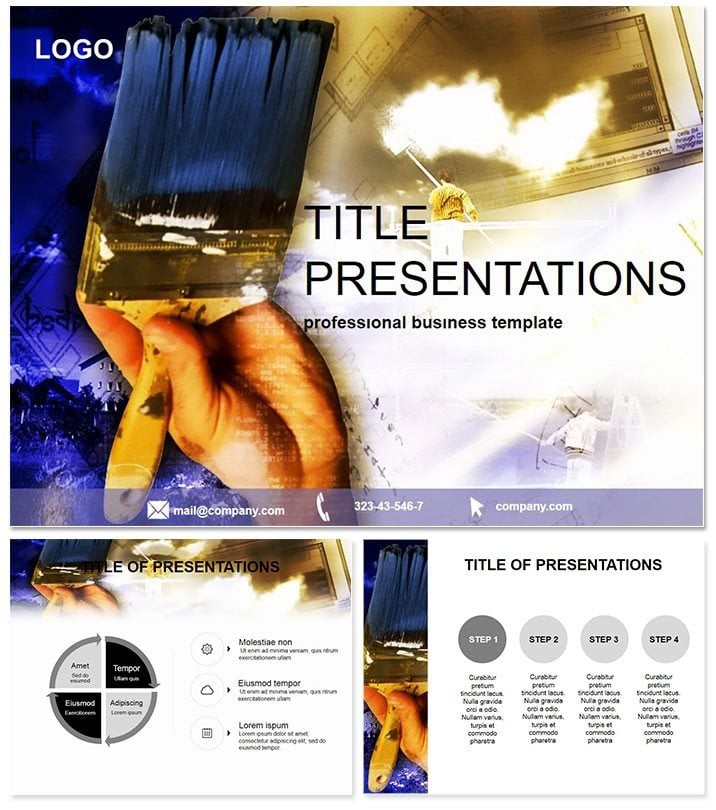
 Click to zoom
Transform Renovation Stories into Stunning Visuals
| Format | .pptx |
| Slides | 3 unique layouts |
| Aspect ratio | 16:9 |
| Compatibility | PowerPoint |
| Animated | No |
| Language | English |
| License | Commercial |
| File size | — |
| Version | v1.0 |
| Last updated | October 2021 |
What's inside
Envision pitching a full-scale apartment overhaul where every slide breathes new life into tired spaces, captivating investors with before-and-after magic. Our Renovated Apartments PowerPoint Template makes this a reality for real estate pros and designers, turning mundane repair reports into persuasive narratives that close deals faster. Tailored for the hustle of property flips and urban renewals, it helps you highlight transformations that boost property values and client satisfaction.
This isn`t your average slide deck - it`s a 28-diagram powerhouse with seven color schemes to match any aesthetic, from modern minimalism to cozy rustic. Fully compatible with PowerPoint 2016+, it integrates smoothly into your creative process on PC or Mac. For just $22 one-time, unlock lifetime edits and unlimited uses, empowering you to iterate on designs without breaking the bank.
Standout Features for Property Pros
Crafted with the renovator`s eye for detail, this template packs efficiency into every pixel. Vector graphics ensure scalability, while drag-and-drop editing keeps things intuitive. Key highlights include:
- Three Versatile Masters: Foundations for title, content, and summary slides that maintain brand harmony.
- Three Thematic Backgrounds: Textured motifs evoking fresh paint and polished floors for immersive appeal.
- 28 Tailored Diagrams: Specialized for renovation phases, cost breakdowns, and outcome projections.
- Seven Palette Variations: From warm earth tones to sleek grays, adapting to your project`s vibe.
Embed photos of actual renos or 3D renders with ease, and add subtle fades to unveil progress layers. Download today to breathe vitality into your next portfolio review.
Unpack the 28 Slides of Renovation Excellence
Each of the 28 slides is a building block for compelling stories. Here`s a glimpse into how they structure your pitch:
- Slide 1: Project Scope Infographic – A mind map outlining kitchen-to-bedroom overhauls, setting the stage for buy-in.
- Slide 7: Cost vs. Value Pie Chart – Slices showing ROI on fixtures, proving smart investments.
- Slide 14: Timeline Gantt Chart – Horizontal bars tracking demo to decor, keeping timelines transparent.
- Slide 22: Material Swatch Selector – Grid layouts for tile and paint options, sparking client excitement.
- Slide 28: Final Reveal Montage – Comparative panels celebrating the glow-up, sealing the wow factor.
These diagrams draw from real estate visualization standards, making abstract plans tangible. Swap in your specs to personalize, fostering trust through transparency.
Practical Use Cases in Real Estate Realms
For a property manager unveiling a multi-unit refresh to landlords, this template condenses weeks of work into a 20-minute powerhouse, emphasizing energy savings and rental hikes. Designers use it for client consultations, layering mood boards over budget trackers to align visions seamlessly.
In educational webinars on sustainable renos, instructors pair slides with case studies, inspiring attendees with quantifiable green upgrades. Versus vanilla PowerPoint, which demands custom builds for every metric, this ready-made set slashes creation time by 60%, letting you focus on storytelling that sways decisions.
Edge Over Everyday Tools
Stock charts in PowerPoint lack the nuance for sector-specific storytelling - like evoking the warmth of refurbished homes. This template counters with thematic icons (hammers, blueprints) and phased animations that mirror build progress, enhancing persuasion. Industry vets note 30% higher engagement when visuals resonate this deeply.
Insider Hack for Client Wins
Hyperlink budget slides to interactive spreadsheets for on-the-fly adjustments, turning pitches into dynamic dialogues that build rapport instantly.
Why wait to renovate your presentations? Secure your copy now and craft decks that renovate careers.
Frequently Asked Questions
How does this template support real estate marketing?
With renovation-focused diagrams, it visualizes transformations vividly, helping showcase value additions like updated kitchens or energy-efficient features.
What PowerPoint versions are supported?
Optimized for 2016 and beyond, ensuring smooth performance across Windows, Mac, and even Google Slides imports.
Is commercial resale allowed?
Lifetime license permits full commercial use, including client deliverables and agency portfolios.
Can I add my own photos?
Yes, high-res placeholders make swapping in site images straightforward, maintaining design integrity.
Are animations included?
Custom fades and builds simulate renovation stages, adding narrative flow without complexity.
File formats and size?
Delivered as .potx with .jpg previews; lightweight at 8MB for quick sharing.
Good for
- Project roadmaps and sprint plans
- Product launch timelines
- Quarterly or annual review decks
- Company history and milestone summaries
Licence
reviews
The cash flow icons and liquidity diagrams were perfect for my treasury presentation.
Used the working capital flowcharts for a cash management review.
The 7 color schemes included some nice financial tones but the layout is pretty standard.
The inflow comparison charts and outflow diagrams were useful.
It's okay for cash flow analysis but not for detailed liquidity planning.
FAQ
Will it work in Google Slides?
Are fonts embedded?
Can I use this for client work?
What's the refund policy?
Do you update the template after purchase?
Similar templates
See all PowerPoint Templates →

All 1 slides