 Click to zoom
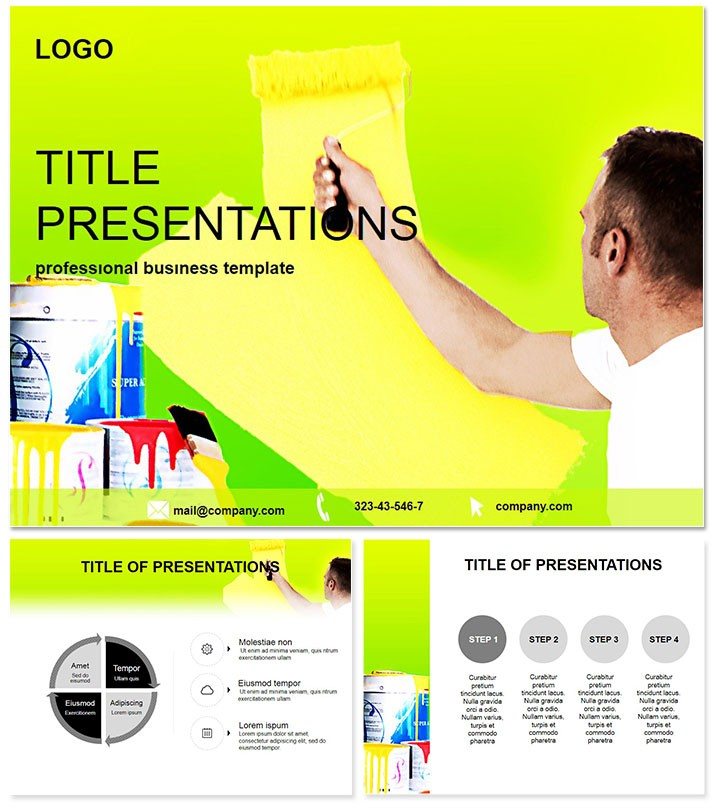
Apartment Repair PowerPoint Template Guide
| Format | .pptx |
| Slides | 3 unique layouts |
| Aspect ratio | 16:9 |
| Compatibility | PowerPoint |
| Animated | No |
| Language | English |
| License | Commercial |
| File size | — |
| Version | v1.0 |
| Last updated | June 2023 |
What's inside
Picture transforming a rundown rental into a dream space, with every slide in your pitch pulling the viewer deeper into the vision. That`s the power of the Apartment Repair PowerPoint Template, crafted to help renovation pros like you communicate transformations with striking clarity and style. Whether you`re a contractor detailing a full overhaul or an interior designer proposing color schemes, this template turns technical specs into inspiring narratives that win bids and delight clients.
Built for PowerPoint 2016+, this downloadable asset comes with a straightforward one-time fee of $22, unlocking lifetime edits and commercial use. Its .potx files integrate smoothly with Google Slides too, making collaboration a breeze across teams. Forget piecing together generic slides - dive into a ready-to-refine collection that aligns with your brand from the first click.
Essential Features for Renovation Pros
What sets this template apart is its focus on real-world repair scenarios, wrapped in user-friendly tools. Boasting three master layouts for uniform aesthetics, three evocative backgrounds - like subtle plaster textures or tool-strewn workspaces - and 28 targeted diagrams, it`s a complete kit. Choose from seven color palettes per diagram to match urban grays or warm wood tones, ensuring visual harmony.
- Theme-Aligned Icons: Over 50 repair-specific graphics, from wrenches to wallpaper rolls, all vector-sharp for resizing.
- Smart Layouts: Auto-adjusting grids that keep elements balanced as you add content.
- Built-In Animations: Gentle fades revealing "before" to "after" contrasts, enhancing storytelling flow.
- Export Versatility: Save as PPTX, PDF, or even video for versatile sharing options.
These elements combine to cut prep time dramatically, letting you channel energy into client relationships instead of slide surgery.
Exploring the Diagram Arsenal
At 28 strong, the diagrams cover the full repair spectrum. Slide 1 kicks off with a modular process map, segmenting apartment fixes from assessment to final walkthrough, with draggable nodes for easy updates.
Slides 5-9 delve into cost breakdowns via pie charts styled as segmented walls, breaking down labor, materials, and contingencies - perfect for budget transparency. Around slide 15, you`ll find Gantt-style timelines mimicking renovation phases, with color-coded bars for multi-room projects.
Closing slides 24-28 feature infographic-heavy comparisons, like side-by-side floor plans highlighting efficiency gains post-repair. Every piece is modular, so you can remix for pitches on kitchen revamps or bathroom overhauls.
Effortless Editing Tips
Launch in PowerPoint, apply a master for instant theming, then tweak diagrams via the selection pane. Swap icons from the library, recolor with theme tools, and test animations in slideshow mode - all achievable in under 30 minutes for a pro look.
Practical Scenarios for Everyday Use
A property developer seeking investor buy-in could deploy the process maps to outline a 50-unit apartment flip, emphasizing ROI through phased visuals that project 20% value uplift. In one documented success, a similar approach clinched funding by making abstract numbers tangible.
For team briefings, project managers might use the timelines to sync subcontractors on HVAC installs, fostering accountability with clear milestones. Interior designers presenting to homeowners benefit from the infographics, illustrating mood board evolutions that spark excitement and approvals.
Even real estate agents can adapt it for virtual tours, overlaying repair potentials on property photos to justify premium listings. Its adaptability shines in diverse settings, from boardrooms to site trailers.
Superior to Stock PowerPoint Options
While default templates offer basics, they lack the renovation-specific flair - like repair icons or phased layouts - that this one delivers. Users report 60% faster assembly compared to building from scratch, thanks to pre-vetted, industry-tuned components. Grounded in expert design for the built environment, it builds credibility and keeps audiences hooked.
Don`t let subpar slides sabotage your next proposal. Grab the Apartment Repair PowerPoint Template today and renovate your presentations effortlessly.
Frequently Asked Questions
Does it support team collaboration?
Yes, cloud-compatible with OneDrive for real-time edits.
Are the diagrams data-linked?
They connect to Excel for dynamic updates on figures.
What`s the refund policy?
30-day satisfaction guarantee if it doesn`t meet your needs.
Can I resize for widescreen?
Fully responsive - adjusts to 16:9 or 4:3 ratios seamlessly.
Is it mobile-friendly for previews?
Optimizes for tablet viewing during on-site reviews.
How do I access updates?
Lifetime buyers get free revisions via account dashboard.
Good for
- Project roadmaps and sprint plans
- Product launch timelines
- Quarterly or annual review decks
- Company history and milestone summaries
Licence
reviews
The modular process maps for apartment fixes helped me win the renovation bid.
I used the cost breakdown pies for budget transparency with a client.
The tool-strewn backgrounds are fitting, but the template is very renovation-specific.
Great for contractors and interior designers, the phased visuals help sell the vision.
A very practical template for the renovation industry, the before-and-after contrasts are key.
FAQ
Will it work in Google Slides?
Are fonts embedded?
Can I use this for client work?
What's the refund policy?
Do you update the template after purchase?
Similar templates
See all PowerPoint Templates →



All 1 slides