 Click to zoom
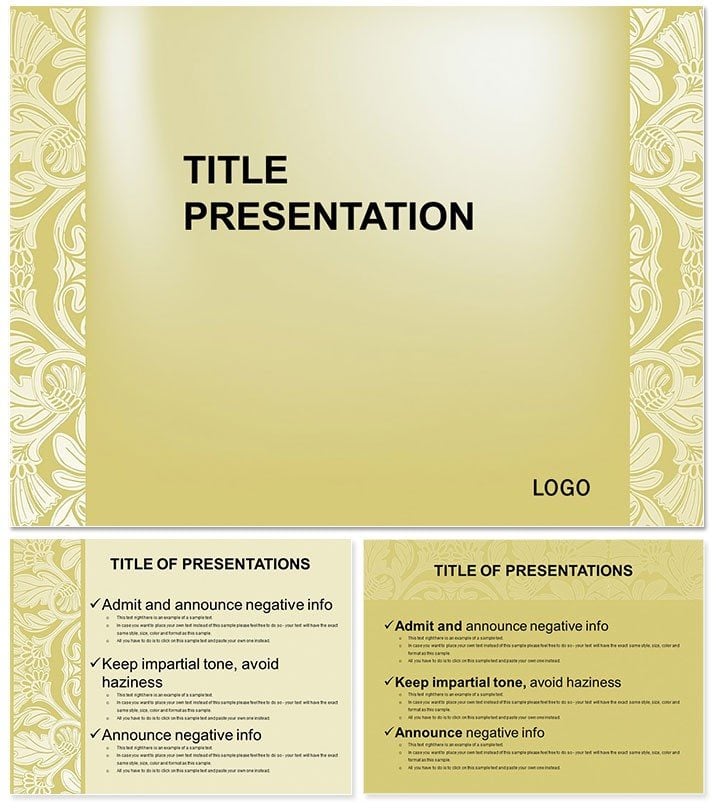
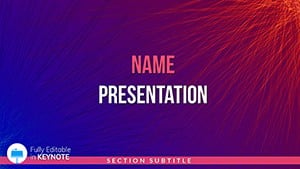
Shelf Ornament Keynote Template: Organize Ideas Elegantly
| Format | .pptx |
| Slides | 3 unique layouts |
| Aspect ratio | 16:9 |
| Compatibility | PowerPoint |
| Animated | No |
| Language | English |
| License | Commercial |
| File size | — |
| Version | v1.0 |
| Last updated | April 2025 |
What's inside
Picture your slides as a well-curated bookshelf - each element in its place, drawing the eye with subtle sophistication. The Shelf Ornament Keynote Template brings this vision to life, transforming scattered thoughts into polished narratives that command attention. Tailored for Keynote on macOS and iOS from version 9.0 onward, it delivers 30 unique slides, including 28 diagrams with seven color schemes, across three masters and backgrounds. Perfect for business leaders crafting quarterly reports or designers unveiling concepts, this template streamlines your workflow while amplifying impact.
Discover the Elegance in Every Detail
What sets this apart? It`s the thoughtful fusion of form and function, where minimalist shelf motifs provide structure without distraction. A one-time buy unlocks lifetime use, including commercial rights for client work, freeing you from recurring fees. Benefits abound: quicker prep times, audience retention through intuitive visuals, and adaptability that fits any theme from corporate blues to creative pastels.
For event planners outlining timelines or trainers mapping lesson arcs, it cuts through clutter. Trainers report 40% faster audience comprehension thanks to layered infographics. Secure yours now and curate presentations that resonate.
Dive into Features and Slide Breakdowns
Built on three versatile masters - one for intros with expansive shelf headers, another for content grids mimicking display tiers, and a third for closings with reflective summaries - the template adapts seamlessly. Three backgrounds offer choices: soft wood tones for warmth, stark whites for clarity, or geometric overlays for modern edge.
The 28 diagrams form the backbone, covering timelines for project milestones, scatter plots for trend analysis, and hierarchical trees for org charts. Seven color schemes ensure harmony, from earthy neutrals to bold accents, all vector-sharp for high-res outputs. Placeholders for images, charts, and text make swaps intuitive, while royalty-free icons add polish without extra hunts.
Exclusive to this pack: shelf-inspired layouts for portfolios, where each `shelf` holds a case study, or roadmaps that stack phases like books. Versus plain Keynote defaults, which box content rigidly, this breathes life with subtle shadows and alignments that guide the gaze naturally.
Effortless Integration and Editing Tips
Download in .key or .kth, launch in Keynote, and layer your data via drag-and-drop. Use the guide for advanced tweaks, like syncing animations to reveal `shelves` sequentially. Export options cover PDF for prints or MOV for web shares, maintaining fidelity across devices.
Practical Use Cases Across Industries
In marketing, visualize campaign funnels on tiered diagrams, showing conversion lifts from A/B tests - far more compelling than flat lists. Educators leverage it for workshop agendas, stacking modules like volumes for easy navigation. A creative agency head used it to pitch branding packages, with each shelf representing a deliverable, clinching a six-figure contract.
For consultants, it`s gold in competitive analyses, where pyramid diagrams layer market insights. Non-profits present impact reports with stacked bars on donation tiers, evoking organized progress. This template doesn`t just present; it persuades, outshining defaults by embedding context into every visual cue.
Why It Outperforms Standard Options
Stock Keynote feels functional but forgettable; this adds narrative depth with thematic consistency. iCloud-ready for team edits, it fosters collaboration sans version chaos. Lifetime access means your investment evolves with you - update slides yearly without rebuying.
Customize now to shelf your competition aside.
Frequently Asked Questions
What`s the minimum Keynote version required?
Keynote 9.0 or later on macOS and iOS for full feature support.
Are fonts and icons included?
Yes, high-quality, royalty-free assets are embedded for immediate use.
Can I print these slides?
Definitely - high-res graphics ensure crisp prints in any format.
How do I change color schemes?
Select from the seven presets via the master slide editor; full RGB customization available.
Is it suitable for team collaborations?
Yes, iCloud integration allows real-time edits with multiple users.
What if I need more slides?
Duplicate and adapt existing ones easily; no limits on expansion.
Good for
- Project roadmaps and sprint plans
- Product launch timelines
- Quarterly or annual review decks
- Company history and milestone summaries
Licence
reviews
This one was okay for a quarterly report at work.
The pie charts and simple icons helped break up the boring data.
I wish there were fewer duplicate slides but I still found enough useful ones.
Everything lined up correctly which honestly surprised me.
Used only half the slides but it still saved me time.
FAQ
Will it work in Google Slides?
Are fonts embedded?
Can I use this for client work?
What's the refund policy?
Do you update the template after purchase?
Similar templates
See all Keynote templates →
All 1 slides