 Click to zoom
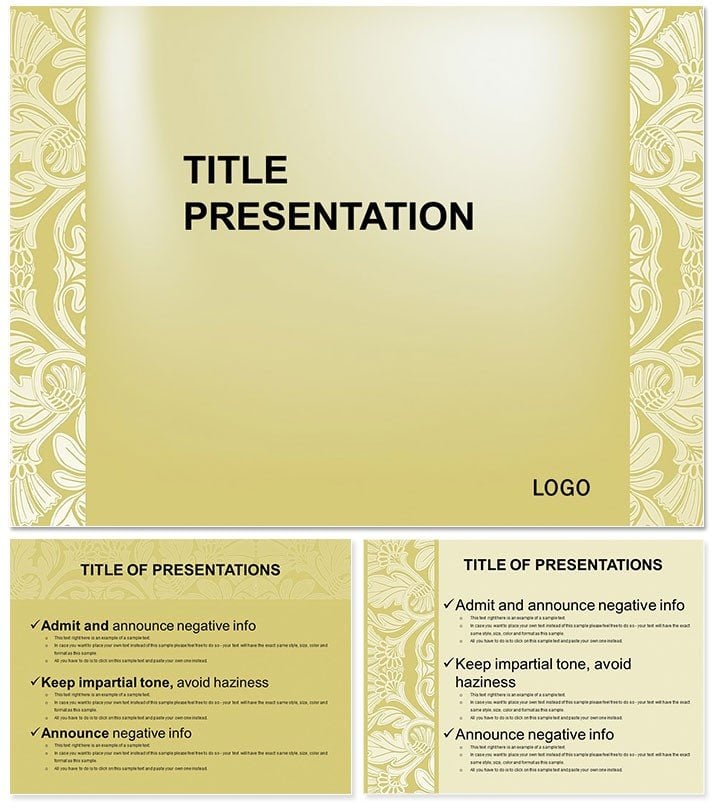
Shelf Ornament PowerPoint Templates
| Format | .pptx |
| Slides | 3 unique layouts |
| Aspect ratio | 16:9 |
| Compatibility | PowerPoint |
| Animated | No |
| Language | English |
| License | Commercial |
| File size | — |
| Version | v1.0 |
| Last updated | January 2014 |
What's inside
Shelves aren`t just storage; they`re canvases for the soul, holding stories in every curve and flourish. This Shelf Ornament PowerPoint Template channels that artistry into 28 abstract diagrams, ideal for creatives, interior pros, or anyone crafting presentations that blend form and function. With three masters, backgrounds in large-format elegance, and support for widescreen (16:9), standard (4:3), and 16:10 ratios, it`s a versatile ally for evoking emotion through design. Compatible with PowerPoint 2016+, dive into a world where ornaments tell tales.
Abstract presentations thrive on subtlety - inviting viewers to interpret rather than dictate. This template`s seven color schemes, from gilded golds to shadowy indigos, mirror shelf vignettes, offering styles for every mood. Diagrams evoke layered motifs: swirling vines for growth themes, geometric shelves for structured abstracts, all editable to infuse your narrative. It`s about turning blank slides into bespoke displays that whisper sophistication.
Artful Components for Expressive Slides
Design meets utility in balanced measure. Backgrounds mimic ornate panels - textured woods, filigree overlays - framing content with quiet luxury. The 28 diagrams span organic flows to precise lattices, each scalable via vectors for flawless renders. JPG sources aid in mood boarding, while .potx ensures fluid tweaks.
- Format Flexibility: Three ratios for any projector or screen setup.
- Ornamental Variety: Curves for fluidity, angles for tension in abstract explorations.
- Palette Depth: Seven schemes to harmonize with thematic palettes.
A graphic artist layered the vine diagram for a branding pitch, tracing logo evolutions - captivating clients with visual poetry. This echoes ornamental traditions in modern minimalism, like those in Adobe`s creative suites.
Orchestrating Your Abstract Deck
- Select Ratio and Master: Open .potx, choose format and layout for your vision`s scale.
- Embellish Diagrams: Trace paths with custom fills, adding depth via shadows.
- Blend Schemes: Mix colors for gradient effects, evoking shelf lighting.
- Layer Textures: Overlay subtle patterns for tactile feel in digital space.
- Curate Sequence: Arrange for rhythmic progression, like browsing a gallery.
Such curation, drawn from design ateliers, elevates abstracts from vague to vivid.
Inspirational Contexts for Ornament Lovers
For mood boards, shelf diagrams catalog inspirations; in decor talks, they illustrate spatial harmony. Event planners map timelines with filigree accents, adding flair to itineraries. The abstract nature invites repurposing - for wellness decks, where curves symbolize balance.
Envision a curator using lattice slides to frame exhibit flows, guiding patrons intuitively. Prioritize inspiration: these tools spark ideas, not stifle them, solving the blank-canvas dread.
Refining Artistic Flow
Embrace asymmetry for interest, per abstract masters - let ornaments breathe. Cultivate wonder in your work: acquire this template for $22 and shelf your masterpieces.
Frequently Asked Questions
What slide sizes are available?
Widescreen 16:9, standard 4:3, and 16:10 for versatile displays.
Are the diagrams vector-based?
Yes, ensuring scalability without quality loss.
Can I change color schemes easily?
With seven options, switch via the design menu in seconds.
Is it for non-abstract uses?
Versatile enough for themed presentations beyond pure abstraction.
What file types are provided?
.potx for editing and JPG for previews.
Good for
- Project roadmaps and sprint plans
- Product launch timelines
- Quarterly or annual review decks
- Company history and milestone summaries
Licence
reviews
Designed a mood board for a client's new boutique, the swirling vine diagrams and geometric shelf abstracts were perfect for conveying the artistic vibe we were going for.
Honestly, the abstract nature is too vague for my needs; I found it hard to map specific business data to the ornamental curves, but the color schemes are pretty.
The three slide size ratios (16:9, 4:3, 16:10) came in handy for testing the presentation on different screens, and the filigree overlays looked very high-end.
I used it for a creative portfolio review, and the layered motifs allowed me to stack textures without the slides looking cluttered, which was my main concern.
It is a beautiful set if you are doing interior design or art pitches, the vector diagrams scaled perfectly for large prints, though it might be too fancy for a standard ops meeting.
FAQ
Will it work in Google Slides?
Are fonts embedded?
Can I use this for client work?
What's the refund policy?
Do you update the template after purchase?
Similar templates
See all PowerPoint Templates →

All 1 slides