 Click to zoom
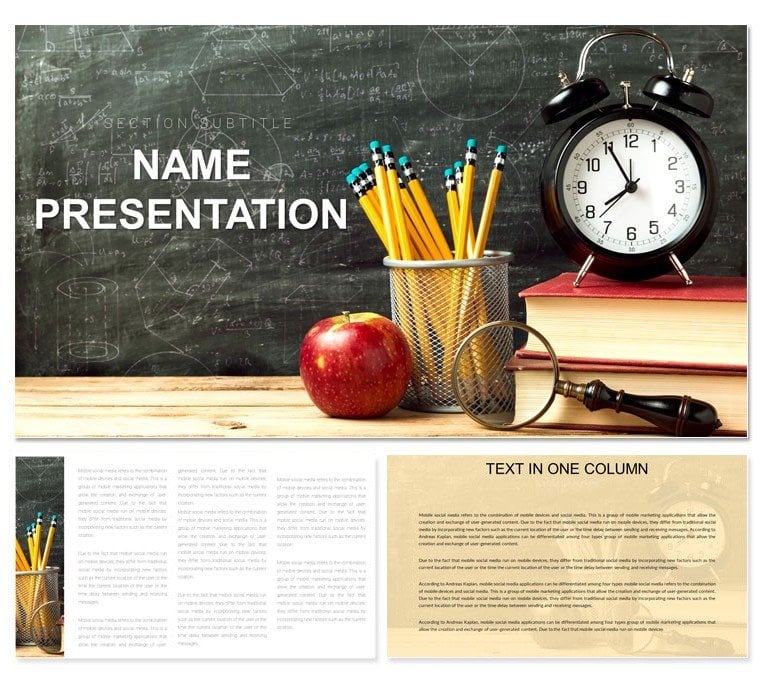
School Day Lessons Keynote Template for Educators
| Format | .pptx |
| Slides | 3 unique layouts |
| Aspect ratio | 16:9 |
| Compatibility | PowerPoint |
| Animated | No |
| Language | English |
| License | Commercial |
| File size | — |
| Version | v1.0 |
| Last updated | May 2025 |
What's inside
Every school day is a canvas of opportunities, from morning announcements to afternoon reflections, and our School Day Lessons Keynote Template turns that canvas into a masterpiece of organization and inspiration. Tailored for teachers, administrators, and instructional coaches, this template helps you map out lessons, schedule breaks, and highlight key activities with effortless precision. Boasting over 20 unique slides, including 28 interactive diagrams and seven adaptable color schemes, it's your go-to for crafting schedules that keep everyone on track and excited. At $22, it's a small step toward big wins in classroom management and student engagement.
Navigating the School Day with Visual Clarity
Structuring a school day isn't just about bells and buzzers - it's about creating rhythms that foster focus and fun. This template excels by offering dedicated slides for daily agendas, where you can layer in time-blocked segments using horizontal timelines that stretch across the screen. Envision a slide breaking down a 45-minute math block: allocate segments for warm-ups, direct instruction, and group work with color-coded bars that visually cue transitions. Administrators might use the circular progress diagrams to overview weekly themes, ensuring alignment across grades. These aren't static images; they're editable frameworks that bend to your routine, whether it's a standard bell schedule or a flexible block plan.
Tailoring Timelines to Your Teaching Flow
Customization is at the heart of this design, with three masters that let you switch between minimalist agendas for quick reviews and detailed breakdowns for staff training. Adjust the stroke weights on flowchart arrows to emphasize critical handoffs, like from recess to reading circles, or embed hyperlinks to resource slides for deeper dives. Built for Keynote's robust ecosystem, it supports drag-and-drop image imports for subject icons - think a stopwatch for timed activities or a lightbulb for brainstorming breaks - keeping edits intuitive even during hectic prep periods.
- Interactive Timelines: Linear and circular options for sequencing lessons and transitions.
- Subject-Specific Charts: Bar graphs for math metrics, pie charts for break allocations.
- Three Backgrounds: Soft pastels for calming vibes, structured grids for organization.
- Seven Color Schemes: From energizing primaries to soothing earth tones.
Such flexibility means your presentations evolve with the school year, adapting to seasonal shifts like extended recesses in spring.
Practical Use Cases: From Solo Planning to Team Briefings
For the solo teacher juggling multiple preps, this template streamlines solo planning by pre-populating break reminder slides with motivational quotes or quick polls. A science educator could customize a sequence diagram to outline lab safety protocols before experiments, ensuring compliance feels approachable. On a broader scale, department heads leverage the multi-column layouts to compare schedules across classes, spotting overlaps or gaps that inform master timetables. It's particularly handy for hybrid learning setups, where virtual break slides include timer widgets to maintain pacing across screens.
Guided Steps for a Weekly Overview Presentation
- Load the Template: Open in Keynote and select the agenda master for your base.
- Populate Timelines: Input lesson titles and durations into the diagram placeholders.
- Enhance with Icons: Add thematic visuals from the built-in library for each block.
- Refine Colors: Choose a scheme that matches your classroom decor.
- Share and Iterate: Export as PDF for printing or share via AirDrop for feedback.
This process turns chaotic calendars into cohesive narratives, freeing you to focus on facilitation over fiddling.
Elevating Routine Schedules into Engaging Narratives
What sets this apart from standard calendar apps is the narrative thread it weaves - each slide transitions smoothly, building anticipation for the day's arc. Unlike clunky spreadsheets projected in dim rooms, these visuals pop with purpose, using subtle gradients to denote energy peaks and lulls. A literacy coach might repurpose the infographic slides for reading rotation trackers, layering in student names for personalized touchpoints. The vector precision ensures no pixelation during zooms, a boon for tablet-based walkthroughs.
Incorporate it with daily huddles by starting with a recap slide that recycles yesterday's highlights, creating continuity that boosts retention. Over time, you'll notice how these structured visuals reinforce routines, making abstract concepts like time management tangible for young learners.
Integrating Breaks for Balanced Days
Breaks aren't fillers; they're recharge points, and dedicated slides here use radial menus to suggest activities - yoga stretches or story shares - while tracking durations. Customize prompts to fit your group's needs, turning potential downtime into deliberate design that sustains attention spans.
Workflow Wins for Busy Educators
Seamlessly blends with tools like Calendar apps for auto-syncing events or Notion for detailed notes behind each slide. The result is a toolkit that not only organizes but energizes, turning school days into symphonies of structured spontaneity.
Transform your teaching toolkit with intention. Secure your School Day Lessons Keynote Template for $22 now and orchestrate days that flow as brilliantly as they inspire.
Frequently Asked Questions
Is this template suitable for elementary or high school?
Absolutely - its flexible designs scale from simple daily overviews for younger grades to complex schedules for teens.
Can I add my own images to the slides?
Yes, the layouts support easy image insertion with automatic resizing and alignment.
What if I'm new to Keynote?
The intuitive masters and placeholders make it beginner-friendly, with no advanced skills required.
Does it work on iOS devices?
Fully compatible with Keynote on iPad and iPhone for on-the-go edits.
Are there options for printing the schedules?
Export to PDF preserves all elements for high-quality printouts or handouts.
Good for
- Project roadmaps and sprint plans
- Product launch timelines
- Quarterly or annual review decks
- Company history and milestone summaries
Licence
reviews
Had to explain survey data to my team and this template handled the graphs nicely.
Some icons looked kind of generic but they still worked.
The layouts are simple enough that editing them doesn’t take forever.
I only used around six slides from the pack but those were worth it.
The charts exported clearly even when printed in grayscale.
FAQ
Will it work in Google Slides?
Are fonts embedded?
Can I use this for client work?
What's the refund policy?
Do you update the template after purchase?
Similar templates
See all Keynote templates →



All 1 slides