 Click to zoom
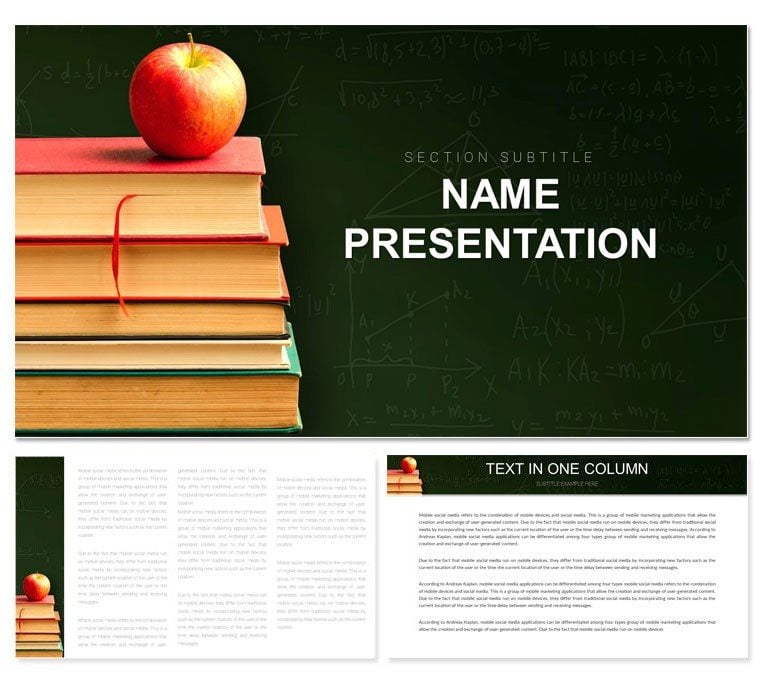
Math Lessons Keynote Template for Teachers
| Format | .pptx |
| Slides | 3 unique layouts |
| Aspect ratio | 16:9 |
| Compatibility | PowerPoint |
| Animated | No |
| Language | English |
| License | Commercial |
| File size | — |
| Version | v1.0 |
| Last updated | August 2023 |
What's inside
Math doesn't have to be a maze of monotony - our Math Lessons Keynote Template turns equations into explorations that students can't wait to solve. Geared toward math educators from elementary tutors to high school instructors, this collection delivers 59 slides rich with interactive elements, anchored by three masters, three backgrounds, and 28 math-centric diagrams in seven color schemes. Whether graphing functions or dissecting fractions, it equips you to visualize concepts that click. At $22, it's the affordable edge that makes abstract numbers feel approachable and exciting.
Visualizing Math: From Basics to Breakthroughs
At its core, effective math instruction hinges on seeing the unseen, and this template bridges that gap with precision-crafted visuals. Start with a coordinate plane slide where axes auto-scale to your data sets, perfect for plotting linear relationships in algebra class. A geometry teacher could layer in rotatable shape overlays on Venn diagrams to demonstrate set intersections, making proofs interactive rather than intimidating. These aren't off-the-shelf graphics; they're built with Keynote's build tools in mind, allowing phased reveals that mirror problem-solving steps.
Interactive Elements That Drive Discovery
Customization flows naturally - tweak line thicknesses on function graphs to highlight asymptotes, or swap datasets in scatter plots for real-world correlations like height versus shoe size. The seven color schemes range from monochromatic for focus drills to rainbow gradients for pattern recognition games, ensuring visual variety without distraction. Masters cater to progression: one for exploratory warm-ups, another for rigorous derivations.
- Graphing Tools: Line, bar, and polar charts with editable axes.
- Shape Builders: Geometric figures that snap to grids.
- Three Backgrounds: Grid-lined for accuracy, plain for emphasis.
- 28 Diagrams: Spanning fractions to calculus curves.
This toolkit empowers you to adapt on the fly, whether pivoting to remedial reviews or accelerating for gifted groups.
Applications Across Math Landscapes
In elementary settings, use fraction circle diagrams to decompose wholes, with segments that pull apart for hands-on manipulation. High school calculus pros might employ parametric curve tracers to animate derivatives, syncing with your narration for fluid explanations. Tutors in after-school programs appreciate the modular exercise slides, where problem templates duplicate easily for varied difficulty levels.
Step-by-Step: Designing a Function Unit
- Set the Stage: Use the exploratory master for intro slides on domain basics.
- Build Graphs: Input equations into pre-formatted plotters.
- Add Interactivity: Set build orders to reveal transformations sequentially.
- Assess with Charts: Integrate pie summaries for class poll results.
- Wrap and Reflect: End with a summary matrix linking concepts.
This method structures sessions that build incrementally, reinforcing retention through repetition and revelation.
The Edge Over Traditional Whiteboards
Where chalk fades and markers smear, these digital diagrams endure, with infinite undo layers for experimentation. Unlike static textbooks, animations bring quadratics to life, parabolas unfolding like stories. A stats teacher could customize histogram bins for data distributions, pulling from CSV imports for authenticity.
Blend with Desmos embeds for hybrid tech lessons, or print slide excerpts for desk references. It's a versatile ally that scales with your curriculum, from daily drills to semester showcases.
Infusing Fun with Themed Math Icons
Over 50 icons - from pi symbols to probability dice - add whimsy without whimsy, recolorable to match lesson themes like seasonal stats challenges.
Optimizing Your Math Instruction Flow
From quick quizzes to full modules, this template accelerates prep while amplifying impact, letting math's beauty emerge unhindered.
Make math magical. Grab the Math Lessons Keynote Template for $22 today and watch equations ignite imaginations.
Frequently Asked Questions
Does it cover advanced topics like calculus?
Yes, diagrams include curves and integrals adaptable to higher-level content.
Can I import external data?
Keynote compatibility allows pasting from spreadsheets for dynamic charts.
Is it suitable for group activities?
Absolutely - duplicate slides for collaborative problem-solving stations.
How do animations work?
Pre-set builds trigger on click, with options to customize paths.
Works with iPad for mobile teaching?
Fully optimized for touch-based edits and presentations.
Any tips for elementary adaptations?
Simplify colors and enlarge icons for younger visual learners.
Good for
- Project roadmaps and sprint plans
- Product launch timelines
- Quarterly or annual review decks
- Company history and milestone summaries
Licence
reviews
This helped me finish a monthly report before my deadline.
The process diagrams were probably the most useful part of the deck.
A few slides looked too busy so I simplified them a lot.
I don’t really notice design details much but this looked fine in meetings.
Good template for people who just need something organized quickly.
FAQ
Will it work in Google Slides?
Are fonts embedded?
Can I use this for client work?
What's the refund policy?
Do you update the template after purchase?
Similar templates
See all Keynote templates →
All 1 slides