 Click to zoom
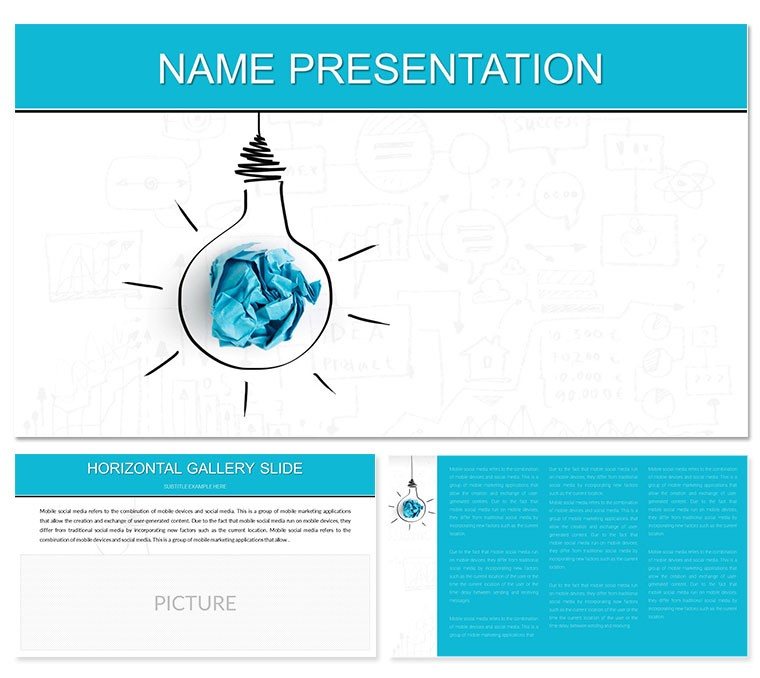
Proposing Idea Models Keynote Template: Build Strategies That Stick
| Format | .pptx |
| Slides | 3 unique layouts |
| Aspect ratio | 16:9 |
| Compatibility | PowerPoint |
| Animated | No |
| Language | English |
| License | Commercial |
| File size | — |
| Version | v1.0 |
| Last updated | January 2023 |
What's inside
Imagine pitching a groundbreaking business model to stakeholders who not only grasp it instantly but lean in for more. That's the power of the Proposing Idea Models Keynote Template, designed specifically for forward-thinking planners, consultants, and educators who turn abstract concepts into crystal-clear strategies. With 28 meticulously crafted diagrams, three versatile master slides, and three background options, this template isn't just a tool - it's your shortcut to presentations that drive decisions and spark action.
Whether you're mapping out a new venture in consulting or breaking down complex development phases for a training session, these slides adapt seamlessly to your narrative. The seven color schemes let you align visuals with brand tones, from corporate blues for boardrooms to vibrant greens for innovative workshops. Fully compatible with Keynote on macOS, including versions from 2016 onward, every element - from flowcharts to hierarchical models - is editable, so you spend less time tweaking and more time refining your message.
Picture this: You're leading a strategy session for a mid-sized firm eyeing market expansion. Slide one introduces your core idea model with a clean radial diagram that radiates possibilities. As you progress, layered process maps illustrate development stages, making it easy for your audience to follow the journey from ideation to implementation. This template shines in real-world scenarios like annual planning retreats, where clarity can make or break buy-in.
Unlock the Core Features of This Idea Modeling Template
At its heart, this Keynote template empowers you with multifunctional infographics that go beyond static images. Start with the three master layouts: one for high-level overviews, another for detailed breakdowns, and a third for interactive Q&A segments. Pair them with backgrounds that evoke professionalism - subtle gradients or textured neutrals that keep focus on your content.
- 28 Custom Diagrams: From simple mind maps to intricate Gantt-style timelines, each slide is pre-built for idea proposal and model evolution. Swap data points effortlessly to fit your specifics.
- Seven Color Schemes: Tailor palettes to match your sector - think tech-savvy purples or finance-focused golds - ensuring visual harmony without design headaches.
- Editable Vectors and Icons: Resize, recolor, or replace elements like process arrows or decision nodes, all while maintaining sharp resolution across devices.
These features aren't just bells and whistles; they're practical lifelines for busy professionals. For instance, in a consulting pitch akin to those used by firms like McKinsey in their strategy overviews, these diagrams condense weeks of analysis into digestible visuals, helping you convey value propositions with precision.
Real-World Applications: Where This Template Drives Impact
Business planning thrives on storytelling, and this template turns data dumps into narratives that resonate. Consider a startup founder using it to propose scalable models during investor meetings - the modular slides let you drill down from broad market scans to granular revenue forecasts, keeping everyone engaged.
In educational settings, trainers leverage the hierarchical diagrams to teach model development frameworks, much like how design thinking workshops structure ideation phases. Here's a quick walkthrough for integrating it into your workflow:
- Open and Customize: Import your Keynote file, select a master slide, and input your core idea into the central node of the first diagram.
- Layer Development: Use subsequent slides to build out phases - add timelines for milestones or pyramid charts for priority stacking.
- Refine and Present: Apply a color scheme that matches your deck's theme, rehearse transitions for smooth flow, and export for sharing.
For commerce teams, it's a boon in solution-selling scenarios. Envision outlining a client-specific business model: Start with a canvas-style slide for assumptions, transition to SWOT-infused models, and close with projected outcomes via bar-linked diagrams. This approach not only clarifies your proposal but positions you as the strategic partner they need.
Compared to starting from a blank Keynote canvas, this template slashes prep time by providing ready structures that align with proven planning methodologies. No more wrestling with alignment tools or sourcing icons - these are baked in, vector-based, and theme-consistent.
Customization Tips to Elevate Your Proposals
To make this template truly yours, focus on subtle enhancements that amplify your voice. Begin by auditing your content: Which models need emphasis? For a development-heavy pitch, prioritize the sequential flow diagrams, embedding hyperlinks to supporting docs for deeper dives during Q&A.
Integrate thematic icons - like lightbulb motifs for ideation or gear symbols for execution - to add a layer of intuitive storytelling. And don't overlook animations: Keynote's build-in options let you reveal model layers progressively, mimicking the organic unfolding of ideas.
In one practical example, a business educator adapted these slides for a course on entrepreneurial modeling, swapping default text for case snippets from real ventures. The result? Students not only understood the concepts but applied them in group projects with newfound confidence.
As you refine, test on different screens - laptop projections versus iPad shares - to ensure diagrams scale without losing punch. This template's responsive design handles it all, keeping your proposals polished across formats.
Why This Template Stands Out in a Sea of Options
What sets the Proposing Idea Models Keynote Template apart is its balance of depth and flexibility. While basic templates offer generic charts, this one delivers specialized diagrams tailored to model-building, complete with placeholders for annotations that guide viewer interpretation.
It's not about overwhelming with options but empowering with purpose-built tools. Consultants appreciate the export-friendly .key and .kth files, which integrate smoothly into collaborative workflows, whether via iCloud or shared drives.
Ready to propose ideas that convert skeptics into advocates? Download this Keynote template for $22 and start modeling success today.
Frequently Asked Questions
Is this Keynote template compatible with older versions?
Yes, it's fully compatible with Keynote 2016 and later, ensuring smooth performance on recent macOS updates.
How editable are the diagrams?
All 28 diagrams feature vector-based elements, allowing full customization of colors, text, and layouts without quality loss.
Can I use this for non-business presentations?
Absolutely - its versatile structures work well for educational model-building sessions or creative brainstorming.
Does it include animation presets?
Keynote-native animations are supported; simply apply builds to reveal diagram layers sequentially for dynamic flows.
What file formats are provided?
You'll receive .key and .kth files, plus JPG previews for quick references.
Good for
- Project roadmaps and sprint plans
- Product launch timelines
- Quarterly or annual review decks
- Company history and milestone summaries
Licence
reviews
Proposing idea models with sticky note style strategy diagrams in earthy tones. Helped structure my planning session visuals effectively.
The pyramid models and process flows are detailed for business planners. Slightly critical of limited animation hints.
Deadline user: grabbed the Venn diagram slides for quick overlap analysis. Practical and time-saving.
Professional consultant: the 7 color schemes matched client palettes perfectly, especially the cool grays.
The gear and puzzle piece icons added nice touch to collaboration slides. Authentic for team strategy talks.
Student: used the SWOT variants for my capstone - clear and editable charts.
FAQ
Will it work in Google Slides?
Are fonts embedded?
Can I use this for client work?
What's the refund policy?
Do you update the template after purchase?
Similar templates
See all Keynote templates →


All 1 slides