 Click to zoom
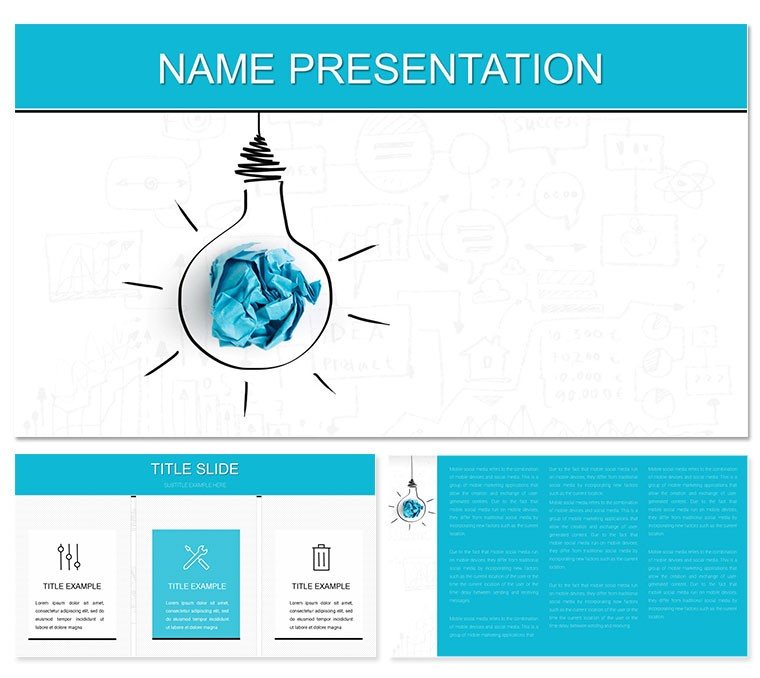
Idea Models PowerPoint Template: Building Blueprints for Business Growth
| Format | .pptx |
| Slides | 3 unique layouts |
| Aspect ratio | 16:9 |
| Compatibility | PowerPoint |
| Animated | No |
| Language | English |
| License | Commercial |
| File size | — |
| Version | v1.0 |
| Last updated | January 2023 |
What's inside
In the realm of business planning, where ideas must evolve from sketches to strategies, the right visuals can bridge the gap between vision and viability. The Idea Models PowerPoint Template is engineered for planners, consultants, and commerce leaders who craft compelling cases for new ventures or process overhauls. With 28 diagram-rich slides across 7 color schemes, it equips you to propose models that not only illustrate concepts but also forecast outcomes, making your pitches as robust as the ideas they represent.
Visualize a commerce team prototyping e-tail expansions, using layered models to simulate revenue streams, or a consultant diagramming agile methodologies for client adoption. PowerPoint-ready from 2016 up, it features three masters and backgrounds that instill a sense of structured sophistication, turning potential into palpable progress.
Foundational Features for Model Mastery
Core to this template is its emphasis on modularity: Diagrams for ideation matrices, development cycles, and solution architectures, all ripe for personalization. Infuse your projections or stakeholder inputs, and the clean lines ensure focus stays on the model's merits.
- Model-Focused Visuals: 28 slides spanning brainstorming webs to phased implementations.
- Scheme Variety: Seven options, from neutral tones for formal reviews to dynamic hues for creative sessions.
- Edit-Friendly Build: Full access to shapes and data fields for seamless adaptations.
Smart start: Customize the master with your firm's modeling icons, then cascade changes through the deck. This echoes frameworks from planning pros, like those in strategy consultancies, for cohesive storytelling.
Refining Models with Precision Edits
Tweaking is straightforward - select a cycle diagram, input milestones, and align connectors. Backgrounds provide subtle textures that evoke innovation without overpowering, ideal for virtual whiteboards or printed proposals.
Applications Anchored in Commerce Realities
For business solutions pitches, the template excels in outlining hybrid models, blending digital and physical touchpoints via hybrid charts. In education settings, trainers model scenario planning for teams, using decision trees to explore 'what-ifs' interactively. Commerce devs deploy it for product lifecycle visuals, tracing from conception to market entry with milestone markers.
Step-by-step for a development proposal: Kick off with an overview model. Progress to component breakdowns - SWOTs for risks, flows for processes. End with viability assessments in radar charts. It outshines generic templates by embedding planning logic natively.
- Define Parameters: Gather inputs from tools like Lucidchart.
- Embed in Slides: Replace defaults with your variables.
- Iterate Feedback: Share drafts via OneDrive for refinements.
Particularly useful for solution architects mapping integrations, where node diagrams clarify dependencies crisply.
Infusing Models with Thematic Depth
Gear icons and flowchart symbols add narrative glue, scalable to denote scale - small for pilots, large for rollouts. Apply fades for emphasis, crafting models that feel alive and iterative.
Elevating Your Planning Workflow
Sync with Visio for advanced exports or Google Sheets for collaborative data, maintaining version integrity. The masters facilitate theme switches mid-deck, suiting multi-phase plans.
Envision a planner in a board strategy: High-level models frame the vision, granular ones unpack tactics, forging alignment from ambiguity.
Polishing for Persuasive Delivery
Key tweak: Tie colors to model stages - greens for growth phases, ambers for reviews - to cue progression intuitively. Prioritize hierarchy, letting models lead over text for immersive impact.
Launch Your Ideas into Action
Shape tomorrow's successes - acquire this template and model the momentum your business deserves.
Frequently Asked Questions
Are the models business-oriented?
Yes, geared toward commerce, planning, and solutions.
Supported file types?
.pptx, .potx, .jpg included.
Integration with planning software?
Easy imports from Visio or Excel.
Number of backgrounds?
Three, for contextual variety.
Editable to what extent?
Completely, from nodes to narratives.
Best for team use?
Ideal for collaborative editing in shared environments.
Good for
- Project roadmaps and sprint plans
- Product launch timelines
- Quarterly or annual review decks
- Company history and milestone summaries
Licence
reviews
Those automotive charts are great for sales reports.
The vehicle model comparison table is useful.
Used the fuel efficiency trend for an engineering review.
Nice, the production volume bar chart is clean.
The warranty claim timeline is decent.
FAQ
Will it work in Google Slides?
Are fonts embedded?
Can I use this for client work?
What's the refund policy?
Do you update the template after purchase?
Similar templates
See all PowerPoint Templates →


All 1 slides