 Click to zoom
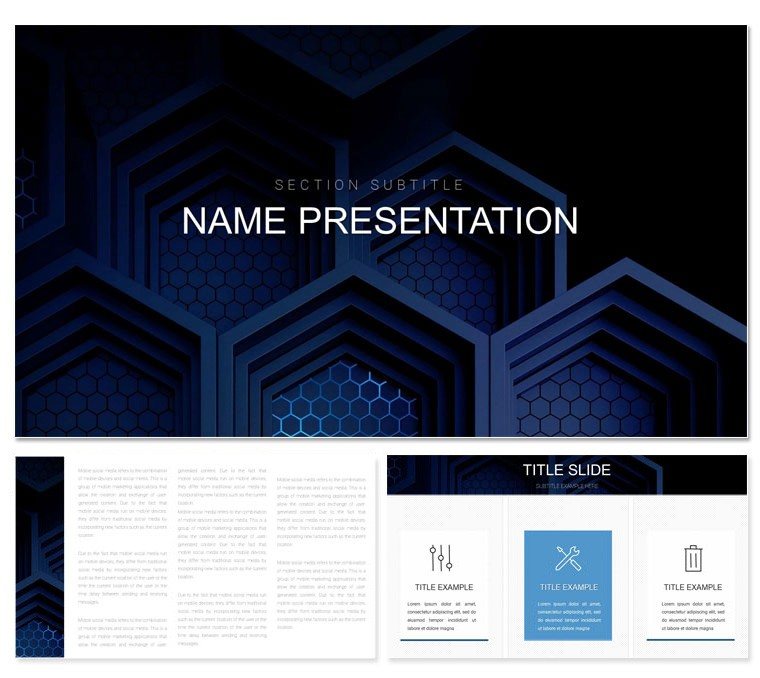
Design Presentation Keynote Template: Fuel Your Creative Fire
| Format | .pptx |
| Slides | 3 unique layouts |
| Aspect ratio | 16:9 |
| Compatibility | PowerPoint |
| Animated | No |
| Language | English |
| License | Commercial |
| File size | — |
| Version | v1.0 |
| Last updated | December 2023 |
What's inside
In a world drowning in data, the true artists are those who sculpt information into inspiration. Enter the Design Presentation Keynote Template, your ally in turning sketches into showstoppers. Geared toward creatives, consultants, and forward-thinking execs, this deck harnesses 28 powerhouse diagrams to visualize strategies that stick. With three masters for narrative control, three backgrounds that breathe life into layouts, and seven schemes to match your mood, it's engineered to amplify your voice, whether unveiling a portfolio or rallying a team around a vision.
The magic unfolds in its charts and infographics - dynamic timelines that snake through milestones, pie charts that burst with personality, and flowcharts that guide like a director's cut. Editing feels like clay molding: Reshape bars, recolor nodes, or embed sketches that scale perfectly. No more pixelated regrets; every element is crisp, compatible across screens, and ready to evolve with your story.
Spotlight on Design Presentation's Power Tools
At heart, it's about empowerment through structure. Masters range from bold headers that demand attention to subtle supports for deep dives, while backgrounds layer textures without clutter.
- 28 Impactful Diagrams: Bar graphs with gradient fills for trend storytelling, scatter plots dotted like constellations for correlation tales - all drag-ready and data-responsive.
- Seven Adaptive Schemes: From corporate neutrals to vibrant pops, each tuned for contrast and cohesion.
- Intuitive Customization: Swap fonts for brand whispers, layer icons atop charts for hybrid visuals, and animate transitions that reveal insights progressively.
Keynote-native (.key and .kth files) means instant access on your Mac or iPad, with seamless exports to keep collaborators in the loop.
From Concept to Clutch: Use Cases in Action
A freelance designer pitching to a boutique brand uses the template's infographics to map mood boards - radial diagrams orbiting core aesthetics, pulling in fabric swatches as live embeds. The pitch lands a six-figure gig, all because the visuals whispered "us" louder than words. Shift to education: A professor diagrams design history, with timelines weaving eras like threads in a tapestry, engaging students who finally see the evolution.
For business pros, it's quarterly recaps redefined - striking metrics via bubble charts that cluster wins, making boardrooms buzz with clarity.
Blueprint for Building with Design Presentation
- Foundation Lay: Launch Keynote, pick the visionary master to anchor your opener.
- Content Cascade: Feed portfolio images into infographic slots; they adapt shapes on contact.
- Diagram Dance: Select the flowchart (diagram 20), scheme it in emerald, and link nodes to your process steps.
- Motion Mastery: Set fades to bloom data points, unveiling layers like plot twists.
- Polish and Propel: Device-test the flow, export to interactive PDF for client annotations.
This method not only hastens creation but crafts cohesion that basic slides lack, where elements float untethered.
Elevating Above the Ordinary
Unlike stock options that echo endlessly, Design Presentation draws from Bauhaus simplicity - clean lines that serve content, infographics that inform without overwhelming. Pros appreciate the vector purity for print-ready mocks, from pitch books to wall displays. One agency head credited its charts for distilling a 100-page report into a 15-slide triumph, saving weeks of rework.
Blending into Your Creative Arsenal
Sync with Canva for quick mocks or Photoshop for texture overlays. Team shares via .kth keep styles synced, fostering unified creativity.
Ready to design destiny? Snag the Design Presentation Keynote Template for $22 and watch your presentations transform.
Frequently Asked Questions
Ideal for which design fields?
Graphic, UI/UX, and industrial - its infographics flex for portfolios across disciplines.
Brand color integration ease?
Effortless; schemes serve as bases, with eyedroppers pulling from your palette seamlessly.
Handling large datasets?
Yes, diagrams auto-scale, with options to segment for digestible views.
Animation limits?
Boundless - build on presets or craft custom paths for tailored reveals.
Collaboration features?
iCloud integration allows real-time edits, perfect for feedback loops.
Good for
- Project roadmaps and sprint plans
- Product launch timelines
- Quarterly or annual review decks
- Company history and milestone summaries
Licence
reviews
Used it for an analytics update and the graph pages worked nicely.
The layouts are straightforward which made editing quicker.
Some title slides felt too plain for my taste.
I mostly liked the process flow sections.
The presentation looked more polished after only a few edits.
FAQ
Will it work in Google Slides?
Are fonts embedded?
Can I use this for client work?
What's the refund policy?
Do you update the template after purchase?
Similar templates
See all Keynote templates →



All 1 slides