 Click to zoom
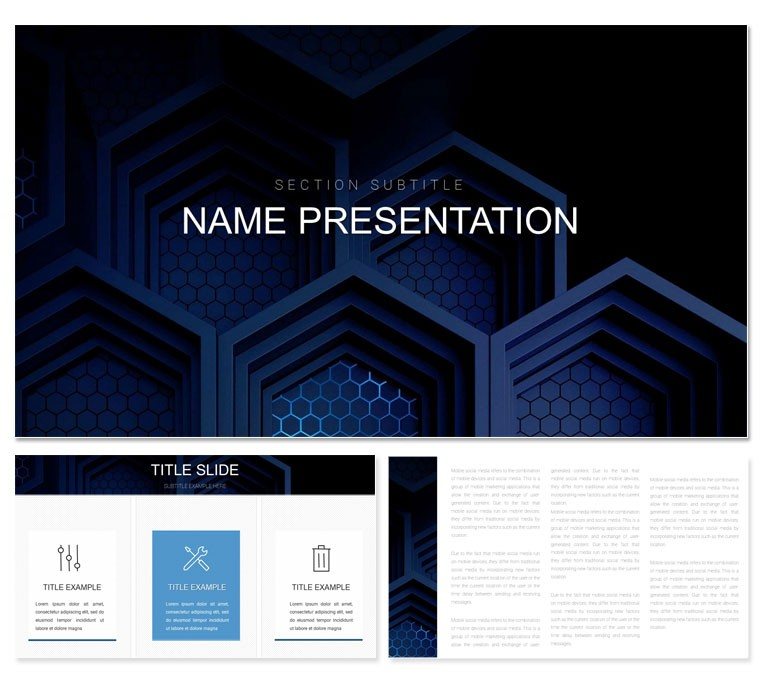
Bitcoin PowerPoint Template: Crypto Strategy Visuals
| Format | .pptx |
| Slides | 3 unique layouts |
| Aspect ratio | 16:9 |
| Compatibility | PowerPoint |
| Animated | No |
| Language | English |
| License | Commercial |
| File size | — |
| Version | v1.0 |
| Last updated | January 2022 |
What's inside
Unlock the ledger of persuasive presentations with this Bitcoin PowerPoint Template, where slides mine the depths of digital gold. Tailored for cryptocurrency analysts, traders, and blockchain builders, it features 28 ledger-linked diagrams, three masters etched like transaction blocks, and seven schemes glowing from Satoshi oranges to ledger blues. It's your hash for hashing out volatile visions into verifiable value.
In the volatile vaults of crypto, clarity is currency - this template forges it, chaining complex chains into comprehensible chains of thought. From wallet audits to tokenomics breakdowns, it secures stakeholder trust, turning whitepapers into wallet-openers.
Blockchain-Built Features for Secure Storytelling
Three masters anchor the chain: a genesis block for intros, a mined layer for data dives, and a confirmed close for consensus calls. They link slides immutably, preserving style across forks.
28 diagrams decrypt crypto conundrums - blockchain timelines for history hashes, volatility candlesticks for price pulses, and network nodes for ecosystem maps. Editable hashes let you mine your data: rechain links, recolor peaks, embed wallet screenshots. Seven schemes secure the spectrum, from dark mode neutrals to bullish greens. Crypto icons - coins, keys, ledgers - stamp authority, backgrounds textured like hashes for subtle security.
Minefield Tips for Crypto Clarity
- Hash Data Layers: Stack timelines with overlay nodes, revealing transaction depths on click.
- Validate Animations: Sequence bar rises like mining rewards, building to peak convictions.
- Fork-Proof Themes: Test schemes across devices for consistent chain rendering.
Validates on PowerPoint 2016+ and Google Slides, forking-free workflows.
Ledger Use Cases: From Trade to Token
A trader charting BTC forks might link radial diagrams to divergence points, orbiting altcoin impacts for fork-proof forecasts. Or a DeFi dev mapping smart contracts via flow nodes, tracing gas fees to yield optimizations.
Analysts anchor reports with pie slices of portfolio allocations, crusts cracking to sub-asset details. A fund manager once chained the Gantt for halving events, timing market cycles to lock in LP commitments. These blocks build unbreakable arguments.
Genesis Guide: Forging Your Crypto Deck
Mine your narrative:
- Genesis Init: Block the intro master with whitepaper excerpts, hashing key theses.
- Mine Core: Chain candlesticks for trend analyses, validating with RSI overlays.
- Confirm Flows: Animate network graphs, propagating connections like gossip protocols.
- Seal Consensus: Timestamp closes with roadmap hashes, signing investor intents.
This forges finality in every frame.
Outpacing Fiat Formats
Surpasses standard charts with crypto-native diagrams that link like ledgers, no manual merges needed. Themed motifs add verifiability generics lack, masters ensure chain integrity.
Stake your claim with this Bitcoin PowerPoint Template for $22 - decentralize dullness now.
Frequently Asked Questions
Do diagrams support crypto data imports?
Yes, placeholders for CSV pastes, auto-formatting to candlestick or node styles.
Ideal for trading strategies?
Precisely; timelines and volatility tools tailor to entry/exit visualizations.
Custom icons available?
Blockchain-specific set, scalable and recolorable for token variants.
Secure export options?
High-res PPTX/PDF, with password layers for sensitive ledger shares.
Scheme variety for dark/light modes?
Seven, including adaptive pairs for versatile viewing.
Animation for market simulations?
Built-in for pulsing prices or chaining transactions dynamically.
Good for
- Project roadmaps and sprint plans
- Product launch timelines
- Quarterly or annual review decks
- Company history and milestone summaries
Licence
reviews
Grabbed this for a business case development.
The costs, benefits, and ROI sections were clear.
My finance team approved the project.
A bit template-ish but that's fine.
The net present value calculation was included.
FAQ
Will it work in Google Slides?
Are fonts embedded?
Can I use this for client work?
What's the refund policy?
Do you update the template after purchase?
Similar templates
See all PowerPoint Templates →



All 1 slides