 Click to zoom
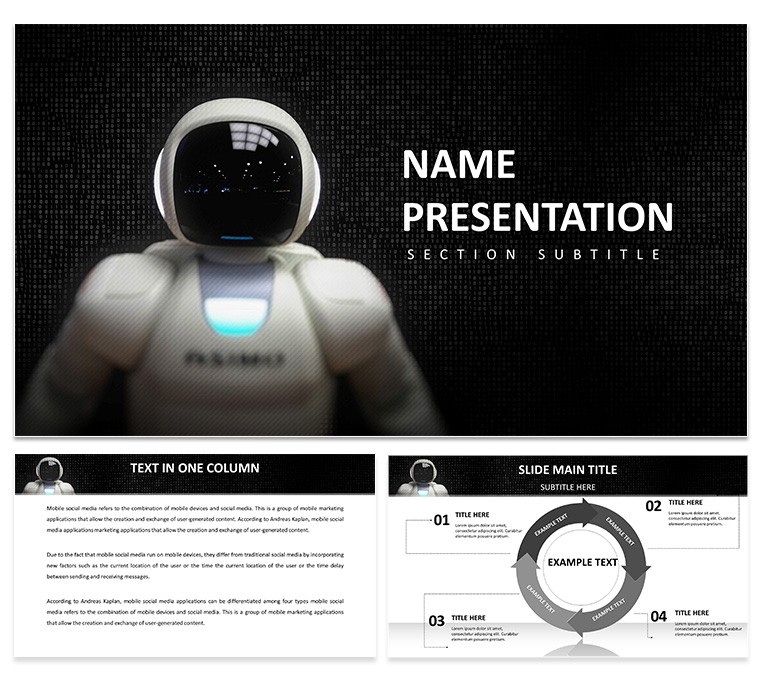
Artificial Intelligence PowerPoint Template: Elevate Tech Narratives
| Format | .pptx |
| Slides | 3 unique layouts |
| Aspect ratio | 16:9 |
| Compatibility | PowerPoint |
| Animated | No |
| Language | English |
| License | Commercial |
| File size | — |
| Version | v1.0 |
| Last updated | December 2024 |
What's inside
Step into a realm where binary code meets brilliant design, turning your AI insights into unforgettable experiences. This Artificial Intelligence PowerPoint Template is engineered for innovators, researchers, educators, and entrepreneurs who demand precision in presenting machine learning breakthroughs. Featuring 28 high-resolution diagrams - from neural nets to algorithm flows - this set delivers versatility with HD compatibility and widescreen formats. Edit effortlessly in PowerPoint or Google Slides, infusing your content with modern elements like binary backgrounds and AI icons. Ideal for demystifying complex topics in pitches or lectures, it streamlines your workflow, ensuring your message on intelligent systems shines through. Embrace this tool to not only inform but inspire, bridging the gap between tech theory and real-world application.
Core Features: Precision Graphics for AI Mastery
At its foundation, this template excels with crisp visuals that articulate AI's intricacies. Launch with a tree diagram mapping decision algorithms, integrating Stanford AI Index data on computational growth. Progress to scatter plots analyzing dataset biases, customizable with your metrics from Kaggle competitions.
Layouts cater to diversity: Introduction slides set the stage with futuristic motifs, while data viz sections handle clustering charts per scikit-learn examples. Seven color schemes - from metallic silvers to electric purples - adapt to your vibe, enhancing professionalism. Unlike basic templates, these include drag-and-drop for quick tweaks, boosting efficiency as noted in McKinsey reports on AI productivity.
Strategic Use Cases Across AI Domains
For educators teaching neural networks, employ layered diagrams to dissect backpropagation, referencing MIT OpenCourseWare for depth. Entrepreneurs can use portfolio slides to showcase prototypes, with ROI projections via bar graphs from CB Insights AI funding trends.
- Research Symposia: Timeline diagrams for AI history, citing milestones like AlphaGo.
- Investor Meetings: Funnel charts for user acquisition in AI apps, backed by Statista data.
- Training Sessions: Matrix diagrams for ethical frameworks, aligned with EU AI Act guidelines.
Flow ensures engagement: Broad overviews narrow to specifics, concluding with impact summaries. This mitigates info dumps, using short bursts and visuals for better absorption.
Optimizing Your AI Presentation Strategy
From a marketing lens, integrate this template by aligning masters with your logo. Visualize reinforcement learning with cycle diagrams, pulling from DeepMind publications. Animations reveal layers progressively, mimicking AI training.
Superior to defaults, it offers thematic depth, cutting design hours. A healthcare AI startup used similar tools to illustrate diagnostic models, securing venture capital via clear value props. Prioritize accessibility with readable fonts and contrasts.
Download .pptx for instant use; three backgrounds provide variety. This fosters trust, as Psychology Today links visual coherence to perceived expertise.
Tackling AI Presentation Hurdles
Complexities abound; use simplified icons to clarify. Incorporate "machine intelligence" LSI seamlessly.
- Outline AI objectives.
- Fill diagrams with validated data.
- Customize for context.
- Rehearse transitions.
Finalize with a forward-looking slide: "Advance with AI - partner today."
This template propels your AI stories forward, blending tech with artistry for lasting impact.
Frequently Asked Questions
Are the graphics vector-based?
Yes, ensuring scalability without quality loss.
Compatible with Mac PowerPoint?
Fully, across platforms.
What diagram types are included?
28 varieties including flows, charts, and matrices.
Can I export to PDF?
Easily, preserving layouts.
How to add animations?
Use PowerPoint's built-in tools on elements.
Good for
- Project roadmaps and sprint plans
- Product launch timelines
- Quarterly or annual review decks
- Company history and milestone summaries
Licence
reviews
I think the template is overkill for what I needed but hey, it’s fine.
The download was fast. The slides are a bit heavy on animations but I turned them off.
Used the box and whisker plot for a stats assignment. Actually worked without glitches.
The legend on slide 3 is overlapping the chart area. Minor annoyance but fixable.
Good for a manufacturing report. The control chart with upper/lower limits was exactly what I needed.
FAQ
Will it work in Google Slides?
Are fonts embedded?
Can I use this for client work?
What's the refund policy?
Do you update the template after purchase?
Similar templates
See all PowerPoint Templates →



All 1 slides