 Click to zoom
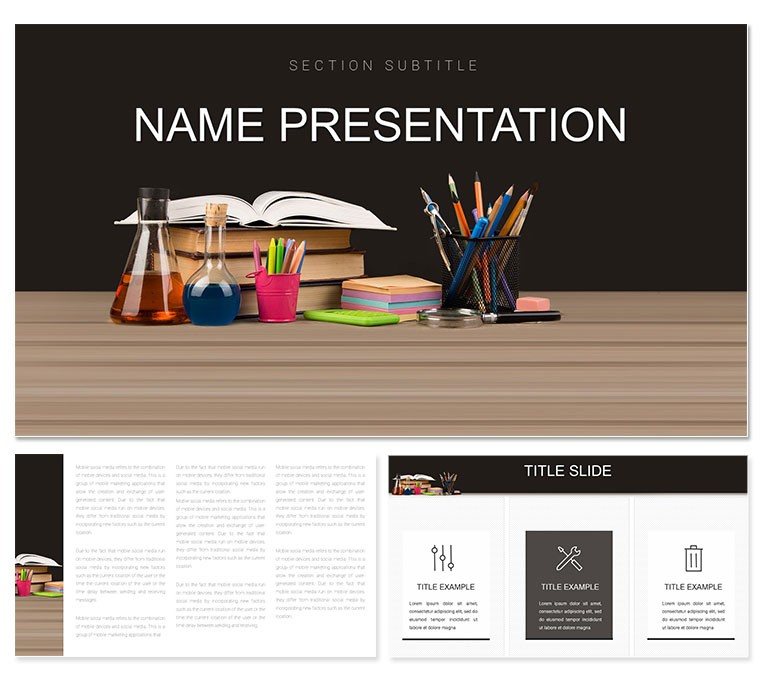
Apprenticeship Teaching Aids Keynote Template: Igniting Skill Sparks
| Format | .pptx |
| Slides | 3 unique layouts |
| Aspect ratio | 16:9 |
| Compatibility | PowerPoint |
| Animated | No |
| Language | English |
| License | Commercial |
| File size | — |
| Version | v1.0 |
| Last updated | January 2023 |
What's inside
Teaching apprenticeships demands slides that bridge theory and hands-on mastery, turning abstract lessons into pathways for growth. This Keynote template does exactly that, serving educators, trainers, and mentors in crafting dynamic presentations on curriculum design, skill assessments, and knowledge dissemination. Featuring 28 versatile diagrams, three masters, and three backgrounds, it provides a canvas where learning objectives come alive with purpose and clarity.
Aimed at transforming workshops and classrooms, the template's seven color schemes - ranging from motivational warms to structured neutrals - adapt to your session's energy. Optimized for Keynote on modern Apple ecosystems, it's informed by pedagogical layouts that echo effective training modules from vocational programs, making every slide a tool for retention and application.
It tackles the educator's dilemma of dry lectures by offering infographics that visualize progression: competency matrices or mentorship cycles that invite interaction. Whether outlining trade basics or soft skills, it helps you foster environments where apprentices not only learn but envision their futures, grounded in practical, narrative-driven designs.
Standout Features for Educational Excellence
Three masters anchor your deck: an opener with motivational icons for agenda-setting, a core master for interactive content, and a closer for reflection prompts. Three backgrounds add layers - a chalkboard texture for traditional feels, a blueprint grid for technical trades, or a clean canvas for flexible discussions.
The 28 diagrams shine in variety: a ladder diagram for career progression, editable with milestone checkboxes, or a mind map for interconnected skills like safety protocols and tool handling. Vectors ensure crispness, while seven schemes allow personalization - vibrant for youth programs or subdued for corporate upskilling.
- Interactive Elements: Hyperlinks and builds encourage audience engagement.
- Icon Library: 40+ education-themed symbols, from toolboxes to lightbulbs.
- Notes Integration: Built-in speaker notes for seamless facilitation.
Everyday Scenarios in Training and Beyond
A vocational instructor prepping a welding apprenticeship session uses the template's sequence diagram to outline technique builds, inserting video placeholders for demos that captivate and clarify. The result: apprentices grasping nuances faster, reducing errors in practice.
Or a corporate mentor in leadership development employs radial wheels to map feedback loops, sparking group dialogues that solidify concepts through shared stories.
Your Roadmap to a Lesson-Ready Deck
- Master Choice: Begin with the core master and a grid background for structured overviews.
- Diagram Deployment: Add the progression flowchart, filling stages with your objectives.
- Color Calibration: Select Scheme 3 for an energizing mix that highlights key competencies.
- Media Merge: Embed apprentice testimonials or diagrams into slots for relatability.
- Delivery Tune-Up: Add transitions for flow, then collaborate via shared links.
Syncs effortlessly with calendars for scheduling or iMovie for embedded clips, amplifying your teaching toolkit.
Surpassing Standard Educational Tools
Beyond off-the-shelf themes' rigidity, this template anticipates training's flow - branching paths for adaptive learning, pyramid models for hierarchy in trades - empowering focus on facilitation over formatting. Like proven workshop frameworks, it builds confidence through intuitive structure.
For group planning, cloud editing streamlines co-creation; solo teachers benefit from quick templates for recurring modules.
Strategies for Captivating Apprentices
- Weave in real trade tales to contextualize diagrams, making skills stick.
- Use phased reveals to mimic learning curves, building anticipation.
- Tailor schemes to trades - earthy for construction, sleek for tech.
Download the Apprenticeship Teaching Aids Keynote template for $22 and cultivate tomorrow's experts.
Frequently Asked Questions
What types of diagrams are featured?
28 varied ones, including flowcharts and matrices tailored to teaching progressions.
Is it easy for beginners to edit?
Yes, with drag-and-drop and simple tools, no advanced skills needed.
Version compatibility?
Supports Keynote 2016 and up, across Mac and iPad.
Can it include interactive quizzes?
Hyperlinks enable jumps to quiz slides; integrate with Forms for polls.
How flexible are the backgrounds?
Three options, fully swappable and overlay-compatible.
Good for
- Project roadmaps and sprint plans
- Product launch timelines
- Quarterly or annual review decks
- Company history and milestone summaries
Licence
reviews
Apprenticeship teaching aids with skill ladder diagrams in warm oranges sparked great discussions. Hands-on icons feel authentic.
Vocational trainer: the progression timeline templates matched my workshop needs perfectly.
Practical teacher: used the competency matrices - easy edits under time pressure.
Enthusiastic mentor: the tool usage flowcharts in blues helped apprentices visualize.
Student teacher: the assessment rubrics slides were practical for my portfolio.
Slightly critical of icon variety but color schemes compensate well.
FAQ
Will it work in Google Slides?
Are fonts embedded?
Can I use this for client work?
What's the refund policy?
Do you update the template after purchase?
Similar templates
See all Keynote templates →



All 1 slides