 Click to zoom
Higher and Secondary Education Keynote Template for Scholarly Shine
| Format | .pptx |
| Slides | 3 unique layouts |
| Aspect ratio | 16:9 |
| Compatibility | PowerPoint |
| Animated | No |
| Language | English |
| License | Commercial |
| File size | — |
| Version | v1.0 |
| Last updated | January 2024 |
What's inside
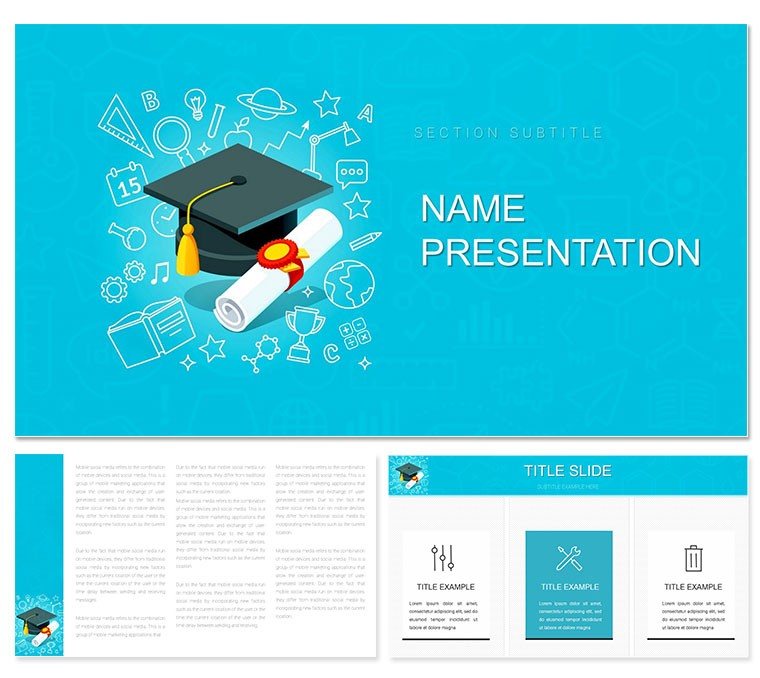
Academic halls echo with ideas, but your slides can make them resonate. The Higher and Secondary Education Keynote template is your lectern ally, blending scholarly rigor with visual vitality for those shaping tomorrow's thinkers. Aimed at professors outlining syllabi, grad students defending theses, or deans spotlighting programs, it unfurls 28 diagrams within three masters and backgrounds, colored by seven schemes from classic ivories to vibrant academe blues. Picture a literature prof tracing narrative arcs on a plot diagram, curves climbing like intellectual peaks, or a STEM tutor animating molecular bonds in chain infographics. Tailored for Keynote 2016+, it facilitates font swaps for house styles and icon libraries echoing campus motifs, ensuring your discourse dazzles without distraction.
Forging Focus in the Lecture Theater
Rooted in pedagogical poise, this template's backgrounds evoke library stacks or lab benches - subtle, supportive. Masters maintain margin discipline, while diagrams like flowcharts sequence research methodologies, arrows pointing to eureka moments.
Currating Content with Classroom Precision
- Color Your Curriculum: Seven palettes; timeless neutrals for humanities, accents for sciences.
- Populate with Pedagogy: Fill timelines with milestone dates, editable for semester shifts.
- Engage with Effects: Build in reveals to pace revelations, mirroring Socratic questioning.
Such structure sparked a thesis defense where phased hierarchies unveiled arguments layer by layer, earning committee acclaim.
Classroom to Conference: Scholarly Scenarios
Flexibility fuels its faculty. For lectures, pyramid structures hierarchize key concepts, apexing takeaways. Students craft case studies via matrices, cells comparing eras. Institutions deploy org charts to delineate departments, branches bearing achievement badges.
- Thesis Outlines: Radial timelines orbiting central hypotheses.
- Program Pitches: Bar comparisons benchmarking outcomes.
- Workshop Walkthroughs: Step infographics for hands-on labs.
These scenarios scaffold success, bridging theory to practice.
Transcending Textbook Transparency
Beyond bland bases, this elevates with thematic transitions - fades like page turns - and accessible alts for diagrams. Vectors vector victory in scalability, from note projections to publication PDFs.
Academic Adaptation Aids
Embed hyperlinks to sources in footnotes, or group slides into sections for modular reuse. This modularity mentors mastery.
Advance your academia - obtain the Higher Education template for $22 and illuminate intellects.
Frequently Asked Questions
How does it support diverse disciplines?
Diagrams adapt - from literary plots to scientific cycles - via versatile edits.
Compatibility with school software?
Keynote 2016+; exports to PowerPoint for cross-platform sharing.
Customization for institutional branding?
Yes, recolor and re-icon to align with logos and guidelines.
Animation options for interactive lessons?
Native builds allow sequenced disclosures, boosting retention.
Number of slide variations?
28 diagrams plus masters yield hundreds of combos.
Suitable for secondary levels too?
Absolutely, scalable complexity for K-12 to grad work.
Good for
- Project roadmaps and sprint plans
- Product launch timelines
- Quarterly or annual review decks
- Company history and milestone summaries
Licence
reviews
I grabbed this at like 1am before a university presentation and just swapped the text in.
The graph pages were useful but I deleted a few slides because there was too much going on.
Colors are okay, not super exciting, but it made my boring numbers look less painful.
Used it for an office KPI report and the section dividers helped organize everything fast.
The icon style is a little outdated maybe, but the template itself was easy to work with.
FAQ
Will it work in Google Slides?
Are fonts embedded?
Can I use this for client work?
What's the refund policy?
Do you update the template after purchase?
Similar templates
See all Keynote templates →


All 1 slides