 Click to zoom
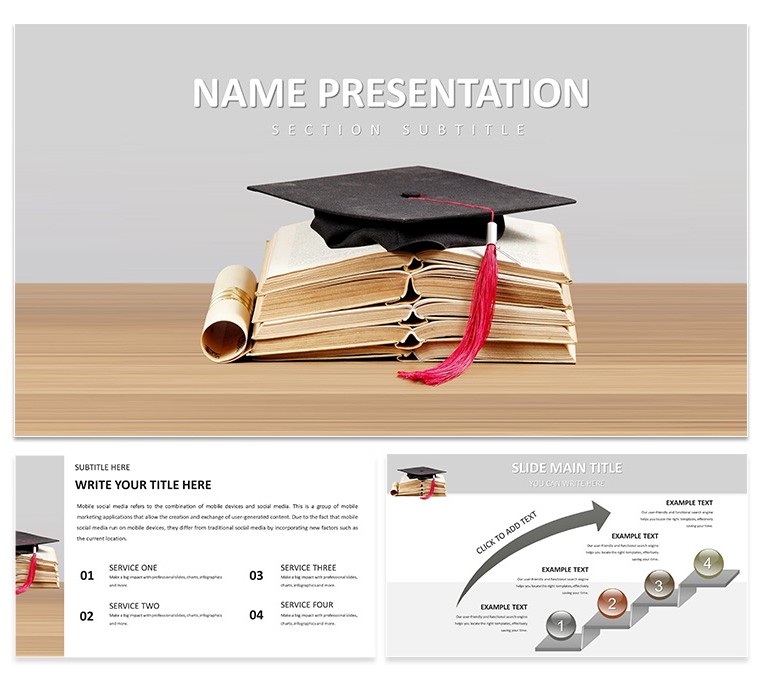
Academic Achievement Keynote Template: Celebrate Milestones with Impactful Slides
| Format | .pptx |
| Slides | 3 unique layouts |
| Aspect ratio | 16:9 |
| Compatibility | PowerPoint |
| Animated | No |
| Language | English |
| License | Commercial |
| File size | — |
| Version | v1.0 |
| Last updated | August 2024 |
What's inside
Every educator knows the thrill of witnessing a breakthrough - a student's "aha" moment or a class hitting a collective goal. The Academic Achievement Keynote Template captures that energy, transforming routine reports into celebrations of progress. Tailored for teachers, administrators, and consultants in the education space, this 59-slide powerhouse uses clean lines and motivational motifs like ascending arrows and trophy icons to highlight successes without overwhelming the viewer. Built for Keynote, it's your shortcut to presentations that not only document achievements but propel future ambitions.
Forget the drag of formatting from scratch; this template streamlines the process with pre-built structures that prioritize clarity and inspiration. Three master slides lay the groundwork for varied sections - think opening accolades, data-driven recaps, and forward-looking visions - while three backgrounds offer choices from subtle gradients evoking growth to patterned ones suggesting academic pathways. The 28 diagrams are the stars here: pie charts dissecting grade distributions, line graphs tracking semester improvements, and radial visuals mapping skill development, all primed for your inputs.
Seven color schemes add emotional layers - vibrant primaries for elementary triumphs or sophisticated neutrals for university reviews - ensuring your deck aligns with the occasion's tone. A school principal, for example, might leverage the progress bar diagram to visualize enrollment gains, annotating with testimonials that bring numbers to life. It's about creating narratives that resonate, turning stats into stories of resilience and reward.
Essential Features to Elevate Your Achievement Narratives
Let's break down what makes this template a game-changer for education pros. The masters ensure thematic unity: title pages with bold achievement headers, content slides with ample white space for quotes, and summary layouts that recap key wins. Backgrounds are versatile - opt for a light academic grid for formal board meetings or a dynamic wave pattern for pep assemblies.
- Comprehensive Diagrams: 28 in total, including Gantt-style timelines for curriculum rollouts and Venn diagrams for interdisciplinary overlaps, all vector-scalable.
- Dynamic Color Options: Seven palettes, from achievement gold accents to inclusive rainbow schemes, optimized for accessibility.
- Seamless Editability: Drag-and-drop placeholders for images of award ceremonies or student portfolios; hyperlink to digital certificates for hybrid events.
Editing flows naturally in Keynote: select an element, apply fills or shadows via the format sidebar, and preview builds to sequence reveals - like unveiling award categories one by one. This setup empowers you to adapt on the fly, whether emphasizing STEM accomplishments or arts program highlights.
Practical Applications: From Classroom to Conference
Envision deploying this for a year-end review: Start with a hero slide featuring graduate spotlights, flow into metrics via clustered column charts, and end with goal-setting mind maps. An education consultant adapted it for a webinar on achievement gaps, using scatter plots to correlate interventions with outcomes, fostering actionable insights among viewers.
In administrative settings, timeline diagrams chronicle policy implementations, while for student councils, infographic pages rally support for initiatives. The template shines in diverse scenarios - parent-teacher nights with photo-integrated grids or faculty workshops dissecting peer-reviewed successes.
- Assess Your Goals: Identify focus areas, like literacy rates or extracurricular participation.
- Integrate Data: Paste Excel exports into charts; adjust axes for clarity.
- Infuse Stories: Embed narrative text boxes alongside visuals for emotional pull.
- Enhance Interactivity: Add clickable elements linking to video testimonials.
- Finalize Flow: Time animations to match your speaking pace, ensuring rhythmic delivery.
Versus generic slides, this delivers a cohesive, branded experience that boosts engagement and underscores your institution's commitment to excellence.
Pro Tips for Personalizing Your Success Deck
Maximize impact by syncing colors with school mascots - perhaps a crimson scheme for spirited reveals. Leverage Keynote's magic move for smooth scene transitions between achievement phases. For larger audiences, ensure diagrams scale well by testing on external displays.
A clever hack: Use the donut chart for funding allocations, slicing in legends that explain each segment's role in student success. This template integrates effortlessly with iCloud for collaborative edits, ideal for team-prepared reports. The outcome? Decks that not only inform but motivate, akin to those powering district-wide strategy sessions.
In your routine, it becomes indispensable - recycle layouts for monthly updates, tweaking only the data. This efficiency frees you to nurture the human elements of education.
Step Into Achievement Storytelling Today
This template isn't merely a tool; it's a catalyst for highlighting what's possible in learning environments. By focusing on visuals that celebrate rather than just report, you foster pride and purpose. Secure the Academic Achievement Keynote Template for $22 now and start crafting slides that echo accomplishments far beyond the screen.
Frequently Asked Questions
What makes the Academic Achievement Keynote Template unique?
Its focus on motivational visuals like progress trackers and award layouts sets it apart for education success stories.
How customizable are the color schemes?
Fully adjustable with seven base options, allowing tweaks to match any branding via Keynote's color picker.
Is it suitable for virtual presentations?
Yes, optimized for Zoom or Teams with high-res elements and smooth animations.
Can beginners handle the diagrams?
Definitely - pre-configured placeholders make data entry straightforward.
Does it include image placeholders?
Yes, throughout for seamless integration of photos and graphics.
Good for
- Project roadmaps and sprint plans
- Product launch timelines
- Quarterly or annual review decks
- Company history and milestone summaries
Licence
reviews
The ascending arrows and trophy icons made our school's annual report feel very celebratory.
Used the progress bar diagram to show enrollment gains to the school board.
The pie charts for grade distribution were easy to read.
A bit cheesy with the achievement headers but the parents loved it.
The timeline for curriculum rollout helped us plan the semester efficiently.
FAQ
Will it work in Google Slides?
Are fonts embedded?
Can I use this for client work?
What's the refund policy?
Do you update the template after purchase?
Similar templates
See all Keynote templates →


All 1 slides