 Click to zoom
AI Machine Learning PowerPoint Template: Innovate with Data
| Format | .pptx |
| Slides | 3 unique layouts |
| Aspect ratio | 16:9 |
| Compatibility | PowerPoint |
| Animated | No |
| Language | English |
| License | Commercial |
| File size | — |
| Version | v1.0 |
| Last updated | January 2025 |
What's inside
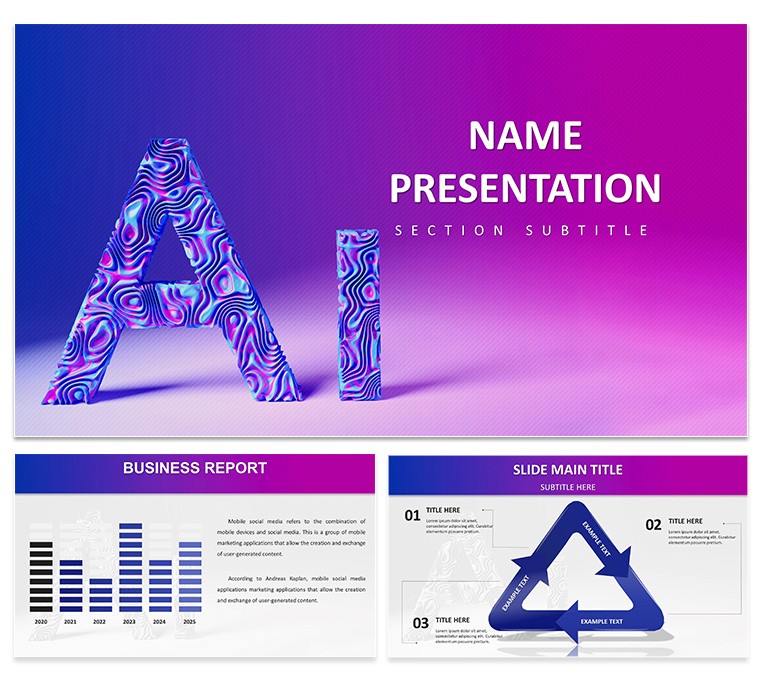
The realm of artificial intelligence is exploding, and presenting its complexities requires tools that match its sophistication. Enter our AI Machine Learning PowerPoint Template - a futuristic powerhouse with 28 diagrams in 7 color schemes, designed for researchers, enterprises, and educators. Featuring neural network visuals and data-driven infographics, it simplifies explaining algorithms, predictive models, and big data trends. Fully editable and compatible with PowerPoint and Google Slides, this template lets you customize everything from colors to graphics, ensuring your deck aligns with cutting-edge themes. Ideal for tech conferences or academic lectures, it addresses challenges like visualizing abstract concepts, turning them into compelling stories. Whether pitching AI solutions to investors or teaching deep learning basics, these slides empower you to convey innovation with clarity and flair. Download this template to not just present data, but to inspire the next wave of AI advancements.
Standout Features for Tech Narratives
Built on 3 masters and 3 backgrounds, the template's 28 diagrams include flowcharts for machine learning workflows, scatter plots for pattern recognition, and tree diagrams for decision algorithms. Editability extends to every element, allowing integration of your datasets - like accuracy metrics from TensorFlow models. Aligned with industry standards from organizations like IEEE, it bolsters your presentations with expert-backed structures. Consider a case study: Using our slides, a data science team illustrated a recommendation engine for e-commerce, highlighting user behavior clusters per Netflix-inspired techniques, enhancing stakeholder buy-in.
Seamless Personalization Options
Adapt effortlessly - tweak hues to futuristic blues and purples, or embed your code snippets in text boxes. The user-friendly interface supports animations for sequential reveals, like stepping through neural layers, fostering better comprehension.
Practical Use Cases in AI
From big data reports to investor decks, applications abound. Researchers can use matrix diagrams to compare supervised vs. unsupervised learning, citing studies from arXiv. In business, pitch AI ethics with pros/cons infographics, drawing from EU AI Act guidelines. A notable example: At a webinar, slides depicted predictive analytics for healthcare, using line graphs on patient outcomes, boosting engagement per Gartner reports. Educators benefit too, simplifying concepts like reinforcement learning for students.
Crafting Your AI Presentation Step-by-Step
- Acquire the Template: Download .pptx and open in preferred software.
- Choose Aesthetics: Select from 7 schemes for thematic consistency.
- Insert Content: Populate with your AI insights, e.g., model training timelines.
- Visual Enhancements: Add icons like gears for automation.
- Finalize: Test transitions and present boldly.
Outperforms basic templates with AI-specific visuals, reducing design overhead.
Advanced Strategies for Impact
Tip: Use color gradients for depth in 3D models. Weave LSI such as "neural network optimization" naturally. Link to repos like GitHub for interactivity. Trusted by pros, it's watermark-free for clean delivery. One user transformed a lecture on computer vision with image recognition slides, sparking collaborations.
Key Advantages
- Innovation Boost: Futuristic designs inspire creativity.
- Adaptability: Fits diverse AI subfields.
- Audience Focus: Clear visuals aid understanding.
- Time-Saver: Ready elements accelerate prep.
Leads to outcomes like funded projects or enlightened audiences.
Elevate your AI discourse - download today and lead the intelligence revolution.
Frequently Asked Questions
Are the diagrams AI-specific?
Yes, tailored for machine learning concepts like networks and algorithms.
Compatible with what software?
PowerPoint, Google Slides, and similar platforms.
Suitable for beginners?
Absolutely, intuitive edits make it accessible.
File types included?
.pptx, .potx, .jpg for versatility.
How to add data?
Edit embedded charts directly with your metrics.
Good for
- Project roadmaps and sprint plans
- Product launch timelines
- Quarterly or annual review decks
- Company history and milestone summaries
Licence
reviews
I wish there was a dark version, but I just changed the background myself. No big deal.
Simple and got the job done. The stacked area chart looked decent after I changed the colors.
The waterfall chart template is the reason I downloaded this. It worked as expected.
Too many slides with overlapping elements. The icon on slide 3 covered part of the title.
Good for a last-minute ops meeting. The timeline with milestones was easy to edit.
FAQ
Will it work in Google Slides?
Are fonts embedded?
Can I use this for client work?
What's the refund policy?
Do you update the template after purchase?
Similar templates
See all PowerPoint Templates →


All 1 slides