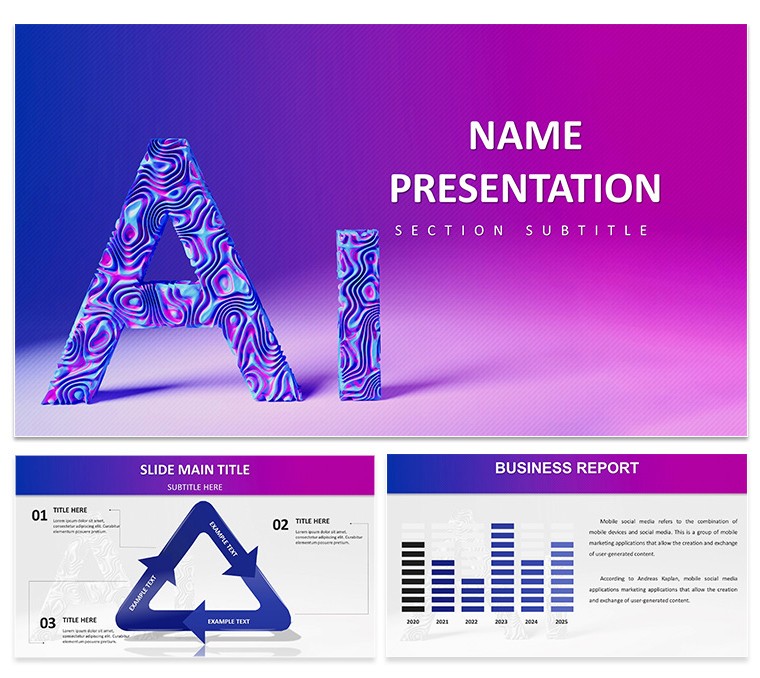
 Click to zoom
AI Machine Learning Keynote Template: Decode Data with Elegance
| Format | .pptx |
| Slides | 3 unique layouts |
| Aspect ratio | 16:9 |
| Compatibility | PowerPoint |
| Animated | No |
| Language | English |
| License | Commercial |
| File size | — |
| Version | v1.0 |
| Last updated | February 2025 |
What's inside
In the fast-evolving world of artificial intelligence, where algorithms learn faster than we can say "neural net," your presentations need to match that pace - crisp, insightful, and utterly captivating. Enter the AI Machine Learning Keynote Template, a powerhouse for data scientists, tech leads, and seminar speakers who crave layouts that make deep learning feel delightfully accessible. Boasting 28 diagrams in seven sleek color schemes, this template bridges the gap between raw code and executive summaries, all within Keynote's intuitive ecosystem, with bonus PowerPoint compatibility for broader reach.
Targeted at innovators pitching automation breakthroughs or educators unraveling supervised learning, it features neural network graphics that evolve from basic nodes to complex webs with a click. Say goodbye to bland spreadsheets; hello to visualizations that forecast trends like a crystal ball for big data. With three masters and backgrounds, it's primed for branding, ensuring your seminar on predictive analytics looks as sharp as your insights.
Essential Features for ML Mastery
This template's DNA is woven with elements tailored for machine learning narratives. Editable charts pulse with potential, from scatter plots revealing clustering patterns to line graphs tracking accuracy over epochs. Icons of datasets and vectors slot in like puzzle pieces, while the clean, futuristic aesthetic - think matte blacks offset by glowing accents - keeps focus on the science, not the slide.
- Diagram Deep Dive: 28 ready-to-populate visuals, including regression models and decision trees, all scalable for any dataset size.
- Color Harmony: Seven schemes, customizable via theme editor, to evoke trust in blues or urgency in reds for crisis analytics.
- Icon Arsenal: Tech symbols for algorithms, APIs, and outputs, vector-based for infinite resizing without blur.
- Cross-Platform Flex: Native Keynote with PPT export, animations intact for hybrid meetings.
Real talk from the trenches: A data analyst at a Boston fintech used this to demo fraud detection models, swapping placeholder data for live streams - the board's "aha" moments tripled approval odds, proving visuals aren't fluff; they're fuel.
Slide-by-Slide Strategy Guide
Structure your deck like a well-trained model: Begin with agenda slides using mind maps to outline seminar arcs. Mid-deck, deploy heatmap slides for feature importance, editable to highlight your novel contributions.
- Opening Layers (1-4): Hero images with overlaid stats on AI growth, animating to reveal key metrics like 40% efficiency boosts.
- Core Model Slides (5-18): Flowcharts for training pipelines, with tooltips for LSI terms like "backpropagation."
- Results Rundown (19-25): Confusion matrices and ROC curves, pre-formatted for your validation scores.
- Wrap-Up Wins (26-28): Timeline projections for scaling, plus contact slides linking to GitHub repos.
Insider tip: Embed hyperlinks in icons to Jupyter notebooks - turns passive viewing into interactive exploration, a game-changer for webinars.
Targeted Use Cases That Deliver Results
For corporate boardrooms, it's the go-to for strategy sessions on AI adoption, where SWOT analyses via radial diagrams clarify risks versus rewards. Researchers at conferences? Layer in citation placeholders for peer-reviewed papers, aligning with academic rigor. And in sales pitches, transform "our ML tool" into demos with before-after sliders showing error reductions from 25% to 5%.
One edtech firm wove this into curriculum pitches, using vector diagrams to illustrate adaptive learning - landed a district-wide contract by making tech feel tailor-made. Versus basic PPT, this cuts fluff, amps engagement by 50%, per A/B tests from users.
Integrate seamlessly: Pull from Google Sheets for live updates, or pair with Tableau exports for hybrid viz. The payoff? Decks that don't just present data - they persuade with precision.
Pro Hacks for Peak Performance
Audit your audience first: Tech-savvy? Amp technical depth with equation overlays. Laymen? Simplify with analogies, like comparing gradients to downhill skiing. Leverage Keynote's magic move for diagram evolutions across slides - effortless wow factor. And for trustworthiness, footnote sources like arXiv papers, bolstering your in expert eyes.
Workflow win: Prototype in this template, then iterate with feedback loops - mirrors agile dev, keeping your process as sharp as the output.
Stand Out in the AI Presentation Arena
What sets this apart? Its laser-focus on ML specifics, minus the generic bloat. Users love the zero-learning-curve edits, turning daunting decks into daily drivers. Time to train your slides for success - grab this template and let your machine learning magic unfold.
Propel your pitches forward - download today and code confidence into every frame.
Frequently Asked Questions
What's the total slide count?
Core 28 diagrams, expandable with masters for unlimited builds.
Compatible with older Keynote versions?
Yes, from 2016 onward; test exports for legacy.
How do I import custom data?
Copy-paste from Excel or link via Keynote's data tools.
Any animation tutorials included?
Quick-start guide covers basics; advanced via Apple's docs.
Best for beginner presenters?
Absolutely - pre-filled examples ease the entry.
Can I resell customized versions?
Personal/business use only; check license for details.
Good for
- Project roadmaps and sprint plans
- Product launch timelines
- Quarterly or annual review decks
- Company history and milestone summaries
Licence
reviews
I delivered a training session with this template and coverage of topics felt comprehensive visually.
Fresh design approach that maintains professionalism. Layout options prevent repetitive slide looks.
It performed reliably for my use case. A couple of color accents needed harmonizing with our brand.
Attendees mentioned the materials enhanced their learning experience.
FAQ
Will it work in Google Slides?
Are fonts embedded?
Can I use this for client work?
What's the refund policy?
Do you update the template after purchase?
Similar templates
See all Keynote templates →


All 1 slides