 Click to zoom
Pro AI Robot Keynote Template: Animate Tomorrow's Tech
| Format | .pptx |
| Slides | 3 unique layouts |
| Aspect ratio | 16:9 |
| Compatibility | PowerPoint |
| Animated | No |
| Language | English |
| License | Commercial |
| File size | — |
| Version | v1.0 |
| Last updated | April 2023 |
What's inside
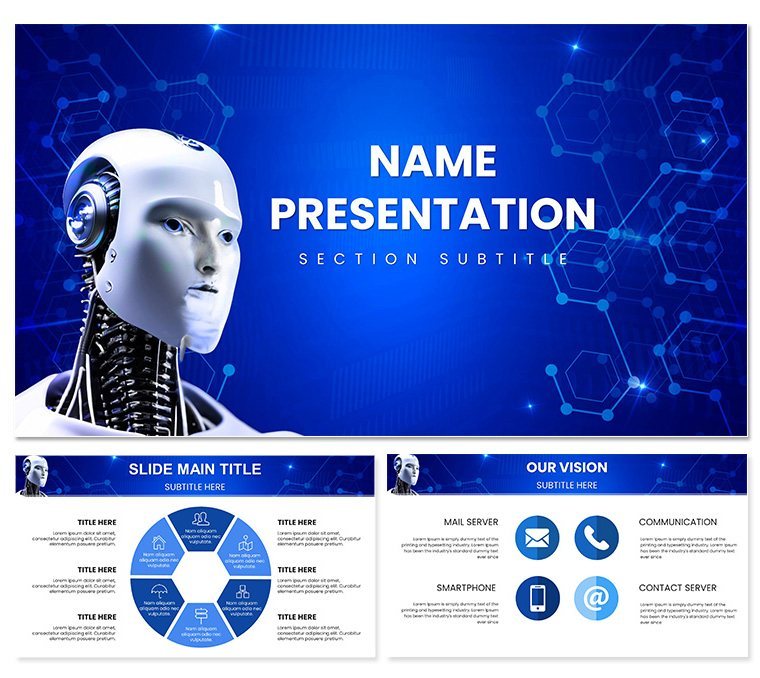
Envision unveiling a robot's neural net to wide-eyed investors, where circuits come alive on screen, demystifying AI in a glance. The Pro AI Robot Keynote Template makes that vision routine for tech innovators and engineers. Loaded with 28 specialized diagrams, three master blueprints, and three atmospheric backgrounds, it decodes complexity into compelling clarity.
Aimed at those demoing prototypes or forecasting AI ethics, this template's futuristic edge - angular forms and metallic sheens - commands attention. Seven color schemes, from neon cyans for cutting-edge to steely grays for reliability, adapt to your tale. It's your ally in making the abstract automaton feel approachable and exciting.
Core Components for AI Narratives
Three masters ground your story: A launchpad for provocative theses, a nexus for deep dives, and a horizon for implications. Backgrounds vary from circuit etchings to holographic veils, pacing your progression from theory to application.
The 28 diagrams target AI intricacies. A neural network cascade illustrates layer propagations, nodes lighting sequentially. Or a robotic arm kinematics chain, joints editable for motion paths. Vectors preserve fidelity; smart guides snap for precision.
- Tech Icons: 60+ from qubits to sensors, vector-sharp.
- Modular Builds: Hierarchies and sequences that reconfigure intuitively.
- Type Precision: Monospace for code snippets, bold sans for declarations.
Keynote-optimized for fluid playback, it renders 4K exports for immersive shares. Jump in and engineer engagement.
Engineer Custom Fits
Refine via shape tools: Morph bot limbs for variant models, or shader for depth illusions. Animate signal flows with path builds, choreographing data dances. Masters cascade updates, unifying your ecosystem.
Trick: Mask external renders behind frames, integrating live sims seamlessly.
Applications in the AI Arena
For investor roadshows, a capability roadmap timelines AI milestones, icons pulsing to beats. Delve with a decision tree for algorithm branches, leaves swap-able for scenarios.
In ethics workshops, a balance scale weighs benefits against risks, sliders for dynamic trade-offs. It fosters dialogue, not dictation.
- Blueprint Basics: Chart your arc, slot diagrams to beats.
- Embed Expertise: Paste pseudocode into frames; syntax highlights auto.
- Demo Dynamism: Trigger builds mimicking real-time learning curves.
- Archive Actives: Hyperlink to sim videos, extending explorations.
Startups use it for hack pitches, assembling modular mechs from parts. Academics layer it for lectures, where students remix flows for theses.
Superior to Stock Sci-Fi
Stock slides skim surfaces; this delves into domains, with diagrams dissecting dilemmas. It's precision over pretense.
An engineer captivated funders with a swarm intelligence viz, clarifying collective smarts. That's its thrust: illuminating the intricate.
Optimize Your Tech Workflow
Import from TensorFlow viz tools, or Blender for 3D proxies. Collab via iCloud for iterative bots. Sage: Duplicate masters for parallel universes.
Enhance with MIDI triggers for synced soundscapes. Gear up? Acquire this template and code your conquest.
Frequently Asked Questions
Are diagrams AI-specific?
Yes, covering nets, paths, and ethics models tailored for robotics.
Compatibility details?
Keynote 2019+, macOS; broad export suite.
Custom code integration?
Seamless - formatted blocks for snippets and outputs.
Animation for simulations?
Built-ins emulate processes, adjustable speeds.
Color for themes?
Seven, from retro to hypermodern.
Export for prototypes?
Yes, to interactive PDFs or videos.
Good for
- Project roadmaps and sprint plans
- Product launch timelines
- Quarterly or annual review decks
- Company history and milestone summaries
Licence
reviews
AI robot illustrations with metallic gradients and circuit patterns brought my tech talk to life. The animated-ready shapes are versatile across the 7 schemes.
Robot head diagrams and neural network charts look futuristic in electric blue. Helped visualize machine learning concepts clearly, though text alignment needed tweaking.
The pro AI robot template's clean lines and glowing effects impressed my engineering team. Good selection of gear and processor icons.
Used the futuristic robot poses and data flow shapes for a demo - vibrant colors pop on dark backgrounds. A bit heavy on sci-fi but editable.
Practical set with multiple robot angle diagrams. The 28 shapes cover hardware to software nicely, saved time on my conference slides.
The metallic textures and circuit board backgrounds give a premium feel. Slightly critical on some proportion issues in smaller icons.
FAQ
Will it work in Google Slides?
Are fonts embedded?
Can I use this for client work?
What's the refund policy?
Do you update the template after purchase?
Similar templates
See all Keynote templates →

All 1 slides