 Click to zoom
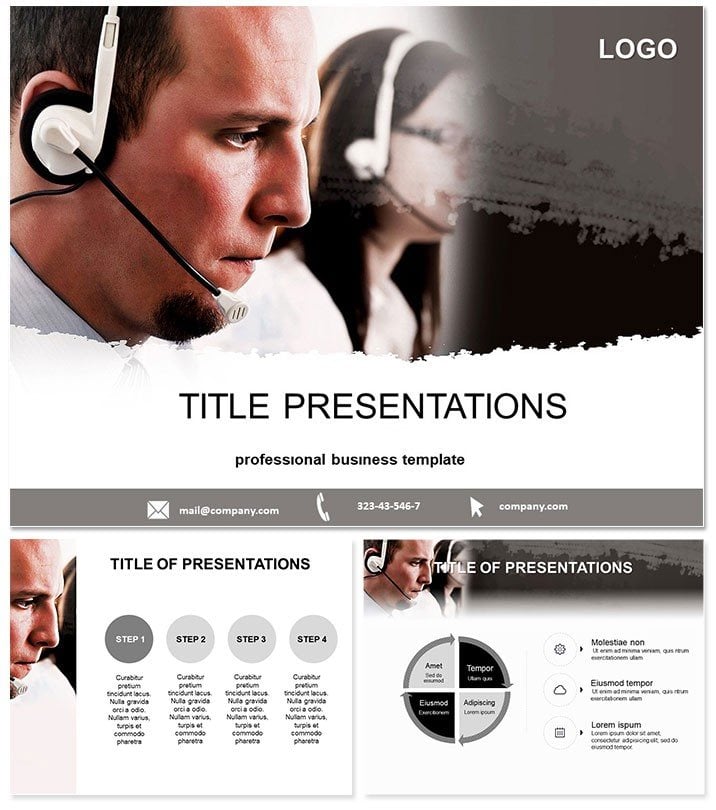
Support Centers Keynote Template
| Format | .pptx |
| Slides | 3 unique layouts |
| Aspect ratio | 16:9 |
| Compatibility | PowerPoint |
| Animated | No |
| Language | English |
| License | Commercial |
| File size | — |
| Version | v1.0 |
| Last updated | October 2021 |
What's inside
In the fast-paced world of customer service, clarity can make or break resolutions. Enter the Support Centers Keynote Template, your blueprint for presentations that streamline support narratives and spotlight efficiencies. Geared toward call center leads, IT helpdesk pros, and telecom execs, it demystifies metrics while rallying teams. Keynote 2016+ ready, with perpetual edits via one-time fee - deploy across laptops or tablets effortlessly.
Precision meets persuasion here. 28 diagrams in 7 schemes - from calming blues for trust to alert oranges for escalations - let you color-code chaos into control. Embed call logs, animate queues, or chart satisfaction scores with minimal fuss.
Key Features for Seamless Support
Three masters: ticket trackers, team dashboards, resolution flows. Backgrounds: clean lines for logs, circuit motifs for networks.
- Adaptive Edits: Scale queue visuals, tag agents in org charts, theme to company hues.
- Specialized Graphics: Flowcharts for routing, gauges for SLAs, word clouds for feedback themes.
- Virtual Polish: High-def for Teams calls, with pause animations for emphasis.
- Secure Shares: Encrypted exports for sensitive CSAT data.
Trumps defaults with telecom-tuned elements, like IVR tree builders.
Dissecting the Slides
Slide 1: Header with headset icon, e.g., "Q2 Support Metrics." 2-4: Overviews - funnel for inquiry volumes.
Call flows 5-12: Decision trees for scripts, heatmaps for peak hours, line graphs for resolution times. Center ops 13-19: Radial for agent skills, bars for ticket types, matrices for escalation paths.
Help strategies 20-26: Pyramid for training tiers, bubbles for ROI on tools, timelines for upgrades. Close 27-28: Wins recaps, goal setters with progress bars.
Transitions: drip reveals for processes, pulses on alerts.
From Desks to Districts
Center supervisors auditing performance? Heatmaps flag bottlenecks, guiding roster tweaks. Telecom vendors demoing? Trees illustrate integration, wowing prospects.
An ops director shared: "Visualized churn drops - the gauges hooked leadership, fast-tracking budgets." For workshops, branch scenarios for role-playing.
In enterprises, unifies multi-site views: geo-maps for regional variances.
Outshines Stock Options
Basic Keynote ignores support specifics; this embeds KPIs, accelerating from draft to delivery. Schemes boost readability under fluorescent lights.
Fortify your support story - download this template today.
Frequently Asked Questions
Handle large datasets?Yes, scales to thousands of tickets.
API integrations?Placeholders for embeds from Zendesk.
Accessibility compliant?Alt-text ready for screen readers.
Multi-user edits?iCloud sync for shifts.
File formats?Key, KTH, JPG exports.
Enterprise license?Covers org-wide use.
Good for
- Project roadmaps and sprint plans
- Product launch timelines
- Quarterly or annual review decks
- Company history and milestone summaries
Licence
reviews
Used the flowcharts for a decision tree, super easy to edit the text.
The white space is a bit too much but I added some background images.
Good enough for an internal audit presentation, the partners didn't care.
The arrows were hard to select because they were grouped, but I ungrouped them.
Saved me from making a mess in Keynote, so thanks.
FAQ
Will it work in Google Slides?
Are fonts embedded?
Can I use this for client work?
What's the refund policy?
Do you update the template after purchase?
Similar templates
See all Keynote templates →


All 1 slides