 Click to zoom
Customer Service Phone Excellence: Craft Calls That Convert in Keynote
| Format | .pptx |
| Slides | 3 unique layouts |
| Aspect ratio | 16:9 |
| Compatibility | PowerPoint |
| Animated | No |
| Language | English |
| License | Commercial |
| File size | — |
| Version | v1.0 |
| Last updated | October 2021 |
What's inside
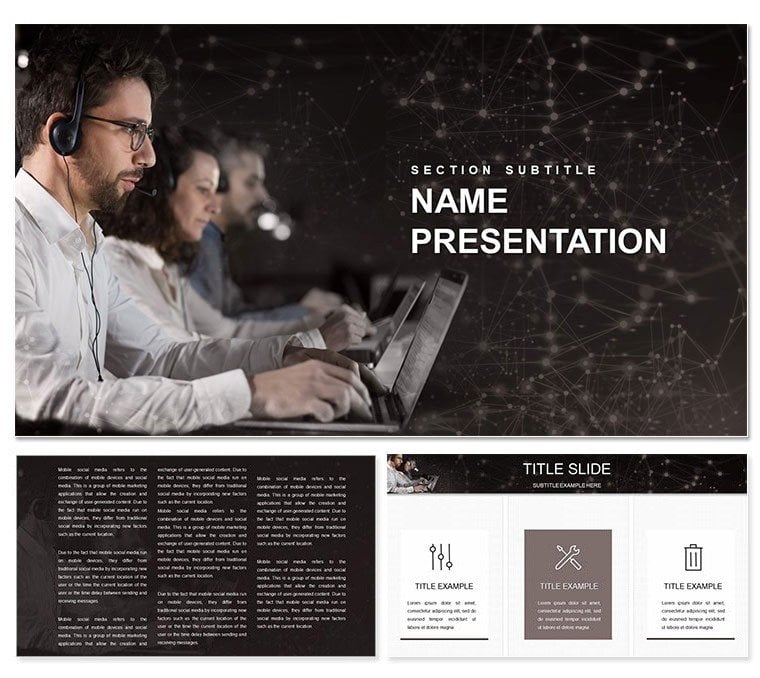
In the fast-paced world of telecommunications, where every ring could seal a deal or lose a loyal client, your presentations need to ring true. This Keynote template is engineered for customer service pros who want to showcase how exceptional phone interactions drive satisfaction and retention. With 28 slides brimming with diagrams - from call flow maps to satisfaction score trackers - it's a lifeline for consultants, team leads, and trainers aiming to elevate service standards.
Designed with the nuances of voice-based support in mind, it features three master layouts that balance warmth and professionalism, three background options evoking connection (think subtle waveform patterns), and seven color schemes to match your company's palette. Whether you're dissecting average handle times or illustrating empathy training modules, these tools make abstract service metrics feel tangible and actionable.
Unlocking the Power of Service-Focused Designs
The template's 28 diagrams are its secret weapon, each tailored to telecom realities. Visualize a customer journey funnel that highlights drop-off points during hold times, or a radar chart comparing agent performance across courtesy, efficiency, and resolution. These aren't off-the-shelf graphics; they're infused with service icons like headsets and speech bubbles, ready for your data tweaks.
- Master Layouts: Three variants for seamless transitions, from agenda slides to deep-dive analytics.
- Background Choices: Clean whites for clarity or soft blues symbolizing trust in every interaction.
- Color Flexibility: Seven schemes, from vibrant oranges for urgency alerts to calming greens for success stories.
For a training session, swap in real call scripts into timeline slides, showing how active listening shortens resolution paths. It's Keynote-native, so edits flow as naturally as a well-scripted conversation.
Your Roadmap to Polished Presentations
- Launch the File: Open the .key in Keynote and pick a master that fits your session's energy.
- Customize Content: In the escalation matrix slide, input your tiered response protocols and watch vectors adjust automatically.
- Tweak Aesthetics: Cycle through color schemes to ensure accessibility, like high-contrast for remote viewer inclusivity.
- Enhance Flow: Add build effects to reveal satisfaction drivers one by one, building suspense like a unfolding call narrative.
- Finalize Output: Export to video for asynchronous sharing or PDF for printed agendas.
This streamlined approach means you can iterate based on feedback, refining your pitch until it mirrors the precision your agents strive for daily.
Targeted Use Cases in Telecom and Beyond
Envision a quarterly review where you're advocating for new CRM integrations. This template's integration roadmap slide lets you plot API handoffs with arrow connectors, making the case for streamlined call routing crystal clear. Consultants love it for client workshops, using the feedback loop diagram to map post-call surveys back to training gaps.
In leadership offsites, leverage the culture-building section to outline values like "empathy first," with mind-map style slides branching into actionable behaviors. It's versatile enough for non-telecom fields too - adapt for any service desk scenario, like IT support hotlines, where response time visuals hit home.
The payoff? Audiences leave not just informed, but inspired to dial up their service game, fostering cultures where every call counts.
Pro Tips for Service Slide Mastery
- Use layered transparency on overlap charts to show interaction overlaps without clutter.
- Embed audio clips via hyperlinks for demoing ideal call tones in live sessions.
- Scale for hybrid events by optimizing layouts for both screen shares and printed backups.
Versus starting with empty canvases, this template accelerates from concept to captivate, compatible across Keynote versions for team-wide use.
Building Lasting Impressions Through Visuals
Great service starts with great stories, and this template equips you to tell yours with finesse. It bridges the gap between metrics and motivation, helping you demonstrate how phone excellence translates to bottom-line loyalty. Seasoned presenters note how such targeted designs spark more interactive discussions, turning monologues into dialogues.
Seize the moment to refine your service narrative - download this template for $22 and start turning calls into connections that endure.
Frequently Asked Questions
What makes this template telecom-specific?
It includes diagrams like call flowcharts and agent scorecards tailored to phone interactions.
Are the diagrams fully resizable?
Yes, all elements scale without distortion in Keynote's editor.
Can I share it with my team?
Definitely - it's designed for collaborative editing in shared Keynote environments.
How do I change the backgrounds?
Select from the three options directly in the master slide view.
Is it mobile-friendly for presentations?
Optimized for iPad and iPhone playback with smooth transitions.
What's the file size?
Compact at under 50MB, ensuring quick loads and shares.
Good for
- Project roadmaps and sprint plans
- Product launch timelines
- Quarterly or annual review decks
- Company history and milestone summaries
Licence
reviews
Tried to customize the pie chart colors but it took longer than I thought.
Good for internal meetings, wouldn't use for anything client-facing though.
The slide transitions are a bit dated but the content placeholders are solid.
Needed a org chart fast, this template had a couple decent options.
A few of the diagram connectors didn't align properly, had to tweak them manually.
FAQ
Will it work in Google Slides?
Are fonts embedded?
Can I use this for client work?
What's the refund policy?
Do you update the template after purchase?
Similar templates
See all Keynote templates →


All 1 slides