 Click to zoom
Spiritual Abstractions Keynote Template: Crafting Ethereal Presentations
| Format | .pptx |
| Slides | 3 unique layouts |
| Aspect ratio | 16:9 |
| Compatibility | PowerPoint |
| Animated | No |
| Language | English |
| License | Commercial |
| File size | — |
| Version | v1.0 |
| Last updated | January 2023 |
What's inside
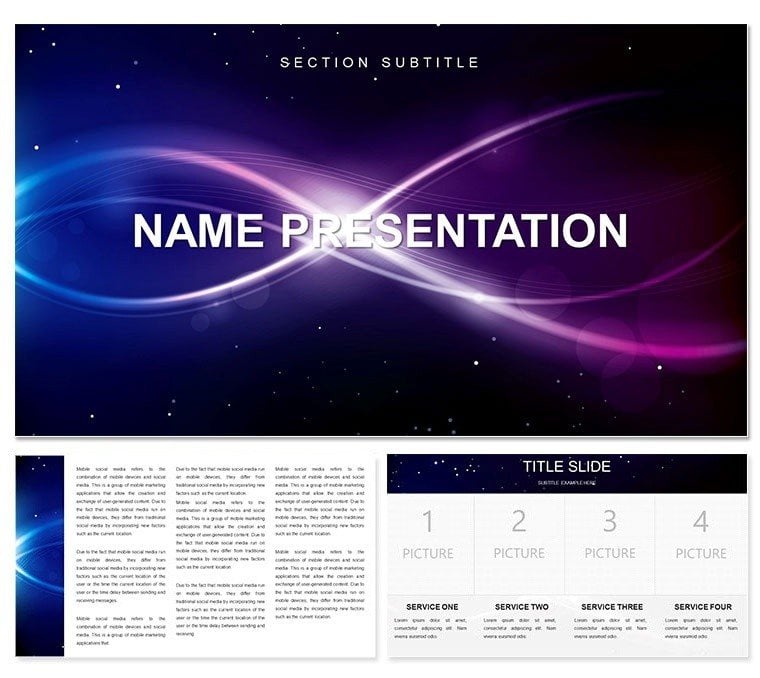
Imagine weaving threads of the intangible into your slides - where abstract forms dance with spiritual undertones, turning a standard Keynote deck into a meditative journey. The Spiritual Abstractions Keynote template does just that, offering a canvas for designers, educators, and visionaries who want to evoke deeper connections. With 28 meticulously crafted diagrams, three versatile masters, and three evocative backgrounds, this template invites you to explore themes of introspection and creativity. Whether you're pitching a groundbreaking printing project or leading a workshop on mindfulness through visuals, these slides adapt seamlessly to your narrative.
Built for Keynote users who appreciate subtlety over flash, this template shines in its flexibility. Switch between seven color schemes to match the mood - from serene blues that whisper calm to warm ambers that ignite contemplation. Each element, from flowing infographics to layered motifs, is fully editable, letting you infuse your personal touch without starting from scratch. Picture a slide where geometric patterns symbolize inner balance, easily tweaked to represent your client's branding in a graphic design proposal. It's not just about aesthetics; it's about crafting presentations that resonate on a soulful level, making your audience pause and reflect.
Unlocking the Core Features of Spiritual Abstractions
Dive into the heart of what makes this template a standout. The three masters provide a solid foundation, ensuring consistency across your deck while allowing quick swaps for variety. Backgrounds range from minimalist voids to subtle gradients, each designed to complement the abstract diagrams without overwhelming them. These 28 diagrams cover everything from process flows that mimic meditative cycles to comparison charts that evoke duality - think yin-yang inspired layouts for decision-making visuals.
- Editable Infographics: Resize, recolor, and reposition elements like swirling vortices or interlocking shapes to fit your story.
- Color Harmony: Seven schemes ensure accessibility and visual appeal, compatible with Keynote's latest versions for smooth animations.
- Layered Designs: Peel back layers to customize depth, ideal for building complexity in educational content on abstract art.
One designer shared how they used a radial diagram to illustrate concept evolution in a printing workshop, layering spiritual icons to symbolize growth. The result? A deck that not only informed but inspired participants to rethink their creative processes.
Practical Applications: Where Abstract Meets Impact
This template thrives in environments where ideas need to transcend the ordinary. For graphic designers, it's a toolkit for client pitches - use timeline diagrams to map project phases with ethereal transitions, drawing viewers into the vision like a guided meditation. In educational settings, transform lectures on philosophy or art history with slides that mirror abstract thinkers like Kandinsky, where each diagram becomes a portal to discussion.
Consider a business seminar on sustainable printing: Start with a master slide featuring a cosmic background, then flow into pie charts abstracted as mandalas to break down material impacts. Editing is straightforward - select a shape, adjust opacity for subtlety, and animate paths to reveal insights gradually. This approach keeps engagement high, turning passive viewers into active participants.
- Preparation: Open the .key file in Keynote and select a master to set your tone.
- Customization: Drag diagrams onto slides, swap colors via the scheme picker for instant harmony.
- Enhancement: Add subtle transitions like fades to echo the spiritual flow, testing on different devices for consistency.
Beyond pitches, it's perfect for personal projects, like a reflective portfolio where abstract forms represent career milestones. The template's neutral-abstract category roots ensure it pairs well with diverse content, always prioritizing clarity amid the creativity.
Seamless Integration and Pro Tips for Mastery
Integrating Spiritual Abstractions into your workflow is effortless, especially if you're familiar with Keynote's interface. Import the .kth theme file to apply masters globally, then populate diagrams with your data - text boxes auto-adjust, and vectors scale without pixelation. For those new to abstract visuals, start with a single diagram: Duplicate it across slides, varying opacity to create a progressive reveal that builds emotional layers.
A pro tip from seasoned presenters: Pair these slides with minimal text overlays, letting the visuals lead. In a recent design critique session, one user layered a process diagram over a background to depict idea gestation, much like stages in spiritual awakening. The outcome was a presentation that lingered in minds long after the final slide.
Compared to basic Keynote templates, this one stands out with its thematic depth - no more bland placeholders; instead, purposeful elements that align with your intent. Download it now to infuse your next project with that rare blend of form and feeling.
Frequently Asked Questions
Is the Spiritual Abstractions template fully editable in Keynote?
Yes, every diagram, background, and master is designed for easy customization, from color changes to reshaping elements, ensuring compatibility with Keynote 2016 and later.
What file formats are included?
The template comes in .key and .kth formats, ready for immediate use or theme application in your existing presentations.
Can I use this for non-graphic design projects?
Absolutely - its abstract nature adapts well to educational talks, wellness workshops, or any content needing evocative visuals.
How many color schemes are available?
There are seven distinct schemes, each optimized for readability and thematic resonance across light and dark modes.
Does it support animations?
Keynote's built-in animations work seamlessly with the vectors and layers, allowing smooth transitions that enhance the abstract flow.
Good for
- Project roadmaps and sprint plans
- Product launch timelines
- Quarterly or annual review decks
- Company history and milestone summaries
Licence
reviews
The Spiritual Abstractions Keynote has these soft pastel gradients and ethereal icons that made my wellness workshop slides look so calming. The 28 diagrams with 7 color schemes let me pick serene blues easily. A bit abstract for data-heavy parts but perfect for inspirational talks.
Loved how the floating orb and light ray visuals fit my yoga retreat presentation. Easy to edit in Keynote, though some shapes needed resizing for text. Great for creative professionals.
Used this for a meditation app pitch - the abstract shapes and minimal design elevated it beyond basic templates. Ratings show others agree. Wish there were more nature elements though.
As a student presenting on mindfulness, the ethereal color palettes helped convey peace. Diagrams are versatile but some feel too artistic for strict academic use. Overall solid.
The template's dreamy icons and soft transitions worked wonders for my spiritual coaching session. Took minutes to customize. Slightly pricey but worth it for the unique vibe.
Practical choice for non-corporate events. The 7 schemes include nice neutrals. One diagram had overlapping elements initially but fixed quickly. Colleagues noticed the quality.
FAQ
Will it work in Google Slides?
Are fonts embedded?
Can I use this for client work?
What's the refund policy?
Do you update the template after purchase?
Similar templates
See all Keynote templates →
All 1 slides