 Click to zoom
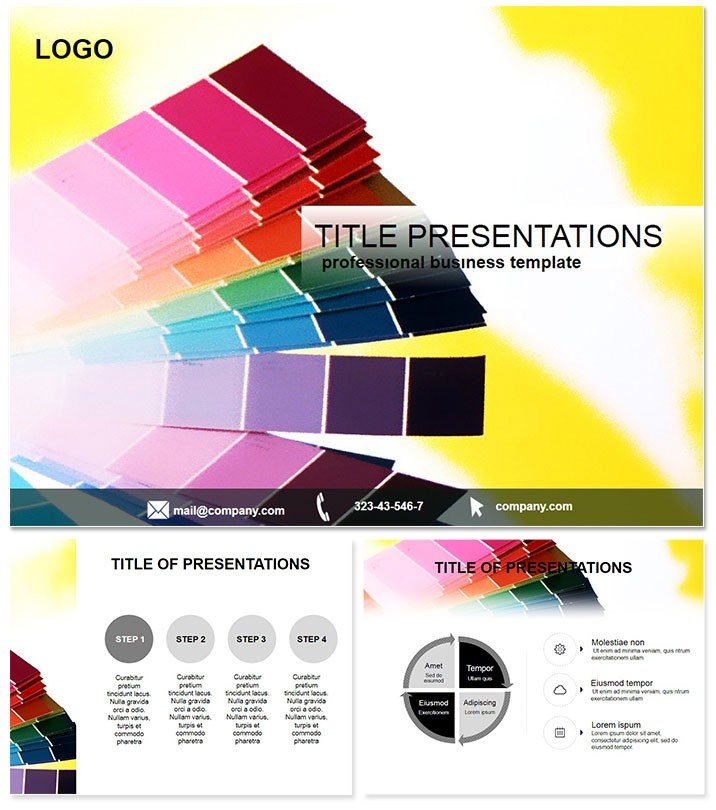
Choose a Color Scheme Keynote Template
| Format | .pptx |
| Slides | 3 unique layouts |
| Aspect ratio | 16:9 |
| Compatibility | PowerPoint |
| Animated | No |
| Language | English |
| License | Commercial |
| File size | — |
| Version | v1.0 |
| Last updated | October 2021 |
What's inside
In the world of printing and design, the right scheme can elevate a project from good to unforgettable - yet pitching it effectively is half the battle. The Choose a Color Scheme Keynote Template equips you to do just that, blending creativity with clarity for repair pros, printers, and graphic artists alike.
This Keynote-exclusive pack delivers 28 diagram slides laser-focused on scheme selection and application. Explore harmonious palettes for print proofs or repair visuals, all editable in Keynote 2016+. At $22 for lifetime access, it`s a smart addition to your toolkit.
Why invest? It streamlines client approvals, as seen when a print shop used it to demo schemes, slashing revision cycles by weeks and securing repeat business.
Core Features for Creative Control
Discover the building blocks that fuel innovative presentations.
- 28 Diagram-Rich Slides: Detail scheme breakdowns, compatibility checks, and mockup integrations.
- 3 Masters & 3 Backgrounds: Versatile foundations for print-centric or repair-themed talks.
- 7 Curated Schemes: Balanced options from monochromatic to complementary, primed for tweaks.
- Layered Editability: Adjust opacities and blends for print-accurate simulations.
Surpassing default Keynote`s limitations, it offers specialized layouts that maintain color fidelity across outputs.
Optimizing Your Design Flow
Simply open, assign schemes to slides, and export previews - pair with Keynote`s export for client shares. Animate harmonies to unfold, making abstract concepts pop.
A graphic team applied it in a branding workshop, visualizing scheme evolutions that inspired client confidence and faster sign-offs.
Targeted Use Cases That Inspire
Deploy it where schemes shape outcomes.
Color Printing Consults
Preview print runs with variance diagrams, ensuring spot-on results from digital to physical.
Graphic Repair Overviews
Map color fixes for damaged assets, using grids to compare originals and restores.
Creative Brainstorms
Facilitate group selections with interactive polls tied to slide variants.
Unique strength: Print-safe annotations, preventing costly mismatches unlike basic templates.
Unlock schemes that sell. Acquire the Choose a Color Scheme Keynote Template today for designs that deliver.
Outshining Standard Templates
Defaults lack scheme-specific tools; this one`s precision reduces errors, empowering pros to focus on innovation over iteration.
Users rave about its role in portfolio boosts, turning presentations into portfolio standouts.
Closing: Scheme Your Success
Essential for print and design fields, this template turns potential into prowess. Download now and scheme your way to standout results.
Frequently Asked Questions
Keynote version requirements?
2016+, with full support for latest features.
Scheme customization ease?
Effortless - use built-in swatches or import custom sets.
Ideal user level?
From juniors to experts, with scalable complexity.
Total slides?
28, all scheme-oriented for focused use.
Usage rights?
Lifetime, covering commercial and personal endeavors.
Export compatibility?
Optimized for PDF/print, retaining color accuracy.
Good for
- Project roadmaps and sprint plans
- Product launch timelines
- Quarterly or annual review decks
- Company history and milestone summaries
Licence
reviews
Those process step slides with numbers in circles were great for my SOP training.
The gray background is a bit depressing but I changed it to light blue.
Worked fine for my standard operating procedure deck, the staff followed.
The numbering was off on slide 6 but I renumbered manually.
Decent template, did the job without fuss.
FAQ
Will it work in Google Slides?
Are fonts embedded?
Can I use this for client work?
What's the refund policy?
Do you update the template after purchase?
Similar templates
See all Keynote templates →



All 1 slides