 Click to zoom
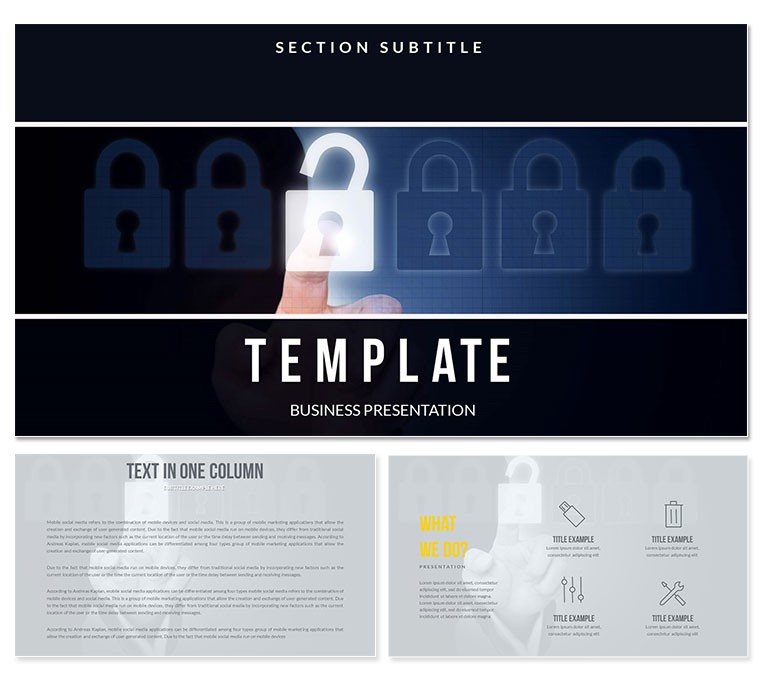
Safeguard Protection Keynote Template - Editable KEY
| Format | .pptx |
| Slides | 3 unique layouts |
| Aspect ratio | 16:9 |
| Compatibility | PowerPoint |
| Animated | No |
| Language | English |
| License | Commercial |
| File size | — |
| Version | v1.0 |
| Last updated | March 2026 |
What's inside
28 Diagrams Across 7 Color Schemes: Full Contents
What is a Keynote diagram template? A Keynote diagram template is a pre-structured .key or .kth file containing editable diagram layouts, slide masters, and color palettes - designed to open in Apple Keynote with all content elements ready to edit immediately.
28 diagrams across 7 color schemes are included in the full purchase, alongside 3 master slides and 3 backgrounds available in both tiers. Files ship in .key and .kth formats, opening in Keynote 12 or later without any additional software. The diagram layouts cover the structural variety required for a security or technology protection presentation: layered defense overviews, risk classification matrices, communication flow diagrams, and threat response process charts.
The visual palette draws on deep blues, authoritative grays, and sharp contrasting accents - a combination that communicates reliability and precision without veering into generic corporate neutral. Security and IT professionals presenting to executive or compliance audiences benefit from a visual tone that signals credibility rather than decoration.
Compared to general-purpose tech diagram sets that use a single color vocabulary for all diagram types, this file segments visual zones by function. Overview slides use broader color fields; detailed process flows use narrower, high-contrast zones. That visual differentiation helps audiences navigate from macro to detail without needing verbal cues from the presenter.
Explore related protection and network themes in the Internet - E-Commerce Keynote Theme category.
Technical Specs
FeatureDetailsDiagrams included28 across 7 color schemes (4 per scheme)Editable text elementsLabels are click-to-edit; no shape ungrouping requiredColor scheme controlBrand palette applies via master slide - updates all diagram instances simultaneouslyShape and connector behaviorDiagram segments resize independently; connectors adjust direction and weight without breaking layoutMasters and backgrounds3 masters + 3 backgrounds included in base and full tiersFile formats.key for editing; .kth for applying as a Keynote theme to existing presentationsAspect ratio16:9 widescreenBase vs full versionBase ($12): masters + backgrounds. Full ($23): adds 28 diagrams and 7 color schemesTypical Use Cases by Role
An IT security manager at a financial services firm needed to present a new endpoint protection framework to a board audit committee. Building a visual hierarchy of defense layers and threat response procedures from scratch in Keynote would have taken most of a working day. Using the layered diagram layouts from this Keynote template, the manager structured a 12-slide deck in under 90 minutes - reusing the same file for three quarterly compliance reviews by updating threat data and swapping one color scheme for the second presentation cycle.
A cybersecurity consultant preparing a client proposal for a mid-size retail network used the communication flow diagrams to illustrate data access paths and protection checkpoints. The diagram's clean zone-segmentation style made a complex access control architecture readable for a non-technical procurement manager - shortening the approval discussion from two meetings to one.
- IT security managers presenting frameworks to executive or audit committees
- Cybersecurity consultants building client proposals and risk assessment decks
- Software product teams demonstrating protection feature sets to enterprise buyers
- Compliance officers preparing regulatory presentation materials
Download and start editing immediately - the .key file opens directly in Keynote 12 with no additional setup.
Security teams presenting network access control topics often combine this set with an IT Administrator Access, Protection Keynote template when building multi-section compliance decks.
How to Make It Yours in Under 20 Minutes
How do I adapt this Keynote template to a corporate security presentation? Open the .key file, apply your brand colors via the master slide, replace the placeholder labels with your content, and export. The process takes under 20 minutes for a standard 10-slide deck.
- Step 1 - Open the .key file in Keynote 12 or later (1 minute). No import process; file opens directly from Finder.
- Step 2 - Identify and duplicate the diagram layouts you need (2 minutes). Review all 28 diagrams and duplicate originals before editing to keep the full library intact.
- Step 3 - Apply brand colors via master slide (3 minutes). View - Edit Master Slides - select active master - update fill colors with brand hex values.
- Step 4 - Replace text placeholder labels (5-10 minutes). Click any label directly and type. Labels are positioned outside diagram shapes - editing one does not move adjacent elements.
- Step 5 - Export the final file (1 minute). File - Export To - PDF for distribution; keep .key for live presenting.
Editing difficulty: Beginner. The standard Keynote interface handles all customization steps - no design software needed.
What You'd Need to Replicate This Yourself
Building 28 structured security diagram slides in Keynote from a blank file requires constructing each shape hierarchy manually, routing connector lines between zones, aligning text labels to consistent grid positions, and replicating the full color logic across 7 variants. An experienced Keynote user would spend 10-15 hours on that task. A presenter without design experience attempting the same would encounter common failure points: misaligned connector arrows, color choices that reduce zone contrast under projector light, and grouped elements that break apart when one shape is resized.
One layout decision embedded in this file is worth understanding: the protection-themed diagrams use concentric and layered visual structures rather than flat lists. Flat list diagrams are faster to read at a glance but do not communicate hierarchy or containment - which are exactly the concepts central to a security or access control presentation. The layered structure encodes the relationship between defense tiers visually, so the audience grasps the concept before reading the labels. That structural choice takes significant planning to replicate from scratch and even longer to get right across seven consistent color variants.
Download and start editing immediately.
Frequently Asked Questions
Which Keynote version is required?The .key file requires Keynote 12 or later, available free from the Mac App Store on macOS Big Sur and above. The .kth file is for applying the visual theme to an existing Keynote presentation and also requires Keynote 12. iOS Keynote on iPad and iPhone can open .key files for viewing and basic editing, but full master slide customization should be done on a Mac. Verify your Keynote version under Keynote - About Keynote before purchasing if you are on an older macOS release.
How do I update the color scheme to reflect my organization's branding?Navigate to View - Edit Master Slides in Keynote. Select the master slide assigned to your working slides, then click any filled shape to open the Fill color picker in the right panel. Enter your brand hex value or select a color from the picker. All slides using that master update simultaneously. For presentations using multiple color scheme variants from the 7 included, apply the same process to each variant master. A full brand color replacement takes most users 3-5 minutes.
What does the full version include that the base version does not?The base version ($12) includes 3 master slides and 3 background variants - the visual identity layer of the template. The full version ($23) adds the 28 pre-built diagram slides organized across 7 color schemes. For users who need structural slide content - layered defense diagrams, process charts, comparison layouts - the full version is the functional purchase. If you only need the themed background and masters to build your own slides, the base version is adequate.
Is this template licensed for use in commercial or client presentations?The standard license covers commercial use, including client-facing decks, corporate board presentations, and internal compliance reports. The original template files may not be redistributed, sold, or sublicensed to third parties. An unlimited number of finished presentations can be produced under a single license. For enterprise-wide deployment or team licensing arrangements, contact ImagineLayout support via the contact page for available options.
Does the template include slide transitions or animations?No pre-built animations or transitions are included in the file. All diagrams are static by default, which ensures the file opens consistently across Keynote versions and keeps file size manageable. Animations can be added manually through Keynote's Animate panel by selecting any element and choosing a Build In or Action effect. Slide transitions are available via the Inspector and can be applied without affecting the diagram layout or connector alignment.
What is the refund policy?The refund policy is published at imaginelayout.com/refund-policy/ and covers digital product purchases. Eligibility for a refund on a downloaded file depends on the conditions described in that policy. If the issue is technical - file not opening, format incompatibility, or layout problems - contacting the support team is the faster path. Technical issues are typically resolved more quickly than refund requests and do not require returning the downloaded file.
Good for
- Project roadmaps and sprint plans
- Product launch timelines
- Quarterly or annual review decks
- Company history and milestone summaries
Licence
reviews
I used it for a report and the flow between slides is pretty smooth
The visuals are okay but not very modern looking
Easy to replace text and charts without breaking layout
I wish there were more color options available
It’s alright for everyday use
FAQ
Will it work in Google Slides?
Are fonts embedded?
Can I use this for client work?
What's the refund policy?
Do you update the template after purchase?
Similar templates
See all Keynote templates →


All 1 slides