 Click to zoom
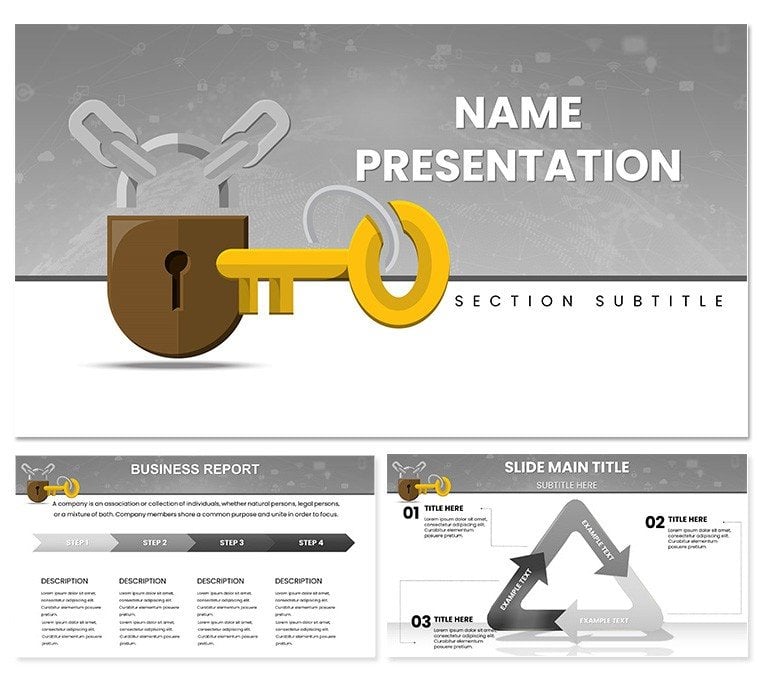
Access Control Keynote Template: Gatekeep Your Security Story
| Format | .pptx |
| Slides | 3 unique layouts |
| Aspect ratio | 16:9 |
| Compatibility | PowerPoint |
| Animated | No |
| Language | English |
| License | Commercial |
| File size | — |
| Version | v1.0 |
| Last updated | March 2023 |
What's inside
Think of the moment a client hesitates at the threshold of commitment, their trust hanging on how convincingly you demonstrate control. The Access Control Keynote Template equips security service providers with that key, delivering presentations that methodically unlock understanding and buy-in. Aimed at access system specialists and facility managers, it frames your expertise in a minimalist shell, using cool blues to signal unwavering reliability amid rising intrusion risks.
Packed with 59 editable slides, it moves from entry-point covers to layered service deep-dives, all while keeping navigation intuitive. Swap in your badge scans or CCTV stills via drag-ready frames, and let pre-set icons - keys, biometrics, motion sensors - amplify without clutter. It's the antidote to overdesigned decks, focusing your audience on protocols that protect, not prettiness that distracts.
Foundational Elements for Fortified Flows
Three master templates anchor your build: a secure entry for titles with subtle lock motifs, a modular core for breakdowns, and a vault-like closer for summaries. Three backgrounds vary the access vibe - from frosted glass effects to grid-locked patterns - adapting to talks on physical barriers or digital gates.
Central to strength are the 28 diagrams, flexibly colored across seven schemes to match urgency levels. Depict entry workflows with linear arrows in steady navies, or fan out surveillance coverage in lighter azures for broader scopes. All vectors, they resize for emphasis, with grouped paths for quick recolors. Icon sets evoke precision - think retinal scans and RFID waves - positioned for balance, alongside text boxes that scale sans distortion.
- Lockstep Customization: Keynote 2016+ native, with shape libraries for instant protocol maps.
- Clarity Coded: Fonts in crisp geometrics ensure protocols read sharp under spotlights.
- Shade Strategy: Blues build trust, with grays for neutral zones.
Deployment Scenarios: Securing Every Entry Point
In a corporate upgrade proposal, lead with a services matrix slide categorizing access tiers, then unbolt a timeline for rollout phases. A systems integrator used the bubble chart to cluster device compatibilities, visually easing retrofit fears and speeding sign-off.
For training sessions on emergency protocols, sequence the infographic stack: alert triggers first, response paths next, ending in debrief circles. It demystifies for staff, turning passive viewers into proactive guardians. Vendor demos benefit too - showcase integration via Venn diagrams overlapping legacy and new systems, highlighting seamless handoffs.
- Assess Access: Input audit data into radial gauges for vulnerability spotlights.
- Layer Defenses: Stack multi-factor icons in build sequences for layered reveals.
- Seal the Deal: Hyperlink demo videos in gallery cards for live proofs.
Even for regulatory compliance briefs, the checklist pyramid builds authority, each level unlocking finer details on standards met.
Enhancing Protocols with Seamless Tools
Outpace plain slides by nesting interactive maps in territory diagrams, zooming on hot zones. Share via cloud for team vetting, masters safeguarding core alignments. Pro move: Animate key turns in process wheels to mimic grant sequences, engaging like a heist reveal.
For audits, tag slides with metadata for quick searches, exporting secured PDFs with watermarks. It's your protocol extender, making complex clearances feel controlled.
Guard Tips for Slide Sentinels
- Zone text: Confine bullets to safe areas, freeing visuals to patrol.
- Tint threats: Lighter blues for low risks, deepening for escalations.
- Rehearse routes: Time transitions to match access lag demos.
Precision here prevents presentation pitfalls, keeping focus on fortified futures.
Bolt Down Confidence in Your Security Pitches
For guardians of gateways, this template is the unbreachable vault for your visuals - sleek, strategic, and steadfast. Echoing the quiet assurance of a well-locked door, your decks will open paths to partnerships. Acquire the Access Control Keynote Template for $22 and master the art of secure storytelling.
Frequently Asked Questions
Does it support biometric icon customizations?
Yes, editable vectors allow tailoring to specific tech like facial recognition.
Are timelines flexible for varying project lengths?
Completely - stretch or compress segments with drag handles.
Can I incorporate real footage?
Absolutely, video placeholders embed clips smoothly for dynamic proofs.
How secure is file sharing?
Leverage Keynote's password features alongside template locks.
What export options exist for reports?
PDFs with embedded fonts and vectors for crisp, compliant outputs.
Good for
- Project roadmaps and sprint plans
- Product launch timelines
- Quarterly or annual review decks
- Company history and milestone summaries
Licence
reviews
The badge and firewall shapes look modern. Practical for corporate training - easy to edit with the provided schemes.
As sysadmin, the layered access diagrams clarified concepts well. Colors convey professionalism. Minor criticism on icon variety.
Student cybersecurity class: the keycard visuals helped a lot. Bold schemes for emphasis worked.
Deadline rush: these templates delivered clean slides fast with relevant diagrams. Reliable choice.
The digital lock animations in diagrams felt premium. Great for explaining protocols without complexity.
Access control template has solid lock and gate icons in security blue tones. Diagrams for permission flows were exactly what my IT security talk needed.
FAQ
Will it work in Google Slides?
Are fonts embedded?
Can I use this for client work?
What's the refund policy?
Do you update the template after purchase?
Similar templates
See all Keynote templates →


All 1 slides