 Click to zoom
Prostate Anatomy Keynote Shapes - Instant Download | ImagineLayout
| Format | .pptx |
| Slides | 12 unique layouts |
| Aspect ratio | 16:9 |
| Compatibility | PowerPoint |
| Animated | No |
| Language | English |
| License | Commercial |
| File size | — |
| Version | v1.0 |
| Last updated | March 2026 |
What's inside
What is a Keynote anatomy shapes template? A Keynote anatomy shapes template is a pre-built .key file containing editable vector illustrations of human anatomy, structured so medical professionals can replace text, recolor regions, and add data without rebuilding diagrams from scratch.
Package Contents
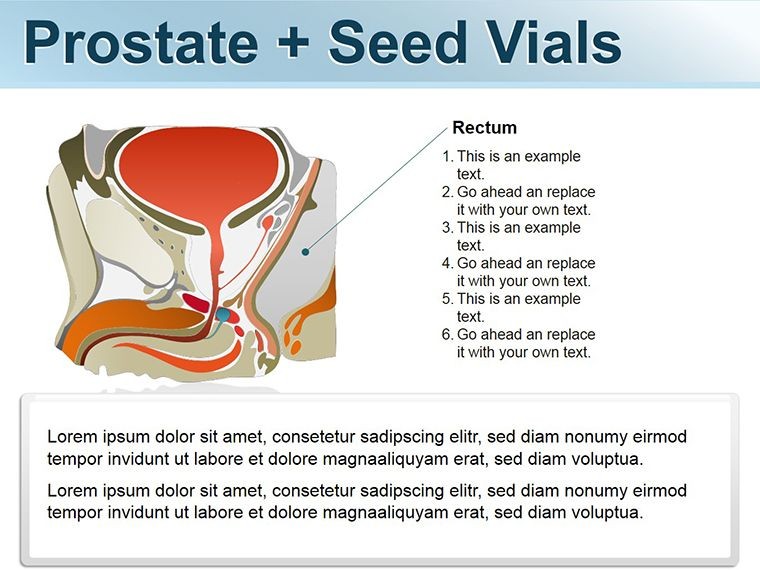
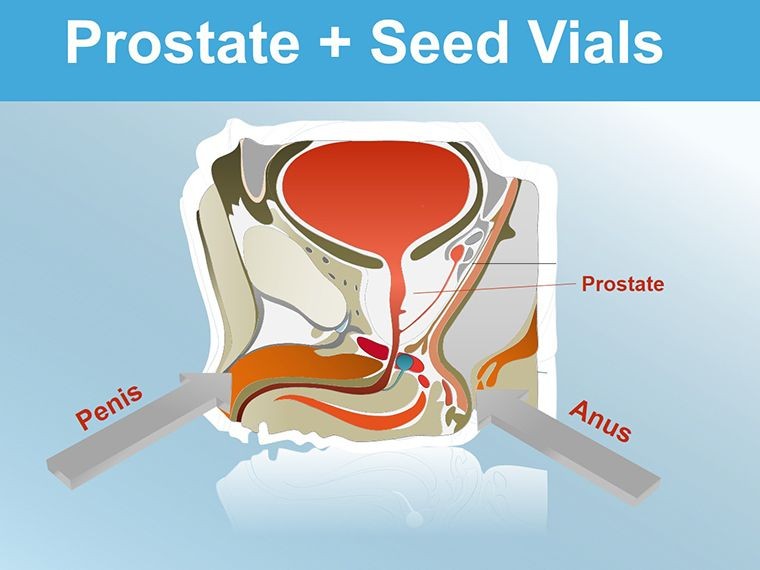
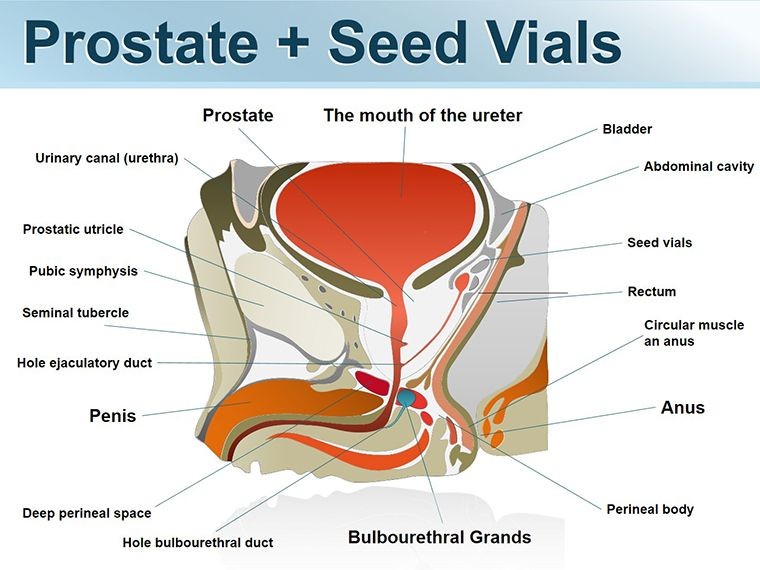
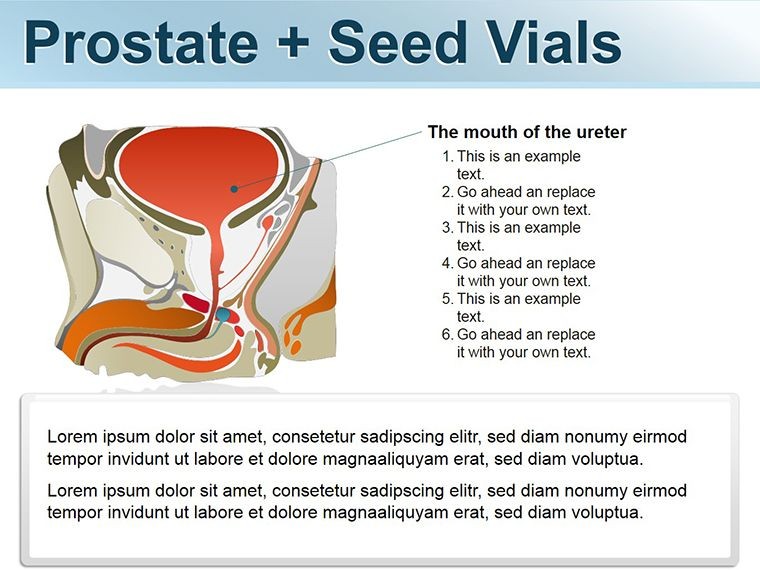
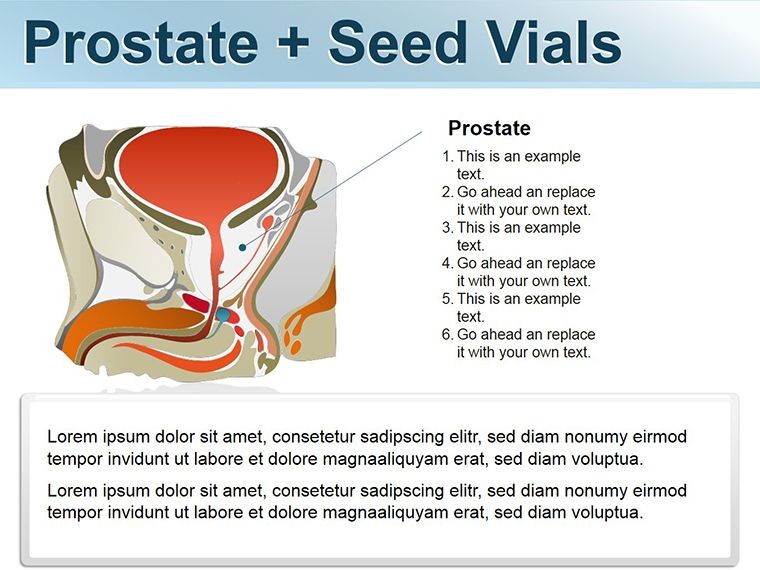
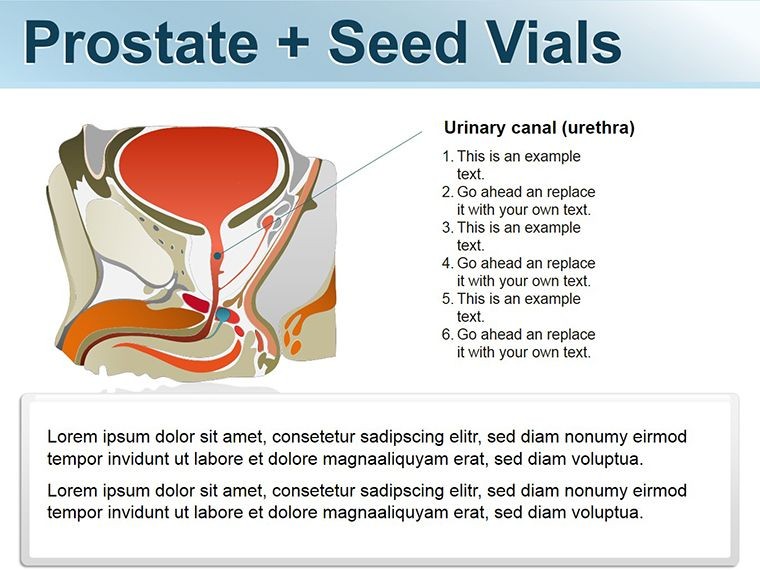
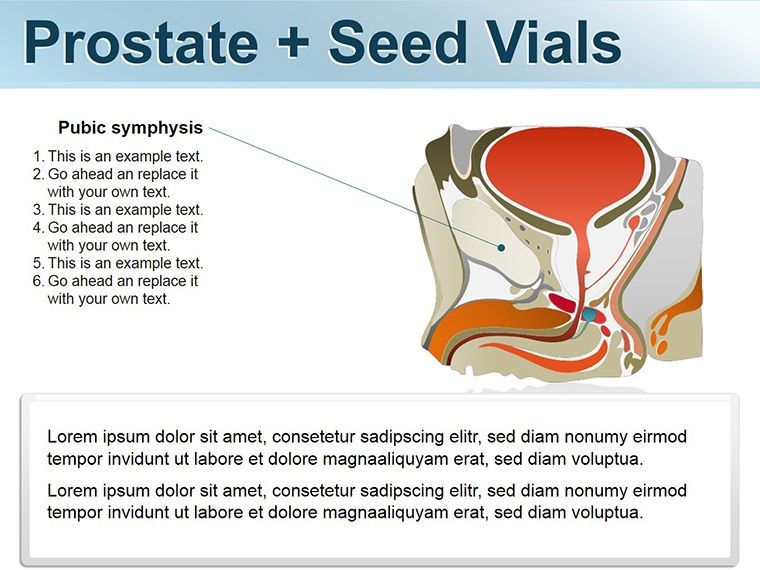
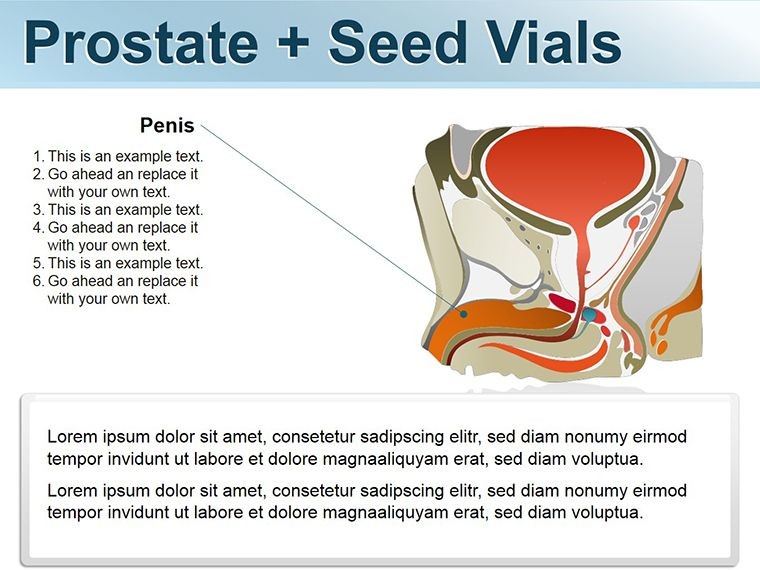
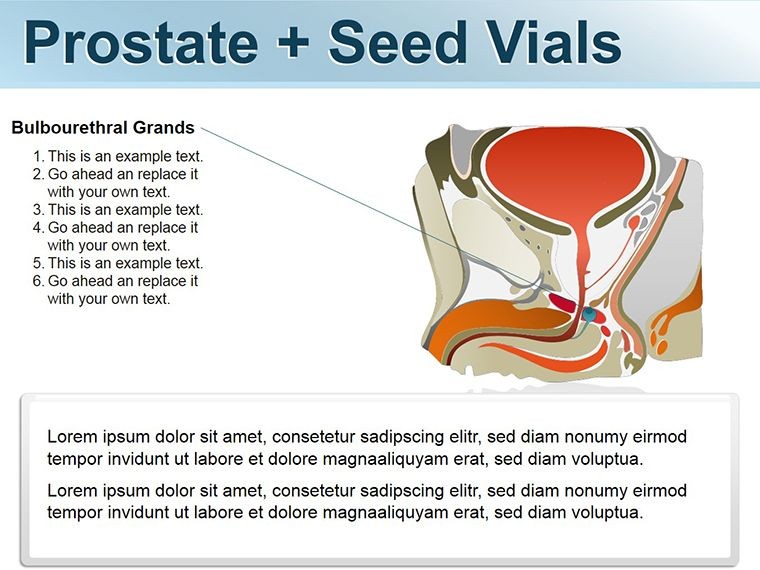
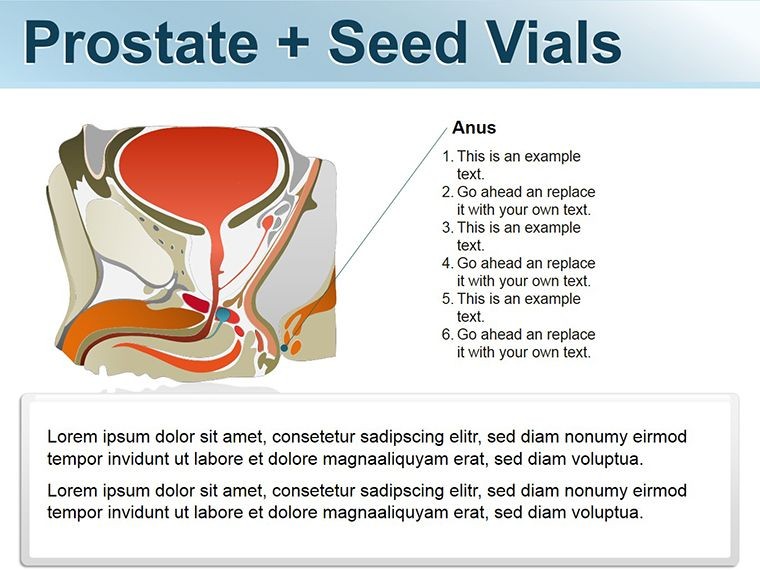
12 editable slides arrive in a single .key file, each dedicated to a distinct aspect of prostate anatomy. The set covers zonal structure, capsular boundaries, the transitional and peripheral zones, ductal networks, the prostatic urethra, seminal vesicle interface, neurovascular bundles, ejaculatory ducts, and a closing cycle overview. Every illustration uses layered vector shapes - each zone sits on its own editable layer, so selecting and recoloring a single region does not disturb surrounding elements.
Color palette runs in muted grays, steel blues, and soft rose tones calibrated for clinical contexts. Labels attach to shape outlines via thin connector lines rather than sitting inside filled regions - a deliberate choice that keeps text legible when the slide is projected onto a conference screen at distance. Annotation path placeholders accept callout boxes for PSA values, Gleason scores, or biopsy coordinates without requiring manual alignment work.
Unlike icon-only medical sets that provide flat pictograms without zone differentiation, these slides map proportional relationships between anatomical regions. A transitional zone that expands during benign hyperplasia is drawn at a scale relative to the peripheral zone - giving the audience a spatially accurate mental model rather than a decorative shape.
Editing Capabilities at a Glance
FeatureDetailsZone shapesEach of the four prostate zones is a separate grouped object; resize or recolor independently without unlocking other layersAnnotation connectorsThin leader lines are ungrouped from shape bodies; reposition endpoints by dragging the anchor handleText placeholdersAll label fields update in place; font size and weight adjustable via Keynote's format panel without affecting shape geometryColor themeCompatible with the Keynote master slide color palette; global hue shift applies to all fills simultaneouslyAspect ratioStandard 16:9; shapes scale proportionally when slide dimensions changeFile format.key for editing; export to PDF or JPEG for distribution or journal submissionKeynote compatibilityKeynote 2016 and later on macOS; iOS Keynote supported for annotation during roundsAnimationBuild effects available; layers can be set to appear sequentially to simulate progressive disclosure of anatomical depthFrom Pathology Lab to Grand Rounds
A urologist at a regional teaching hospital needed to walk a multidisciplinary tumor board through three simultaneous biopsy core locations without printing multiple handouts. Using the zonal layout slide, she placed core markers directly onto the peripheral zone shape, added Gleason grade callouts via the annotation connectors, and completed the edit in under 40 minutes. The board reviewed a single projected slide rather than a paper grid, cutting the briefing segment from 25 minutes to 12.
An andrology researcher preparing a symposium talk on the relationship between transitional zone volume and lower urinary tract symptoms used the template differently. He duplicated the zonal slide four times, adjusted the transitional zone shape to represent four volume categories, and sequenced the slides as a build - each step showing progressive enlargement. Colleagues reported the sequence made the size-symptom correlation immediately intuitive in a way that their previous bar chart had not achieved. He reused the same file for two subsequent quarterly briefings by swapping the callout data alone.
Medical educators working with resident cohorts find the ductal network slide particularly reusable. One program director adapted it for andrology modules in three consecutive academic terms, each time updating only the text placeholders to align with revised curriculum objectives. The underlying vector structure required no redesign across any of those iterations. Pair these slides with a male reproductive system shapes set when building a full-system anatomy deck, or browse the Medicine - Pharma Keynote shapes category for complementary organ-specific files.
Download and start editing immediately - the .key file opens directly in Keynote without installation steps.
Customization in 5 Steps
Editing difficulty: Beginner. No prior design experience required. The vector shapes respond to Keynote's standard drag, resize, and color-fill controls.
- Step 1 - Open the .key file in Keynote 2016 or later (1 minute)
- Step 2 - Select the target slide and click a zone shape to activate its layer (1 minute)
- Step 3 - Adjust fill color via the Format panel to match your department's color coding or brand palette (2 minutes)
- Step 4 - Click a text placeholder and type your clinical data - PSA value, grade, or stage descriptor (3 minutes per slide)
- Step 5 - Add a build effect to sequence zone reveals, then export as PDF or JPEG for distribution (2 minutes)
The master slide palette controls global background and text defaults. Changing the primary accent color in the master propagates across all 12 slides simultaneously, cutting per-slide color work to zero. Total time from download to a department-ready deck: under 20 minutes for a standard 4-slide selection.
Building From Scratch vs. Starting Here
Drawing a proportionally accurate prostate zone diagram in Keynote from scratch requires either a medical illustration background or a reference image to trace. Most clinicians without design training spend 2-4 hours on a single zonal diagram, and the result rarely survives rescaling - shapes distort when the slide is resized for a different venue or aspect ratio. Vector shapes built for Keynote scale without distortion at any dimension.
The annotation connector approach in this template resolves a recurring problem in hand-built medical slides: labels placed inside filled shapes become unreadable when the fill darkens for emphasis. Placing labels outside the shape body with a thin connector line is standard practice in medical illustration, but it requires manual alignment that consumes time clinicians do not have before a grand rounds or board presentation.
A design observation relevant to projection environments: many anatomy slide builders use high-saturation reds and pinks for reproductive anatomy diagrams. Those colors wash out under standard conference room projector settings and read as orange rather than the intended clinical rose. The muted palette here was selected specifically to retain hue accuracy under ambient lighting, which matters when zone colors are used to communicate clinical significance rather than decoration.
Download and start editing immediately - clinical accuracy, projection-ready colors, and all 12 slides in one .key file.
Which versions of Keynote open this file correctly?The .key file is compatible with Keynote 2016 and all subsequent versions on macOS, including the current release available via the Mac App Store. It also opens in Keynote for iOS and iPadOS, which is useful for annotating slides on an iPad during ward rounds or clinic review. On macOS, Keynote 12 or later is recommended to preserve all animation build settings. If you open the file in an older version, static shapes and text remain fully editable, but any pre-set build sequences may need to be reapplied manually.
How do I change the color of a specific prostate zone without affecting the others?Click directly on the zone shape you want to recolor - each zone is a separate grouped object on its own layer. Once selected, open the Format panel on the right side of the Keynote window, click the Fill color swatch, and choose your target color. The change applies only to the selected shape. If you want to shift all zone colors simultaneously to align with a new brand palette, update the accent colors in the master slide via Keynote's Edit Master Slides view, and the fill changes propagate automatically across all slides that reference that color token.
Is this file licensed for use in patient-facing materials and client presentations?The standard single-purchase license covers internal use, educational presentations, peer-reviewed conference talks, and patient education sessions within your practice or institution. You may present the slides on screen, export them to PDF for handouts, and include static exports in reports or journal submissions. The license does not permit resale of the template file itself, sublicensing to third parties, or redistribution as part of a template bundle sold to others. For multi-site institutional licensing or use in commercially sold educational courses, contact ImagineLayout directly to discuss an extended license arrangement.
What is the refund policy if the file does not meet my needs?ImagineLayout's refund policy covers purchases where the delivered file is technically defective - for example, a corrupted .key file that does not open in a supported Keynote version. Refund requests based on compatibility issues with unsupported software versions or personal preference after download are evaluated case by case. Review the full Refund Policy page on ImagineLayout.com before purchasing to understand the current conditions. If you have a technical question about file compatibility before purchase, the contact form on the site allows you to ask the team directly.
Does the template include animation, and can animations be removed for static export?Build animations are available and can be applied to individual shape layers so that prostate zones appear one at a time during a live presentation - useful for progressive disclosure during didactic teaching. Animations are not locked; select any shape, open the Animate panel in Keynote, and delete or modify any existing build without affecting the shape itself. For static use - PDF export, printed handouts, or journal figure submission - simply export the file as PDF from File > Export To > PDF, and all slides render as static frames regardless of any animation settings.
Good for
- Project roadmaps and sprint plans
- Product launch timelines
- Quarterly or annual review decks
- Company history and milestone summaries
Licence
reviews
The bracket frames are good for inset text.
The brackets frame the content without enclosing it.
Used this for a definition or quote.
The line ends are clean.
FAQ
Will it work in Google Slides?
Are fonts embedded?
Can I use this for client work?
What's the refund policy?
Do you update the template after purchase?
Similar templates
See all Keynote Shapes →


All 12 slides