 Click to zoom
Human Ear Keynote Shapes: Illustrate Anatomy with Precision
| Format | .pptx |
| Slides | 14 unique layouts |
| Aspect ratio | 16:9 |
| Compatibility | PowerPoint |
| Animated | No |
| Language | English |
| License | Commercial |
| File size | — |
| Version | v1.0 |
| Last updated | August 2024 |
What's inside
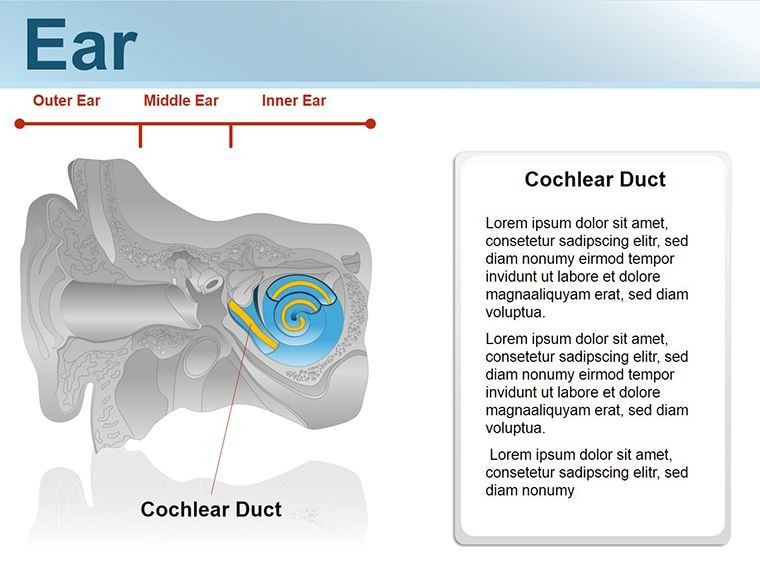
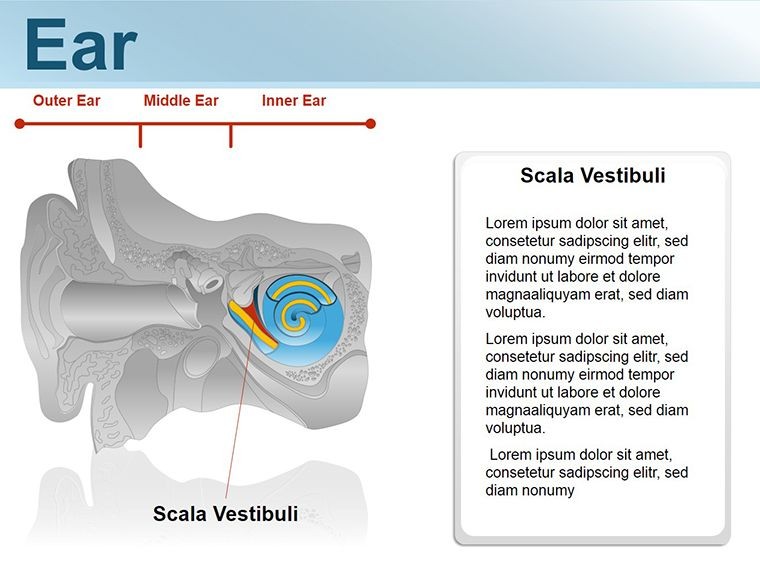
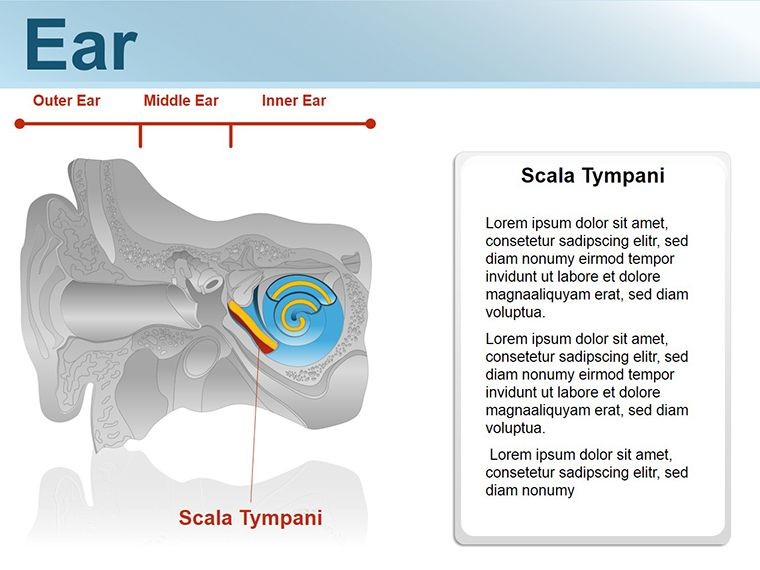
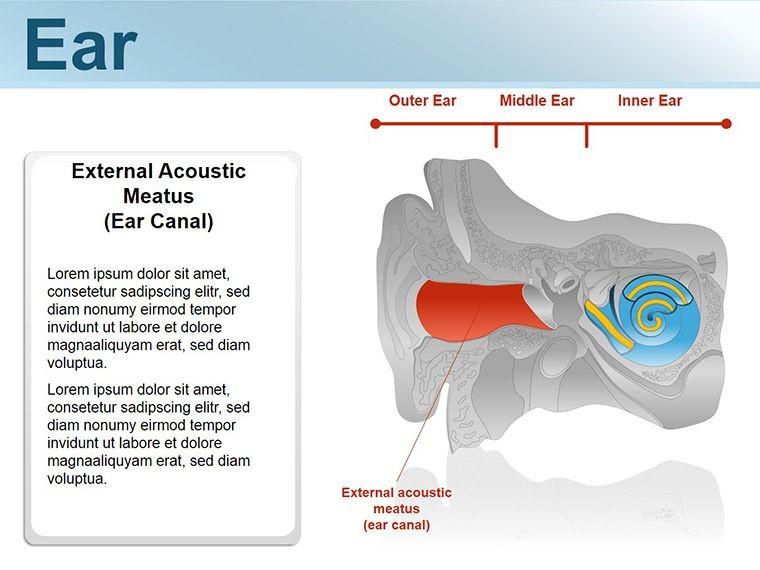
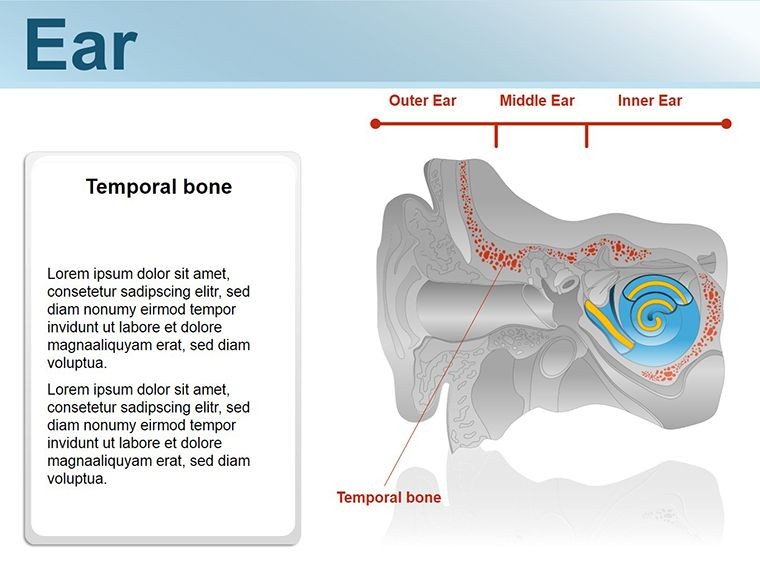
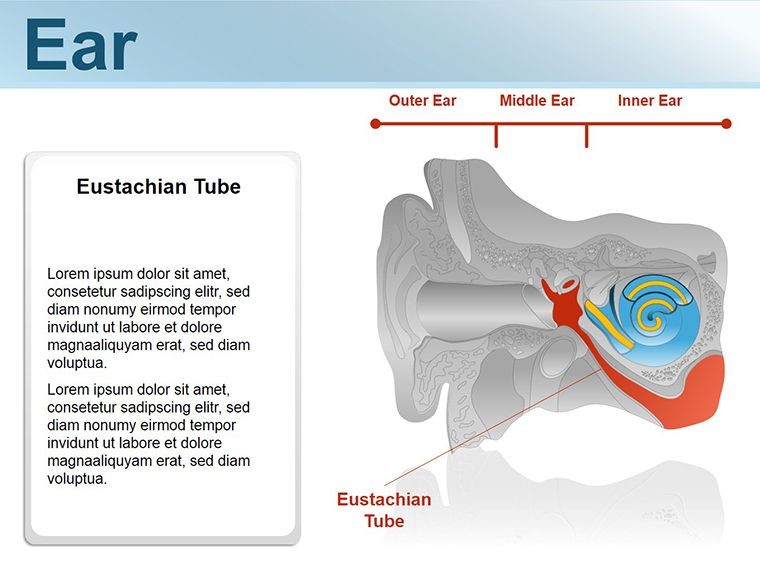
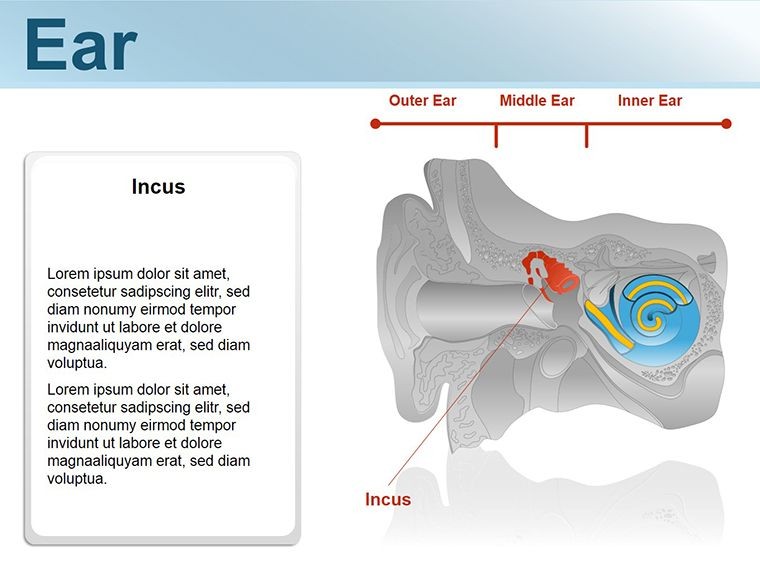
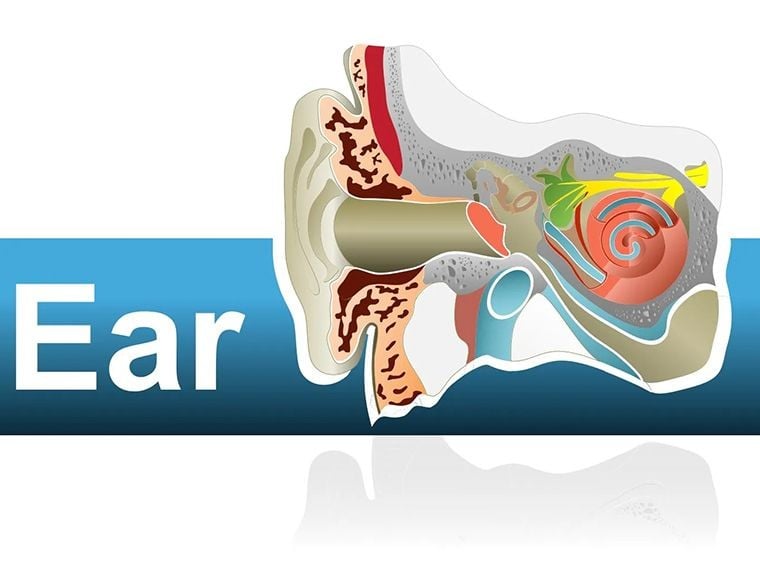
Delving into the intricate world of human anatomy can feel like navigating a labyrinth, but with our Human Ear Keynote Shapes template, you emerge with slides that guide viewers through the ear's wonders effortlessly. This 14-slide collection is a boon for medical students, ENT specialists, and health educators aiming to demystify hearing mechanisms without sacrificing accuracy or appeal. Each shape is a meticulously rendered illustration, from outer canal curves to inner cochlea spirals, ready to animate your lectures or patient consults.
Compatible with Keynote on Mac, these vectors scale seamlessly, preserving detail whether projecting in a lecture hall or sharing via telehealth. Beyond rote diagrams, they invite interaction - label parts on the fly or layer functions to reveal how sound waves dance through the ear. It's about more than memorization; it's fostering curiosity and comprehension in a field where visuals can illuminate lifelong learning.
Crafting Compelling Anatomical Narratives
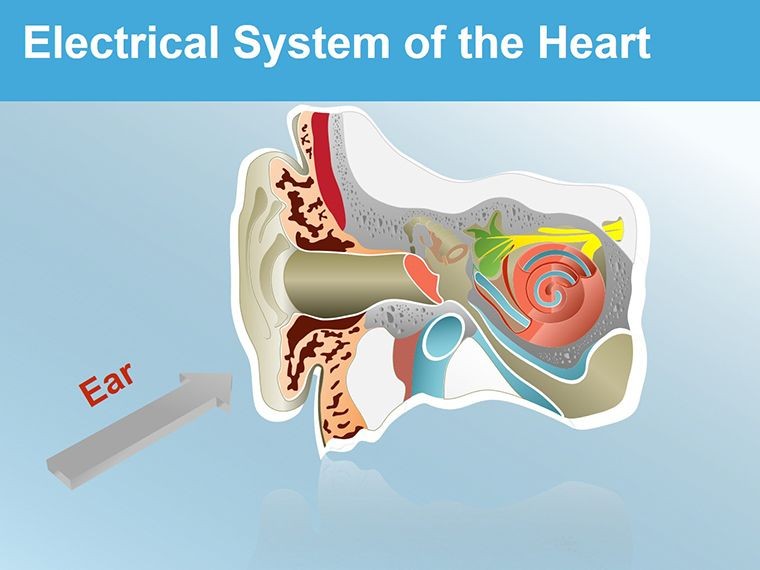
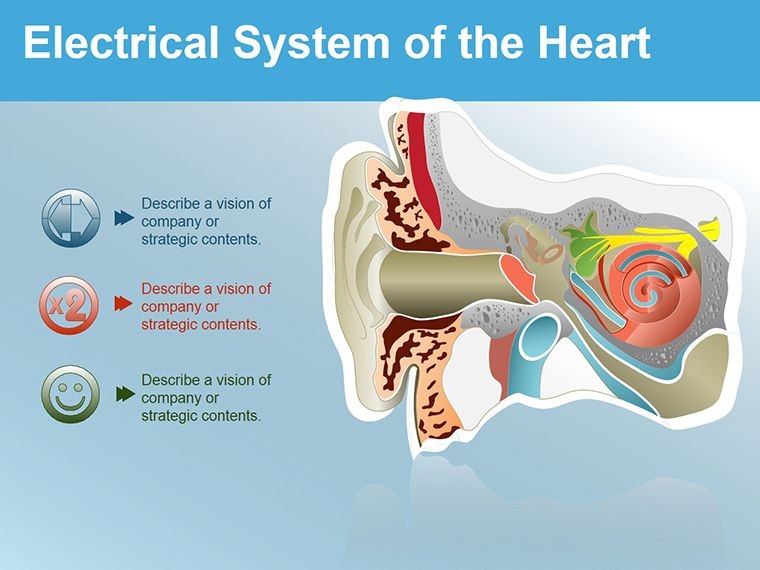
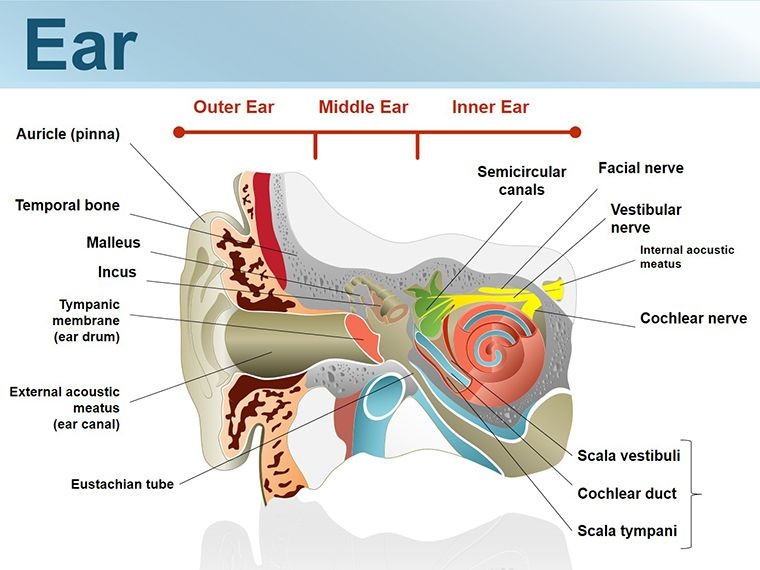
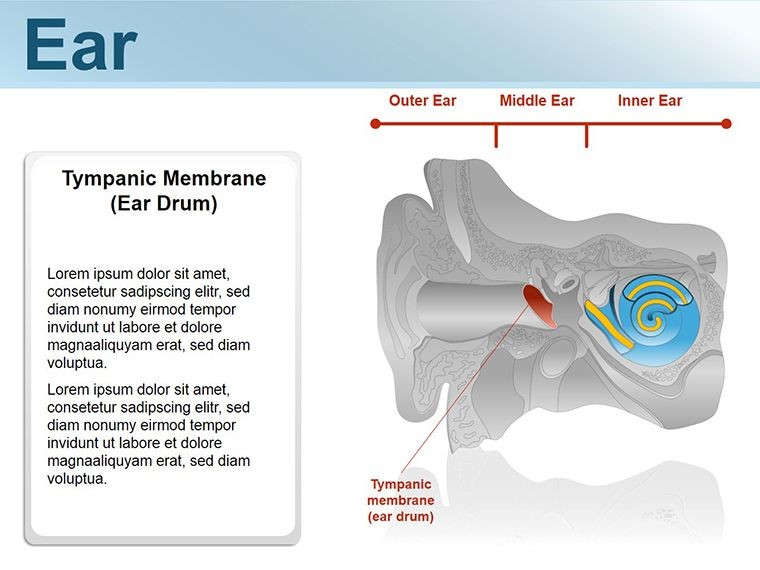
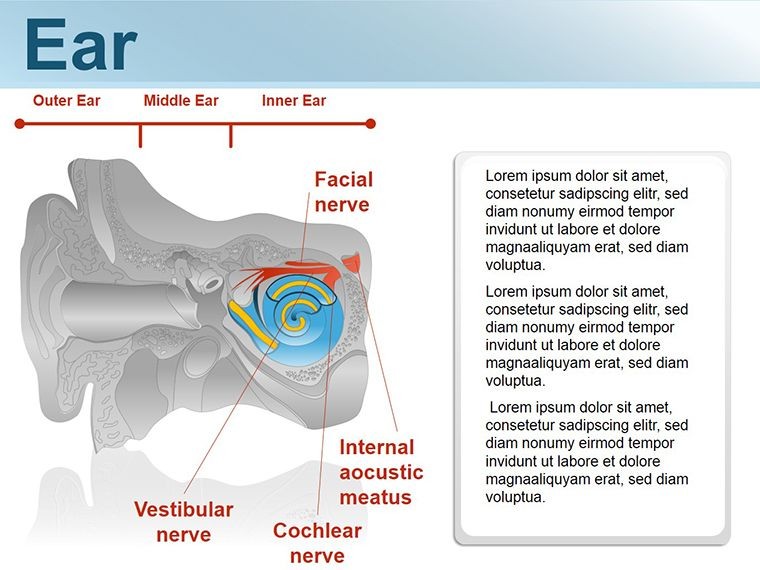
The template opens with a holistic ear overview: a sagittal cross-section where outer, middle, and inner regions glow in soft gradients. Hover to highlight, or use builds to peel back layers, exposing the eardrum's taut membrane or ossicles' delicate chain. Precision meets pedagogy here, with labels that toggle on/off for quizzing modes.
Moving inward, dedicated slides zoom on the cochlea: a coiled masterpiece with editable hair cells and fluid paths, ideal for explaining frequency mapping. The vestibular system gets its due too, with semicircular canal shapes that rotate to simulate balance detection. Every curve and contour draws from anatomical standards, ensuring trustworthiness in clinical settings.
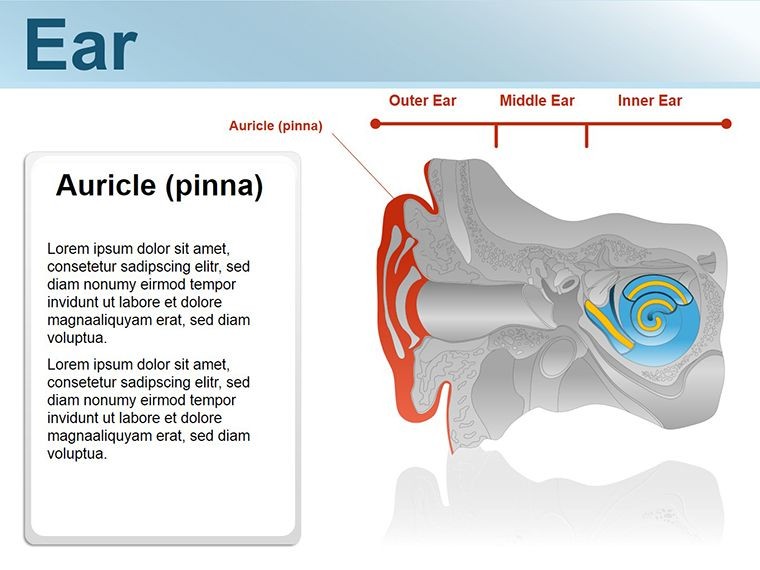
- Slide 1-3: External and Middle Ear – Pinna contours, canal tunnels, and hammer-anvil-stirrup linkages.
- Slide 4-8: Inner Ear Labyrinth – Cochlea unrolls, organ of Corti details, and nerve pathways.
- Slide 9-11: Vestibular Components – Canal loops and otolith organs for equilibrium visuals.
- Slide 12-14: Functional Overviews – Sound transmission flows and hearing loss hotspots.
Colors evoke biology - pinks for tissues, blues for fluids - while alt text like "Cross-section of human cochlea illustrating basilar membrane" boosts accessibility.
From Classroom to Clinic: Engaging Applications
A med school prof might launch a lecture with the cross-section slide, animating sound entry to trace vibrations from tympanic membrane to auditory nerve. Students lean in as colors pulse with wave frequencies, solidifying abstract physics into tangible anatomy. In clinics, a audiologist uses the cochlea zoom for patient education, circling age-related changes to empower informed choices on hearing aids.
For research pitches, the functional flow slides map pathologies like otosclerosis, overlaying before-and-after shapes to underscore interventions. It's versatile, adapting to webinars where interactive hotspots let viewers explore at their pace.
- Assess Your Focus: Pinpoint ear aspects - e.g., conduction vs. sensorineural - for targeted slides.
- Embed in Keynote: Drop the .key into your deck, aligning with existing content.
- Annotate Intelligently: Add callouts with the shape tool, linking to glossaries.
- Animate Pathways: Sequence reveals to mimic signal travel, enhancing retention.
- Export Thoughtfully: Save as interactive PDF for handouts that retain shapes.
Unlike generic clipart, these bespoke illustrations align perfectly, eliminating resize woes and maintaining medical fidelity.
Precision Tools for Health Communicators
Standout features include a shape library slide for mixing elements - snag a stapes for custom composites - and alignment guides for flawless overlays. Subtle shadows add depth, mimicking 3D without plugins.
An ENT resident once credited these shapes for acing a grand rounds, the vivid cochlea turning a dry topic into a memorable demo. Such precision builds not just slides, but bridges to better health dialogues.
Illuminate the ear's secrets - secure this template and resonate with your audience.
Frequently Asked Questions
Are the shapes anatomically accurate?
Yes, drawn from standard references for reliable educational use.
Can I add my own labels?
Definitely - text paths follow curves, integrating seamlessly.
Suitable for patient-facing materials?
Absolutely, with simple modes for non-experts.
File compatibility details?
Keynote .key for Mac 2016+, vectors for all resolutions.
How to animate the shapes?
Use build orders to sequence parts, like unveiling inner ear layers.
Any color customization?
Full spectrum - adjust fills and strokes to match themes.
Good for
- Project roadmaps and sprint plans
- Product launch timelines
- Quarterly or annual review decks
- Company history and milestone summaries
Licence
reviews
The diagonal line pattern shapes have texture.
The lines are evenly spaced.
Used this for a background or filler shape.
The pattern transparency is adjustable.
Adds visual interest without color.
FAQ
Will it work in Google Slides?
Are fonts embedded?
Can I use this for client work?
What's the refund policy?
Do you update the template after purchase?
Similar templates
See all Keynote Shapes →

All 14 slides