 Click to zoom
Private Access PowerPoint Template
| Format | .pptx |
| Slides | 3 unique layouts |
| Aspect ratio | 16:9 |
| Compatibility | PowerPoint |
| Animated | No |
| Language | English |
| License | Commercial |
| File size | — |
| Version | v1.0 |
| Last updated | December 2025 |
What's inside
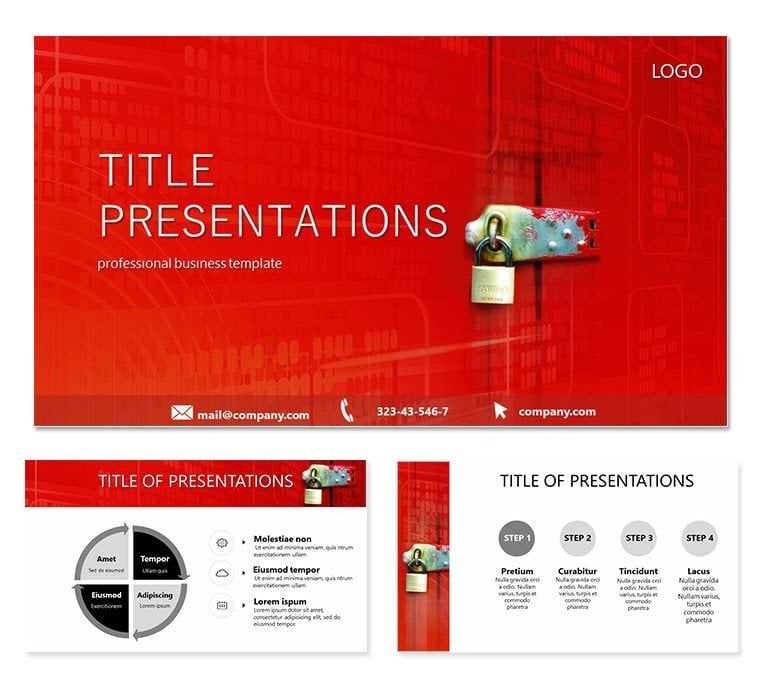
When preparing decks for C-level strategy sessions or confidential investor updates, I've learned that controlling information flow is critical. This Private Access PowerPoint template provides structured layouts that convey exclusivity and security, allowing you to present restricted data with authority while keeping audiences focused on key insights.
The design emphasizes gated content flow, using subtle lock motifs and layered sections to mirror real-world access protocols in enterprise environments.
Key Layouts for Controlled Information Delivery
Hierarchical pyramid slides organize access levels, placing executive summaries at the apex and detailed data in lower tiers. Gatekeeper diagrams feature sequential barriers with key icons, ideal for outlining approval processes or data classification.
Compartmentalized grid layouts divide sensitive topics into isolated modules, while pathway slides guide viewers through authorized disclosure sequences. All elements use muted professional tones to reinforce confidentiality without distracting from content.
Enterprise Scenarios Where This Template Excels
In merger discussions, consultants use these layouts to reveal information progressively, building trust during due diligence phases. Security teams present compliance frameworks to government auditors, clearly delineating access controls.
HR leaders deliver executive compensation reviews in closed board meetings, while R&D directors share proprietary findings with select stakeholders under strict protocols.
Incorporating into Secure Presentation Practices
Compatible with PowerPoint 2016 onward, Keynote, and Google Slides, the template opens ready for content insertion. Replace placeholders with your classified sections, adjust layering for emphasis, and export with password protection for added security.
The vector-based elements ensure crisp display across devices, critical for hybrid confidential meetings.
Practical Examples from Restricted Briefings
A Fortune 500 client used the gatekeeper slides to structure NDA-protected partnership proposals. Internal audit teams map risk mitigation steps using compartmentalized designs during executive reviews.
Legal departments outline litigation strategies in closed sessions, leveraging hierarchical flows for clear privilege maintenance.
Comparison to Conventional Methods
FeatureThis TemplateStandard SlidesCustom DesignSecurity EmphasisBuilt-in access motifs and layeringNo inherent structureRequires expert implementationProfessional FlowPre-designed disclosure sequencesFlat bullet listsVariable consistencyPreparation TimeRapid deployment for sensitive topicsManual organizationExtended developmentApplications in Regulated Sectors
- Finance: Insider information briefings and regulatory submissions.
- Technology: Patent disclosures and source code reviews.
- Healthcare: Patient data protocols and research confidentiality.
- Government: Classified project updates and clearance levels.
Elevate your confidential presentations with this private access template - download now and maintain control from start to finish.
Frequently Asked Questions
How does this template support password-protected presentations?
All slides are standard PowerPoint format, so you can apply file-level encryption or mark as final directly in the software for distribution control.
Are the lock and gate icons customizable?
Yes, every icon and shape is fully editable - change colors, sizes, or replace with your organizational symbols while preserving layout integrity.
Can I use this for non-disclosure agreement overviews?
The hierarchical and pathway layouts are perfect for mapping NDA terms, obligations, and violation consequences in client meetings.
Does it work in collaborative Google Slides sessions?
Yes, import functions smoothly, though for maximum security consider using PowerPoint's co-authoring with permission settings.
Good for
- Project roadmaps and sprint plans
- Product launch timelines
- Quarterly or annual review decks
- Company history and milestone summaries
Licence
reviews
The athletic field diagrams are accurate for soccer and basketball.
Used the team roster layout for the little league parent meeting.
The scoreboard graphic is fun for tracking season progress.
The play calling diagram helped me draw up strategies on the fly.
Its a great pack for coaches and sports fans.
FAQ
Will it work in Google Slides?
Are fonts embedded?
Can I use this for client work?
What's the refund policy?
Do you update the template after purchase?
Similar templates
See all PowerPoint Templates →


All 1 slides