 Click to zoom
Power Ideas PowerPoint Templates: Ignite Unity in Every Slide
| Format | .pptx |
| Slides | 3 unique layouts |
| Aspect ratio | 16:9 |
| Compatibility | PowerPoint |
| Animated | No |
| Language | English |
| License | Commercial |
| File size | — |
| Version | v1.0 |
| Last updated | October 2021 |
What's inside
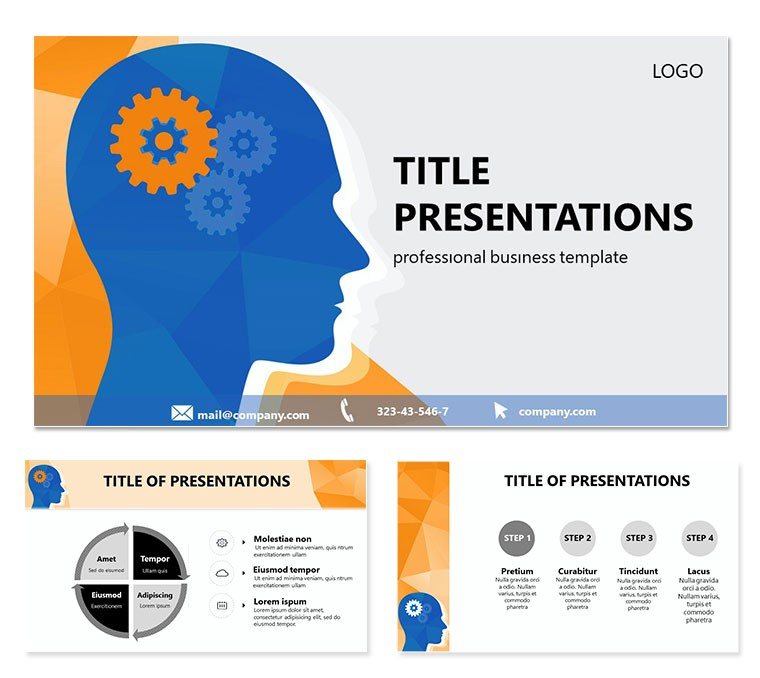
Ever walked into a meeting where ideas clash like thunderclouds, only to leave with everyone aligned and energized? That`s the magic these Power Ideas PowerPoint templates unlock for consultants, team leaders, and visionaries. This collection delivers 28 dynamic diagrams across 7 sophisticated color schemes, all nestled within three master layouts and three background styles. Designed to rally diverse groups around shared goals, it`s your secret weapon for turning brainstorming sessions into breakthrough moments.
From strategy workshops to client pitches, these slides go beyond bullet points. Envision a Venn diagram evolving to show overlapping competencies in a merger scenario, or a mind-map branching into actionable priorities. With full editability, you infuse your voice - resize nodes, swap hues, or embed live data - without wrestling PowerPoint`s defaults. A management coach once used the central idea hub slide to facilitate a retreat, watching as participants built on each other`s inputs in real time, fostering ownership that lasted months.
Delving into the Template`s Strategic Arsenal
Versatility defines this set. The three masters provide structural anchors: one for high-level overviews, another for deep dives, and a third for interactive elements. Backgrounds range from minimalist whites to textured abstracts, ensuring focus stays on your message. Each diagram, whether a flowchart for process unification or a pyramid for hierarchy clarification, uses vector graphics that scale flawlessly.
- Customizable Schemes: Seven palettes, from energizing reds to calming greens, to evoke the right mood.
- Interactive Builds: Layered elements that reveal progressively, building narrative tension.
- Icon Library: Dozens of idea bulbs, gears, and connection lines to symbolize innovation.
Built for PowerPoint 2016+, it syncs effortlessly with Google Slides, making remote collaborations a breeze. Export options keep your work portable, from handouts to animated exports.
Navigating Diagram Variety for Maximum Engagement
Start with the core concept wheel - a circular layout that spins ideas outward, perfect for ideation phases. Populate segments with team contributions, then animate to highlight synergies. For linear progressions, the pathway diagram strings milestones like pearls, adjustable for timelines or decision trees.
- Choose a diagram that mirrors your agenda`s flow.
- Layer in specifics: text, images, or charts via drag-and-drop.
- Tune colors to audience preferences - vibrant for creatives, subdued for execs.
- Rehearse reveals to time them with your delivery pace.
These aren`t rigid tools; they`re canvases for your ingenuity. A strategy firm adapted the cluster diagram for market segmentation, clustering customer personas with tailored tactics, resulting in sharper targeting.
Applying Power Ideas Across Consulting Scenarios
In boardrooms, deploy the balance scale diagram to weigh options in change management, tipping toward consensus. For training modules, the branching tree illustrates skill development paths, guiding learners through choices. Non-profits find value in the unity circle for stakeholder alignment, encircling shared values with radiating impacts.
Think of a project manager mapping agile sprints: burndown charts integrated into progress rings, visualizing velocity without overwhelming details. Or in HR, a talent matrix plotting strengths against roles, sparking promotion discussions. Real practitioners, like those echoing principles from thought leaders in team dynamics, use these to create spaces where ideas don`t just land - they launch.
Extend its reach to sales enablement, where objection-handling flows anticipate pushback, turning negatives into opportunities. The template`s modularity means mixing elements across slides, creating a cohesive deck that feels bespoke.
Pro Tips for Rallying Your Audience
Anchor slides with questions - "What if we connected these dots differently?" - to draw viewers in. Use presenter view for hidden cues, like prompting group polls after a build. Balance visuals with white space; let ideas breathe. And always iterate: share drafts via cloud links for feedback loops that refine your power.
This template isn`t about flash - it`s about forging connections that endure. Download the Power Ideas PowerPoint templates for $22 and start uniting minds today.
Frequently Asked Questions
How do these templates foster team unity?
Through interconnected diagrams that visually link concepts, encouraging collaborative storytelling.
Are animations included?
Yes, subtle builds and transitions enhance flow without distraction.
What file formats are supported?
Primarily .potx, with JPG previews for quick shares.
Can it integrate with other tools?
Absolutely, embed from Excel or import from design software seamlessly.
Is it suitable for virtual meetings?
Optimized for screen sharing, with high-contrast options for clarity.
How many masters does it have?
Three, each tailored for different presentation phases.
Good for
- Project roadmaps and sprint plans
- Product launch timelines
- Quarterly or annual review decks
- Company history and milestone summaries
Licence
reviews
The cloud icons are fine but the weather map is very cool.
Used the climate diagram for a geography project.
The temperature chart is accurate.
The forecast layout is easy to use.
Its a great pack for weather enthusiasts.
FAQ
Will it work in Google Slides?
Are fonts embedded?
Can I use this for client work?
What's the refund policy?
Do you update the template after purchase?
Similar templates
See all PowerPoint Templates →


All 1 slides