 Click to zoom
Pill Identifier Keynote Template: Clarity in Every Capsule
| Format | .pptx |
| Slides | 3 unique layouts |
| Aspect ratio | 16:9 |
| Compatibility | PowerPoint |
| Animated | No |
| Language | English |
| License | Commercial |
| File size | — |
| Version | v1.0 |
| Last updated | March 2022 |
What's inside
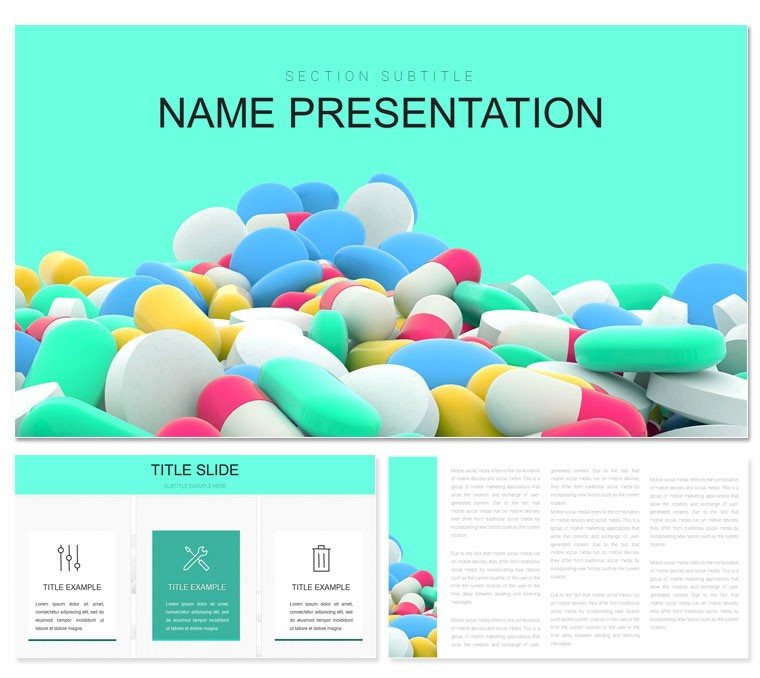
In the fast-paced world of pharmacy, where accuracy saves lives, your presentations must pill-proof every point. This Pill Identifier Keynote template steps up as your reliable partner, crafted for pharmacy technicians, educators, and healthcare pros tackling medication therapy and identification. With 28 targeted diagrams, three robust masters, and three engaging backgrounds, it packages complex info into slides that inform without overwhelming.
Its strength lies in bridging the gap between jargon and accessibility. Whether demoing imprint codes or therapy protocols, the clean widescreen layout (16:9) ensures details pop on any screen. Seven color schemes - from clinical whites to cautionary oranges - mirror pharmacy aesthetics, making it a natural fit for training sessions or patient consults. Built for Keynote, it harnesses Apple's precision for effortless tweaks, and at $22, it's a steal for pros prioritizing patient safety.
Think of a technician training new staff: Using a flowchart to trace pill verification steps, from shape to scoring, the group follows without confusion. Or an educator illustrating drug interactions with interconnected nodes - visuals that stick like a well-dosed lesson. Download now for $22 and identify success in your next presentation.
Key Elements That Define Pharmacy Precision
The 28 diagrams form the template's backbone, each honed for pharma needs. Identification matrices for shapes and colors, timelines for dosage regimens, or radial charts for interaction risks - all editable down to the line. Vectors keep imprints crisp, even enlarged for handouts.
Masters offer variety: One for list-based overviews like generic equivalents, another for image-heavy pill close-ups, and a third for data tables on formulations. Backgrounds range from sterile patterns to subtle pill motifs, enhancing without distracting. Color schemes adapt intuitively - select orange for alerts, and warnings glow accordingly.
- Photo Integration Slots: Drop in real pill images, auto-cropping to fit.
- Table Templates: For cross-referencing NDC codes or strengths.
- Animation-Ready Flows: Built-in paths for sequencing identification steps.
Bonus: Keynote's build effects reveal layers progressively, mimicking a peel-back label for engaging reveals.
Targeted Use Cases in Pharmacy Practice
For medication therapy management, structure sessions around patient profiles. Begin with a demographic slide via master, then diagram adherence journeys - arrows linking prescriptions to outcomes. Add icons for routes: Oral, topical, injectable.
In educational workshops, break down identification challenges. A grid diagram sorts pills by markings, with placeholders for your examples. Technicians practice by annotating duplicates, reinforcing recall.
Training Technicians on the Front Lines
Frontline training benefits hugely. Map error-prone scenarios with decision trees: If oblong and scored? Branch to possibilities. One pharmacy chain used it for onboarding, cutting query times as visuals ingrained protocols.
Patient-Facing Therapy Talks
For consults, simplify with icon-driven slides. A cycle diagram loops therapy phases - initiation, monitoring, adjustment - empowering patients with clear visuals over scripts.
Seamless workflow: Import from pharmacy software screenshots, align with diagram grids. Test on diverse devices for universal clarity.
Hands-On Tips for Tailoring and Presenting
Open in Keynote, apply the theme, and dive in. Replace placeholders: Text for monographs, shapes for categorizations. For colors, use the format panel - swatch changes propagate smartly.
- Prioritize Readability: High-contrast for small fonts on imprints.
- Layer Compliance: Add HIPAA notes via footers.
- Export for Compliance: Secure PDFs for records.
During delivery, use Keynote's presenter display for cues on dosages. Follow up by sharing edited decks, fostering ongoing learning.
This template capsules expertise into action - download for $22 and dispense knowledge with confidence.
Frequently Asked Questions
What makes this template pharmacy-specific?
Diagrams tailored to identification and therapy, with relevant icons and layouts.
Are images of real pills included?
No, but slots make adding your photos simple.
How many diagrams focus on identification?
About half, with matrices and charts for shapes, colors, and markings.
Works with Windows Keynote?
Via iCloud sync, yes - edits travel smoothly.
Can I customize for veterinary use?
Easily - adapt diagrams for animal meds.
Supports video embeds for demos?
Yes, for crushing or splitting instructions.
Good for
- Project roadmaps and sprint plans
- Product launch timelines
- Quarterly or annual review decks
- Company history and milestone summaries
Licence
reviews
Finished my last minute marketing report with this and honestly the graphs did most of the work.
Some slides felt a little busy but I still used almost all of them.
Needed something simple for a client call and the blue layout worked without editing too much.
I liked that the charts were already spaced properly because I hate resizing everything.
It’s okay overall, just wish there were fewer duplicate icon slides.
FAQ
Will it work in Google Slides?
Are fonts embedded?
Can I use this for client work?
What's the refund policy?
Do you update the template after purchase?
Similar templates
See all Keynote templates →


All 1 slides