 Click to zoom
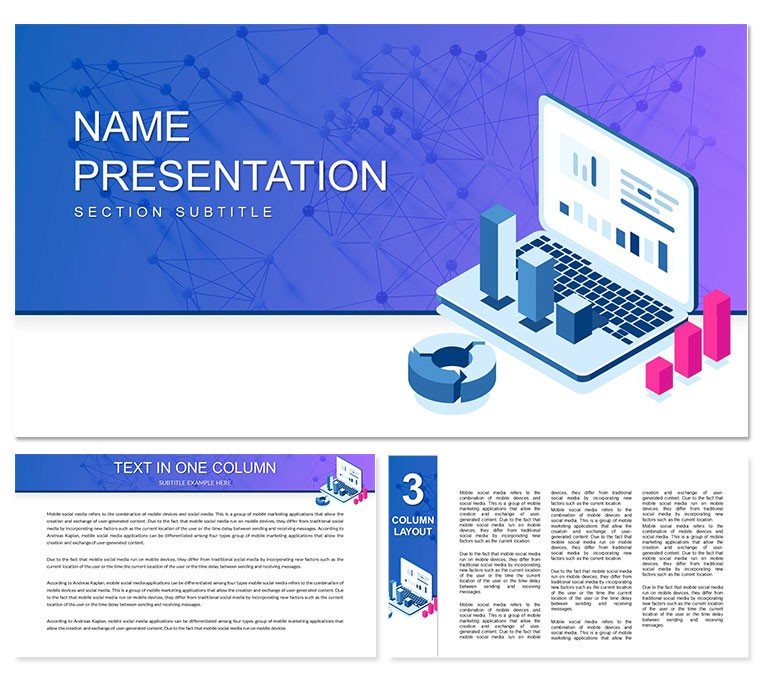
Performance Indicators PowerPoint Template: Visualize Your Progress and Success
| Format | .pptx |
| Slides | 3 unique layouts |
| Aspect ratio | 16:9 |
| Compatibility | PowerPoint |
| Animated | No |
| Language | English |
| License | Commercial |
| File size | — |
| Version | v1.0 |
| Last updated | February 2023 |
What's inside
In today's data-driven world, tracking and measuring performance indicators are critical for the success of any organization. Performance indicators help businesses identify strengths, weaknesses, and areas that require improvement. Visualizing these indicators in a clear and concise manner can help stakeholders understand progress and make data-driven decisions. That's why a performance indicators PowerPoint template can be an invaluable tool for businesses and organizations.
Why Use a Performance Indicators PowerPoint Template?
A performance indicators PowerPoint template can help you effectively communicate key performance indicators to stakeholders. It can be used for a wide range of purposes, including:
- Presenting performance to clients or stakeholders
- Communicating progress towards organizational goals to team members
- Analyzing and evaluating data to inform decision-making
- Setting targets and benchmarks for future performance
- Identifying areas for improvement and implementing corrective action.
The Benefits of Visualizing Performance Indicators
Visualizing performance indicators has several benefits. First, it makes data more accessible and understandable. It can help to simplify complex data sets and make them easier to interpret. This is particularly important when presenting data to non-technical stakeholders who may not be familiar with the terminology or metrics being used.
Visualizing data also allows stakeholders to quickly identify trends and patterns. This can help them make informed decisions based on data and drive continuous improvement. Visuals also enable businesses to quickly identify areas that require attention and prioritize actions to improve performance.
Elements of a Performance Indicators PowerPoint Template
When creating a performance indicators PowerPoint template, there are several elements that you should consider. These include:
- Key performance indicators: Identify the most important metrics to track and measure. These should be the metrics that have the most impact on your organization's success.
- Data visualization: Use charts, graphs, and other visual aids to display data in an accessible and easy-to-understand format.
- Goal setting: Set clear goals and benchmarks for performance. This will help stakeholders understand what they are working towards and what success looks like.
- Analysis and insights: Provide analysis and insights into the data. Explain what the data means and why it is important.
- Action plan: Provide a clear action plan for improvement. Identify areas that require attention and outline steps that can be taken to improve performance.
A performance indicators PowerPoint template is an invaluable tool for any organization looking to track, measure, and improve performance. It provides a clear and concise way to present performance data, making it accessible and understandable to stakeholders. The benefits of visualizing performance indicators are clear, and a well-designed template can help businesses achieve their goals and drive continuous improvement. With the right tools and data, organizations can make data-driven decisions and achieve long-term success.
Good for
- Project roadmaps and sprint plans
- Product launch timelines
- Quarterly or annual review decks
- Company history and milestone summaries
Licence
reviews
Last night before the conference, the comparison matrix with plus/minus icons saved my butt.
The slide master is a mess, every time I added a new slide the font reset.
Good for a competitive analysis, the radar chart was already formatted.
I don't care about design, just needed to paste screenshots, and it worked.
Those 3D bar charts look dated, but the flat ones are fine.
FAQ
Will it work in Google Slides?
Are fonts embedded?
Can I use this for client work?
What's the refund policy?
Do you update the template after purchase?
Similar templates
See all PowerPoint Templates →

All 1 slides