 Click to zoom
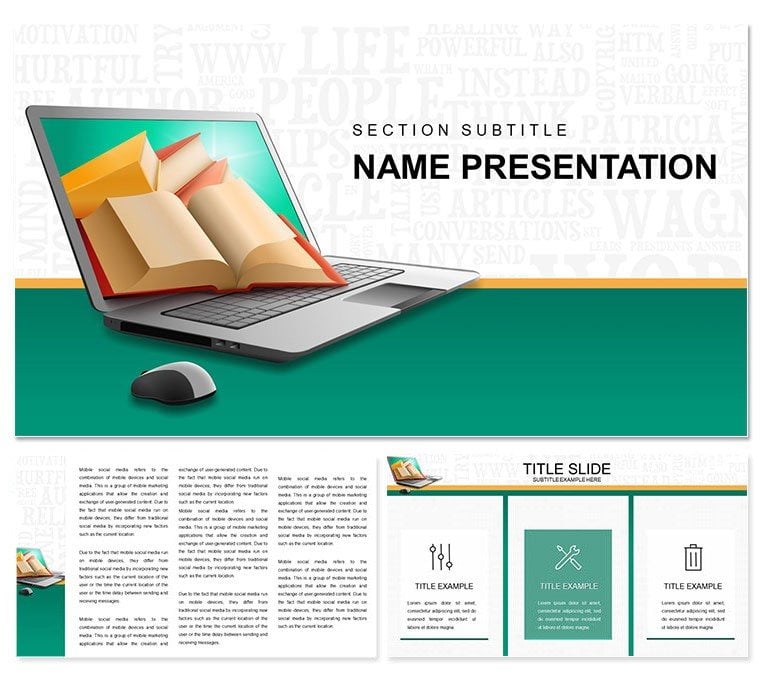
Online Learning Books Keynote Template: Pages That Turn Themselves
| Format | .pptx |
| Slides | 3 unique layouts |
| Aspect ratio | 16:9 |
| Compatibility | PowerPoint |
| Animated | No |
| Language | English |
| License | Commercial |
| File size | — |
| Version | v1.0 |
| Last updated | January 2022 |
What's inside
Recall the thrill of flipping through a textbook that unlocks new worlds - now channel that into digital realms with the Online Learning Books Keynote Template. Geared toward educators, course creators, and edtech advocates, this deck reimagines how you showcase the best resources for virtual classrooms. With 28 animated diagrams, it spotlights book selections, pros, and pathways, making your case for blended learning irresistible.
The template's warm, inviting style - think soft page curls and stack motifs - pairs with three masters and backgrounds to suit webinars or faculty meetings. Fully editable animations bring static lists to life, like unfolding chapter previews, while high-res images ensure crisp delivery on any device. It's your shortcut to persuasive presentations that blend tradition with tech.
Key Components: Animating Ideas for Impact
Central to the design are 28 diagrams across seven color schemes, from earthy tones for literature dives to vibrant pops for interactive reads. Animations handle the heavy lifting, sequencing pros and cons with elegant fades.
- Book-Focused Layouts: Timelines for reading journeys or matrices comparing formats, all tweakable for your curriculum.
- Animation Depth: Effects like page-turn reveals emphasize key takeaways, engaging remote learners.
- Master Options: Three setups for structured overviews or narrative flows, adapting to your story.
A curriculum designer for an online academy animated a book pyramid to layer genres, helping stakeholders visualize curriculum builds. The motion clarified hierarchies, streamlining approval processes. This template delivers that narrative nudge.
Practical Scenarios: Educating Through Engagement
It's a natural fit for diverse edtech moments. Instructors can map course modules using flow diagrams, highlighting must-reads with branching paths for electives. For admin pitches, stacked bar animations contrast traditional vs. digital access, underscoring equity gains.
Workshop leaders might sequence slides for literacy sessions, embedding quotes that animate in sync with discussion prompts. Even parent info nights benefit, simplifying e-book benefits with icon-driven lists that demystify tech.
Step Guide: Crafting Your Learning Narrative
- Lay the Foundation: Select a master aligned with your audience - formal for boards, casual for teachers.
- Build Content Layers: Fill diagrams with titles and synopses, choosing schemes that evoke genre vibes.
- Infuse Motion: Assign animations to pros lists, timing them to build anticipation like a plot twist.
- Test the Flow: Rehearse in presenter mode, adjusting for virtual lag to keep energy high.
An e-learning coordinator used it for a grant app, animating impact metrics from book integrations - funders saw the vision clearly, securing resources swiftly.
Surpassing Standard Educational Slides
Where plain Keynote falls flat on inspiration, this template adds literary flair - subtle bookmark accents that guide without guiding too much. Vectors keep text sharp during zooms on annotations, and colors foster warmth for trust-building talks.
Integrate with LMS exports, pulling reading stats into live charts. For global reach, the flexible masters support multilingual overlays seamlessly.
Tips to Turn Heads
- Chain animations across slides for a book-flipping continuity that immerses viewers.
- Use negative space around inscriptions for breathing room in dense topic lists.
- Hyperlink diagrams to external previews, extending engagement post-presentation.
MOOC developers rely on these for module teasers, drawing enrollments by previewing literary gems vividly.
Effortless Assembly: From File to Forum
Download opens a world of organized assets - diagrams sorted by function for quick drags. Backgrounds shift from parchment to digital glows, matching hybrid formats.
A homeschool facilitator tailored it for resource fairs, personalizing stacks to fit family needs and sparking tailored recommendations. Such versatility turns prep into pleasure.
Unlock the next chapter in your teaching toolkit - snag the Online Learning Books Keynote Template for $22 and let ideas unfold.
Frequently Asked Questions
How do animations work for book comparisons?
They sequence advantages side-by-side, fading in details for balanced, easy-to-follow contrasts.
Ideal for K-12 or higher ed?
Both - scale diagrams for age groups, from picture book overviews to advanced lit analyses.
Customization time estimate?
Under an hour for full decks, thanks to smart placeholders and drag edits.
Color scheme variety?
Seven, blending neutrals with accents to suit literary moods or branding.
Supports interactive elements?
Yes, add hyperlinks or embeds for live demos of e-reader features.
Included files?
.key with all diagrams, three masters, backgrounds, and animation presets.
Good for
- Project roadmaps and sprint plans
- Product launch timelines
- Quarterly or annual review decks
- Company history and milestone summaries
Licence
reviews
The molecular breakdowns and pill timelines were useful for my pharmacology report.
Not bad for healthcare the sterile whites and therapeutic blues kept it clean.
Used this for a medical conference and the interaction matrix for drug pairs was a standout.
The icons for syringes and charts are high res but some fonts were too small.
A good template for medical presentations but a bit pricey at $22.
FAQ
Will it work in Google Slides?
Are fonts embedded?
Can I use this for client work?
What's the refund policy?
Do you update the template after purchase?
Similar templates
See all Keynote templates →


All 1 slides