 Click to zoom
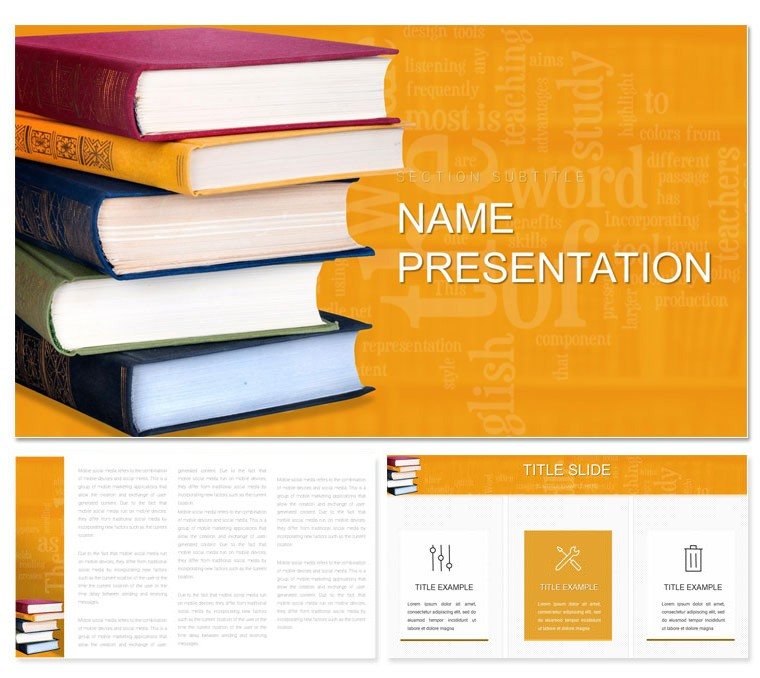
Book Education Keynote Template: Crafting Clarity in Every Chapter
| Format | .pptx |
| Slides | 3 unique layouts |
| Aspect ratio | 16:9 |
| Compatibility | PowerPoint |
| Animated | No |
| Language | English |
| License | Commercial |
| File size | — |
| Version | v1.0 |
| Last updated | December 2024 |
What's inside
When the spotlight hits and eyes turn to your slides, clarity isn't optional - it's essential. The Book Education Keynote Template delivers just that, with clean lines and thoughtful designs that frame your teaching moments beautifully. Geared for presenters who blend pedagogy with poise, it includes 28 diagrams, three masters for varied pacing, and three backgrounds that whisper focus rather than shout. From textbook overviews to seminar synopses, this tool ensures your message lands with the precision of a well-placed footnote.
Its appeal? Uncluttered elegance: sans-serif fonts for modern readability, neutral palettes that let content star, and shapes that suggest without overwhelming. Keynote-optimized for Mac, edits are intuitive, turning novices into narrators overnight.
Structuring Slides That Teach Themselves
Here, design serves instruction. Agenda lists formatted as table of contents invite anticipation, while summary cards act as chapter closers, recapping without redundancy.
- Modular Builds: Stepwise reveals in process diagrams, unveiling concepts layer by layer.
- Icon Essentials: Minimalist symbols - apples for core ideas, arrows for progression - adding subtle guidance.
- Comparative Views: Side-by-side tables for text contrasts, fostering critical thinking.
Presenters illustrating study guides might employ the bracket diagrams for outlining arguments, nesting evidence neatly.
Pathway to Polished Pedagogy
- Anchor Your Arc: Select a master aligned with session length - brief for workshops, detailed for lectures.
- Embed Essentials: Slot data into horizontal timelines, marking milestones like publication dates.
- Refine the Read: Toggle seven schemes for accessibility, favoring high-contrast for back-row viewers.
- Finalize Flow: Sequence with transitions that mimic page turns, smoothing the session.
This method streamlines setup, freeing energy for interaction.
Scenarios Where Simplicity Shines
Speakers in staff development sessions use the vertical stacks to prioritize objectives, stacking priorities visually. A debate coach recounted layering rebuttals in accordion folds, unfolding arguments dynamically to model rhetoric.
For school assemblies, showcase curricula with mosaic layouts, each tile a subject snapshot. The restraint prevents overload, letting voices lead.
Even in parent-teacher meets, timeline retrospectives trace student progress, building trust through transparent visuals.
Refinement Rituals
Employ alignment guides for symmetry, and test pacing with presenter notes. Balance text density to sustain attention spans.
The Edge of Effortless Education
Against cluttered competitors, this template's minimalism empowers. Diagrams range from basics to nuanced, like balance scales for pros/cons in lit critiques. Backgrounds - faint grids like ruled paper - substantiate without saturation.
Its grouped edits suit quick changes; advanced users layer blends for depth.
Shape your story with substance - acquire the Book Education Keynote Template for $22 and present with purpose.
Frequently Asked Questions
What style defines this template?
Clean and minimalist, focused on readability for educational delivery.
Suitable for beginners?
Yes, with intuitive editing tools in Keynote.
Number of diagram options?
28, covering charts, flows, and comparisons.
Customization depth?
Comprehensive, including text, images, and seven color sets.
Best for what events?
Teaching talks, seminars, and material showcases.
Good for
- Project roadmaps and sprint plans
- Product launch timelines
- Quarterly or annual review decks
- Company history and milestone summaries
Licence
reviews
The darker color scheme looked good during presentations in dim rooms.
Downloaded it for a market analysis deck and the chart slides were solid.
A few icons seemed random but easy enough to replace.
The layouts made my notes look more organized immediately.
I don’t care much about templates usually but this one worked fine.
FAQ
Will it work in Google Slides?
Are fonts embedded?
Can I use this for client work?
What's the refund policy?
Do you update the template after purchase?
Similar templates
See all Keynote templates →



All 1 slides