 Click to zoom
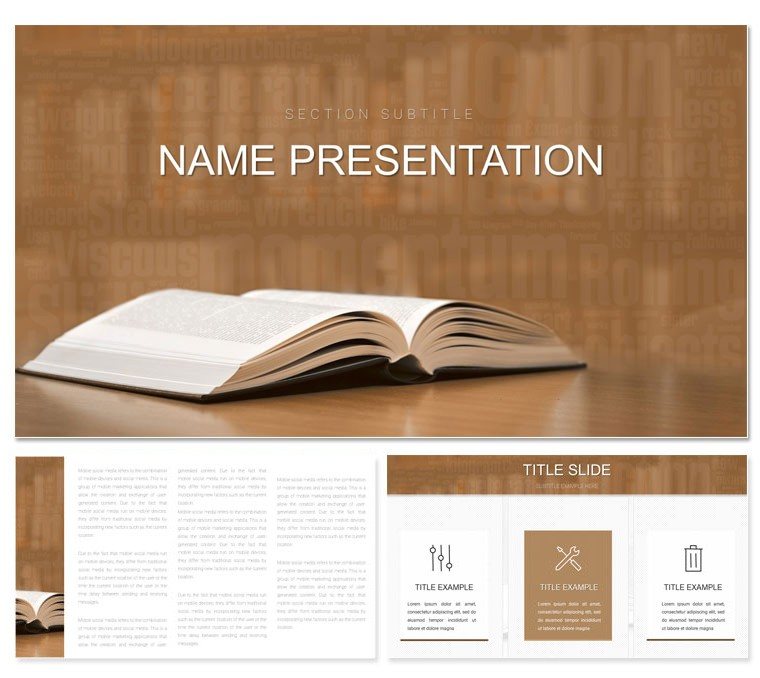
Online Book Library Keynote Template: Digital Pages to Dynamic Decks
| Format | .pptx |
| Slides | 3 unique layouts |
| Aspect ratio | 16:9 |
| Compatibility | PowerPoint |
| Animated | No |
| Language | English |
| License | Commercial |
| File size | — |
| Version | v1.0 |
| Last updated | December 2023 |
What's inside
Step into a virtual stacks where every slide is a portal to knowledge. The Online Book Library Keynote Template reimagines the digital age of reading, offering educators, students, and professionals a toolkit to craft presentations that pulse with possibility. With 28 diagrams channeling the infinite shelves of online archives, three masters for foundational flexibility, and three backgrounds mimicking glowing screens, this is more than a template - it's a launchpad for ideas that connect across screens.
Crafted for the hybrid learner, it blends accessibility with allure: editable fonts that scale for accessibility, color schemes that adapt to light or dark modes, and layouts that flow like endless scrolls. Keynote-native, it thrives on Mac, empowering quick iterations from concept to captivate.
Navigating the Digital Shelves of Design
This template's strength lies in its emulation of online exploration - search bars turned timelines, thumbnails as infographic previews. It's perfect for unveiling e-library projects or virtual book tours, where visuals must evoke the thrill of discovery.
- Exploratory Maps: Mind maps styled as site directories, guiding viewers through topic clusters.
- Interactive Icons: Clickable motifs like e-readers and clouds, enhancing navigation in live sessions.
- Trend Trackers: Area charts plotting reading habits, with gradients suggesting data streams.
Students presenting digital lit analyses might use the folder hierarchy slides to unpack e-book structures, nesting subfolders for themes. The cohesion keeps it grounded, avoiding the chaos of uncurated tabs.
Blueprint for Building Your Virtual Vault
- Frame the Interface: Opt for a master with grid backgrounds, evoking app dashboards.
- Stock the Shelves: Fill a donut chart with genre distributions from online catalogs, slicing insights neatly.
- Tune the Theme: Select from seven schemes - vibrant for youth lit, muted for scholarly tomes.
- Launch and Link: Embed QR codes in slides for instant access to resources, bridging digital divides.
Such steps turn static decks into interactive odysseys, fostering deeper engagement.
Applications Across the Digital Divide
Educators tackling remote learning find solace in these tools. A virtual lit festival organizer used the cascade diagrams to sequence events, each level a hyperlink to sessions, streamlining attendee flow. Students in online courses elevate theses with web-inspired webs, diagramming influences like linked articles.
Professionals in edtech pitch innovations vividly: funnel slides for user acquisition in app rollouts, styled as download streams. The template's modularity suits scaling - from intimate webinars to global keynotes.
For librarians curating digital collections, gallery views showcase acquisitions, with metadata overlays for context. It democratizes design, making pro-level polish attainable for all.
Enhancement Hacks for Hybrid Heroes
Incorporate screen recordings in builds for demoing features, and use shape masking for custom thumbnails. Prioritize contrast for readability in varied lighting, ensuring inclusivity.
Beyond Basics: A Gateway to Innovation
Standard templates often feel flat in the face of digital demands; this one pulses with relevance. Its 28 diagrams span essentials to esoterica, like network graphs for collaborative editing histories. Backgrounds - subtle pixel textures - nod to code without clutter.
Beginners navigate via grouped objects; experts exploit advanced masking. Exports retain fidelity for web embeds or prints.
Dive into the digital depths - claim the Online Book Library Keynote Template for $22 and curate content that clicks.
Frequently Asked Questions
What themes does this template evoke?
It captures online library aesthetics with digital motifs like screens and links for virtual exploration.
Can it handle large datasets?
Yes, scalable diagrams accommodate extensive data while maintaining clarity.
Is it geared toward educators only?
No, professionals and students alike use it for pitches and reports.
How editable are the layouts?
Fully, with drag-and-drop elements and seven color options.
Supports hyperlinks?
Indeed, perfect for linking to external resources in presentations.
Good for
- Project roadmaps and sprint plans
- Product launch timelines
- Quarterly or annual review decks
- Company history and milestone summaries
Licence
reviews
Used this for a technical meeting and the process diagrams fit our topic.
The title slides looked cleaner than the content pages.
Some charts needed resizing after I imported data.
I appreciated that the layouts weren’t overloaded with effects.
Pretty useful for reports where clarity matters more than style.
FAQ
Will it work in Google Slides?
Are fonts embedded?
Can I use this for client work?
What's the refund policy?
Do you update the template after purchase?
Similar templates
See all Keynote templates →

All 1 slides