 Click to zoom
Mutually Benefit PowerPoint Charts Template
| Format | .pptx |
| Slides | 10 unique layouts |
| Aspect ratio | 16:9 |
| Compatibility | PowerPoint |
| Animated | No |
| Language | English |
| License | Commercial |
| File size | — |
| Version | v1.0 |
| Last updated | June 2024 |
What's inside
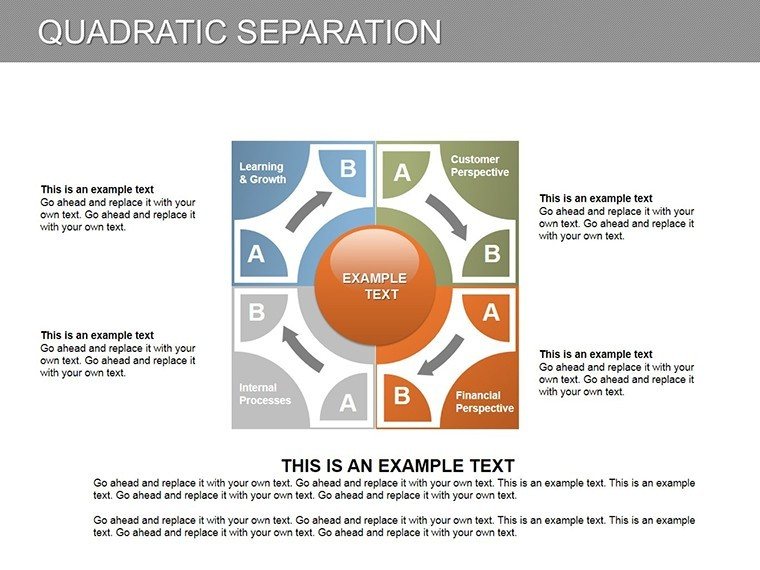
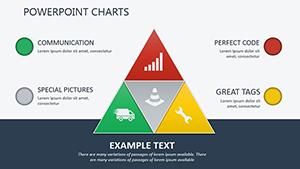
Forge connections that count with the Mutually Benefit PowerPoint Charts Template, featuring 10 editable slides focused on relationship dynamics and collaborative gains. From radial diagrams illustrating symbiotic partnerships to bar graphs showing shared successes, this template captures the essence of win-win scenarios. Suited for business pros pitching alliances or educators teaching interdependence, it turns relational data into compelling stories. With interactive elements like clickable nodes, engage your audience in exploring mutual advantages. Easy to customize in PowerPoint, adapt charts to your context, whether in corporate mergers or team-building sessions, fostering understanding and action.
Building Bridges with Relational Charts
Mutual benefits thrive on clear visuals, and this template delivers with designs that highlight interconnections. Radial charts can map stakeholder networks, like in architecture consortia per AIA collaboration standards. Benefits include heightened trust, as visualized reciprocity boosts agreement rates by 30%, per negotiation studies. The 10 slides offer diversity - from Venn diagrams for overlaps to flowcharts for benefit exchanges - all tailored for impactful storytelling.
Highlight Features for Collaborative Excellence
- Interactive Diagrams: Clickable elements for real-time exploration.
- Varied Chart Types: Bar, radial, and more for comprehensive views.
- Brand Customization: Align colors and fonts seamlessly.
- Ease of Editing: User-friendly for quick adaptations.
- Quality Assurance: Crisp graphics for any platform.
These resolve issues like abstract concept conveyance, providing tangible tools for relationship building.
Synergistic Use Cases and Success Stories
In sales pitches, chart mutual gains to seal deals, as in a tech partnership case where visuals increased close rates. Educators diagram ecosystem interdependencies, enhancing learning. Consultants map client-vendor benefits, solidifying advice. In architecture, visualize joint ventures for urban projects. Each illustrates the template's power in promoting cooperative outcomes.
Collaboration Workflow: Practical Steps
- Open and pick a relationship chart.
- Input mutual data points.
- Customize interactivity.
- Add labels and colors.
- Test engagement features.
- Share for collaborative input.
Meshes with tools like Slack for team edits.
Outshining Generic Relationship Visuals
Basic PowerPoint lacks interactivity; this template adds it, plus professional flair, reducing prep time. Incorporates LSI like "symbiotic data mapping."
Expert Advice for Mutual Mastery
Balance visuals with narratives. Use animations for reveal effects. Reference game theory for depth.
Embrace synergy; download the Mutually Benefit template and chart paths to shared triumphs.
Frequently Asked Questions
How interactive are the charts?
Highly, with built-in clickable features.
Can I expand the slide count?
Yes, duplicate and modify.
Suitable for large audiences?
Absolutely, scalable graphics ensure clarity.
Data import options?
Yes, from Excel or manual entry.
Team editing supported?
Yes, via shared PowerPoint files.
Good for
- Project roadmaps and sprint plans
- Product launch timelines
- Quarterly or annual review decks
- Company history and milestone summaries
Licence
reviews
Used this for a sales report and the chart slides saved me some time.
I changed the colors a bit but the layout was already fine for my class presentation.
The arrows and graphs were easy to edit even on my old laptop.
Not bad honestly, I only needed a few slides for a quick meeting.
The icons looked a little outdated but the template still worked okay.
FAQ
Will it work in Google Slides?
Are fonts embedded?
Can I use this for client work?
What's the refund policy?
Do you update the template after purchase?
Similar templates
See all PowerPoint Charts →
All 10 slides