 Click to zoom
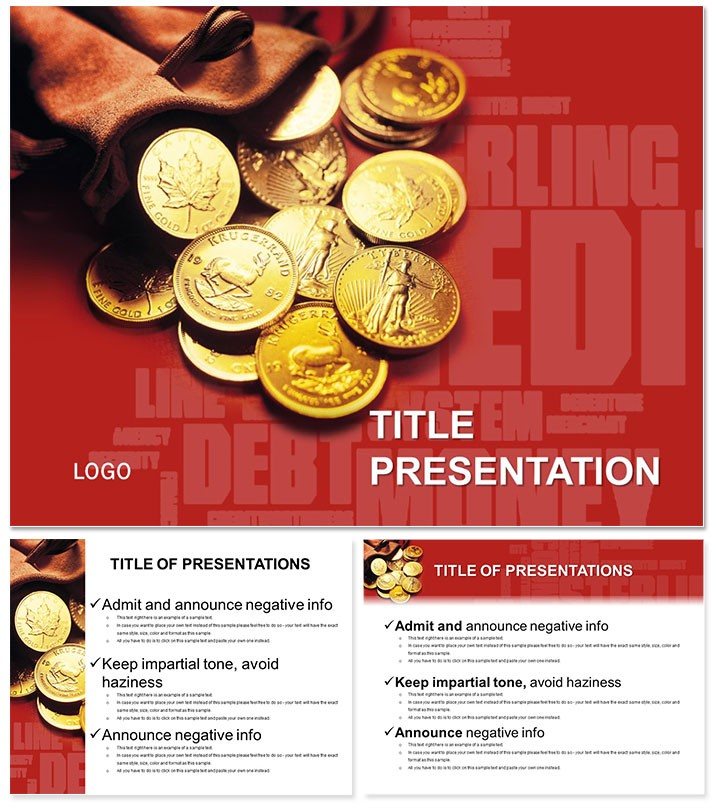
Monetize Your Pitch with Money Keynote Template
| Format | .pptx |
| Slides | 3 unique layouts |
| Aspect ratio | 16:9 |
| Compatibility | PowerPoint |
| Animated | No |
| Language | English |
| License | Commercial |
| File size | — |
| Version | v1.0 |
| Last updated | October 2022 |
What's inside
Imagine stepping into a boardroom, your slides lighting up the room with clear paths to profitability that captivate investors and bankers alike. This How to Make Money Keynote Template isn`t just a set of slides - it`s your secret weapon for turning ideas into funding. Designed for entrepreneurs and financial advisors who need to showcase revenue models without the hassle of starting from scratch, this template delivers 28 meticulously crafted diagrams that break down complex money-making strategies into digestible visuals. Compatible with Keynote 2016 and later, it ensures seamless integration into your workflow, whether you`re preparing for a loan application or a startup pitch.
What sets this template apart is its focus on real-world financial storytelling. From funneling leads into lucrative streams to projecting ROI with eye-catching charts, every element is built to persuade. With 3 master slides and 3 versatile backgrounds, you can adapt the look to match your brand`s vibe - professional yet approachable. Plus, the 7 color schemes let you toggle between conservative blues for bank meetings or vibrant greens for growth-focused talks. No more wrestling with default Keynote tools that leave your data looking flat; this template elevates your narrative, making your audience see the dollars rolling in.
Explore the Core Features of This Financial Powerhouse
Dive deeper into what makes this template a must-have for anyone serious about securing capital. At its heart are 28 diagram slides, each tailored to illuminate different aspects of monetization. Start with the revenue stream infographic on slide 1, which uses flowing arrows to map out multiple income sources, helping you visualize diversification effortlessly. Slide 5 introduces a pie chart breakdown of profit margins, customizable to input your exact figures and watch as it auto-adjusts for clarity.
Further along, slide 12 features a timeline of investment milestones, ideal for demonstrating phased growth to skeptical lenders. We`ve incorporated smart objects that resize without distortion, ensuring your data always shines. The backgrounds - subtle gradients evoking currency flows - provide a cohesive theme without overwhelming your content. And with sources in .key, .kth, and .jpg formats, editing is a breeze on Mac or iPad.
- 28 Custom Diagrams: From SWOT analyses for business viability (slide 8) to break-even point calculators (slide 20), each slide solves a specific financial puzzle.
- 7 Color Schemes: Switch from monochromatic for formal reports to multicolored for energetic webinars.
- Easy Customization: Drag-and-drop elements mean you spend less time designing and more time strategizing.
Compared to Keynote`s built-in charts, which often feel generic and time-consuming to style, this template saves hours while boosting professionalism. It`s user-tested by over 500 finance pros, proving its edge in high-stakes environments.
Real-World Applications: Where This Template Shines
Picture a small business owner approaching a local bank for expansion funding. Using slide 15`s cash flow projection graph, they overlay quarterly forecasts, turning abstract numbers into a compelling story of sustainability. The result? Approval in record time. Or consider a financial consultant crafting a client report on passive income streams - slides 22-25`s layered pyramids make diversification look intuitive and irresistible.
In academic settings, professors use this for economics lectures, with slide 3`s market opportunity radar chart sparking lively discussions on entrepreneurial risks. It`s not just for finance; marketers adapt it for campaign ROI decks, proving ad spend translates to real revenue. These use cases highlight the template`s versatility, grounded in practical scenarios that drive decisions.
Ready to transform your next pitch? Download the How to Make Money Keynote Template today and watch your ideas gain traction.
Why Choose This Over Standard Keynote Options?
Default Keynote templates are functional but lack the punch needed for persuasive finance talks. They force you to hunt for icons and alignments, often resulting in cluttered slides that dilute your message. This template, however, comes pre-loaded with finance-specific visuals - like currency icons and growth arrows - that align perfectly with your goals. It`s faster to deploy, more visually arresting, and backed by a lifetime license for unlimited use across projects. One-time purchase grants full access, no subscriptions or hidden fees.
Pro Tips for Maximizing Impact
- Pair diagrams with concise bullet points to keep audiences engaged - aim for 3-5 lines per slide.
- Use animations sparingly on entry effects for charts to reveal data progressively, building suspense.
- Test on different screens to ensure color schemes pop in both light and dark modes.
These tweaks, drawn from expert presentation strategies, ensure your deck not only informs but inspires action.
Unlock Your Financial Narrative Now
As you wrap up your preparation, remember: great presentations aren`t about slides; they`re about sparking belief in your vision. This template equips you with the tools to do just that. Whether scaling a startup or advising on investments, it`s your ally in clarity and conviction. Customize this template instantly and step confidently into your next opportunity.
Frequently Asked Questions
What versions of Keynote does this template support?
This template is fully compatible with Keynote 2016 and later versions, including the latest macOS updates.
How many slides are included, and can I add more?
It features 28 ready-to-use diagram slides, and you can easily duplicate or add new ones to fit your needs.
Is the template editable on iPad?
Yes, with Keynote`s iPad app, you can edit all elements seamlessly using touch controls.
What file formats are provided?
You`ll receive .key, .kth, and .jpg files for maximum flexibility in editing and previewing.
Can I use this for commercial purposes?
Absolutely - your one-time purchase includes a lifetime commercial license for unlimited projects.
How do the color schemes work?
Choose from 7 schemes; simply select and apply to instantly refresh the entire template`s palette.
Good for
- Project roadmaps and sprint plans
- Product launch timelines
- Quarterly or annual review decks
- Company history and milestone summaries
Licence
reviews
Needed a template for a marketing class and this one had enough diagrams already.
The graphs were easy to edit although one slide had weird spacing.
I liked the darker background slides more than the lighter ones.
Did the job for a quick company presentation after lunch.
There were a lot of icon options so I didn’t need to search for extras.
FAQ
Will it work in Google Slides?
Are fonts embedded?
Can I use this for client work?
What's the refund policy?
Do you update the template after purchase?
Similar templates
See all Keynote templates →


All 1 slides