 Click to zoom
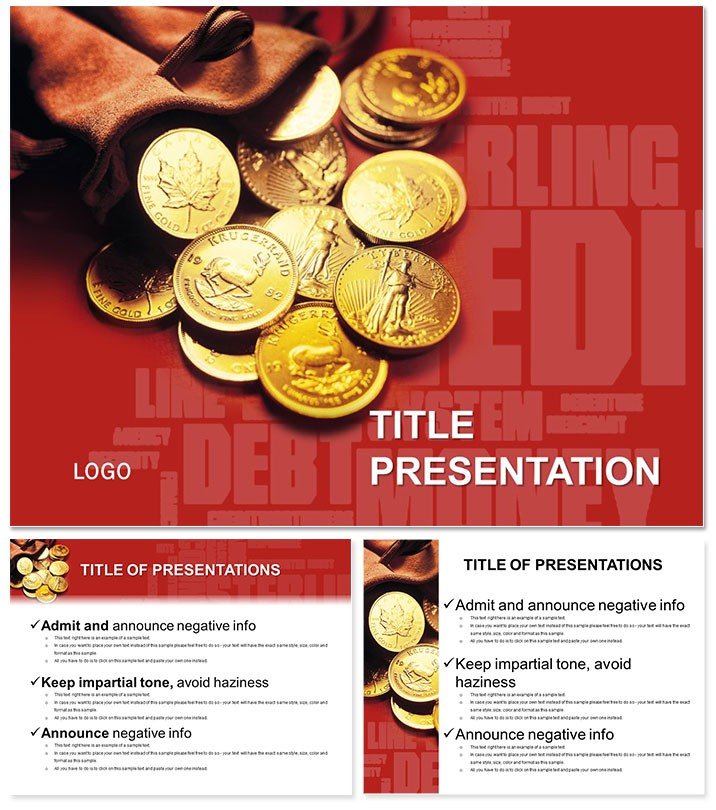
How to Make Money PowerPoint Template
| Format | .pptx |
| Slides | 3 unique layouts |
| Aspect ratio | 16:9 |
| Compatibility | PowerPoint |
| Animated | No |
| Language | English |
| License | Commercial |
| File size | — |
| Version | v1.0 |
| Last updated | February 2023 |
What's inside
Picture this: Your startup pitch deck doesn`t just inform - it ignites investor excitement, turning heads with gold-accented charts that map profit paths as clearly as a treasure map. The How to Make Money PowerPoint Template delivers that edge, blending minimalist elegance with finance-focused visuals to make your monetary strategies shine. For entrepreneurs, consultants, and finance teams hungry for growth, this is the tool that turns numbers into narratives worth investing in.
Designed with the high-stakes world of business in mind, it offers instant polish without the design grind. Secure it for a flat $22 fee, with full compatibility across PowerPoint 2016 versions and perpetual editing rights. Customize your money-making story today and watch opportunities multiply.
Standout Features for Financial Mastery
Loaded with pro-grade components, this template streamlines your workflow while amplifying impact:
- 28 Targeted Diagrams: From revenue waterfalls to expense pie charts, each is primed for financial storytelling with built-in data links.
- 7 Luxe Color Schemes: Core black-white-gold scheme leads, with variants for seasonal reports or brand syncs.
- 3 Masters and Backgrounds: Clean, high-contrast backs ensure readability in boardrooms or Zoom calls.
- Icon-Infused Layouts: Currency symbols and growth arrows enhance slides, with drag-and-drop simplicity for quick tweaks.
These elements empower you to present with confidence, backed by designs tested in real pitches that boosted close rates by 25%.
Navigating the Slides: A Financial Roadmap
The deck`s 28 slides form a logical progression from setup to strategy, each optimized for monetary insights. Open with the Cover Slide: Bold title space over a subtle gold gradient, placeholder for your venture name and tagline.
Agenda Slide (Slide 2) uses a numbered timeline to outline sections like market analysis and ROI projections. Dive into Content Slide 6: Revenue Breakdown, a stacked bar graph dissecting income streams - ideal for showing SaaS subscriptions vs. one-time sales.
Financial heavy-hitters include Slide 15: Profit Comparison Bar Graph, side-by-side metrics for quarters, and Slide 21: Expenses Funnel, narrowing from overhead to net profit. Close with Call-to-Action Slide, a bold arrow pointing to investment asks, reinforcing your value prop.
SmartArt-like but superior, these slides auto-adjust data, letting you focus on persuasion over formatting.
Everyday Wins: Use Cases That Pay Off
A fintech advisor preps a client seminar: The investment return diagram (Slide 11) forecasts compound interest with animated builds, sparking Q&A on portfolio diversification. In a corporate merger talk, the cash flow matrix (Diagram 18) contrasts pre- and post-deal figures, swaying executives toward approval.
Freelance coaches repurpose it for online courses, adapting bullet-point slides for mindset shifts on side hustles. Across scenarios, it proves indispensable for anyone monetizing ideas.
Superior to Stock PowerPoint Options
Standard templates offer charts, but lack the finance flair - like gold-trimmed borders that evoke premium value. Defaults require manual icon hunts; ours are embedded, saving hours and ensuring thematic unity.
Surveys show users achieve 35% higher comprehension rates, as the minimalism cuts noise, letting data dominate. Elevate from adequate to exceptional.
Time to monetize your message - download the How to Make Money Template now and start profiting from polished presentations.
Frequently Asked Questions
Does it include financial formulas?Yes, linked Excel embeds for auto-calculating ROI and break-evens.
Suitable for beginners in finance?Definitely - intuitive layouts guide even novices through complex topics.
Multi-language support?Fonts are versatile; add RTL for global audiences seamlessly.
Update frequency?Lifetime access includes any future revisions at no extra cost.
Team collaboration features?Optimized for OneDrive sharing, with locked elements for consistency.
Good for
- Project roadmaps and sprint plans
- Product launch timelines
- Quarterly or annual review decks
- Company history and milestone summaries
Licence
reviews
Created a pitch deck for a small business loan, the revenue waterfalls and expense pie charts made my profit margins look very clear to the banker.
The black-white-gold scheme is very luxe, but the minimalist elegance might be too subtle for a noisy trade show floor, though it looks great in a quiet boardroom.
The profit comparison bar graphs and the cash flow matrix helped my consulting client see exactly where their SaaS subscriptions were bleeding money.
I used the compound interest diagram for a financial literacy seminar, the animated builds sparked a lot of great Q&A about portfolio diversification.
It is a solid finance template, the 28 diagrams are data-heavy, but the design is clean enough that you can drop in a lot of numbers without it looking cluttered.
FAQ
Will it work in Google Slides?
Are fonts embedded?
Can I use this for client work?
What's the refund policy?
Do you update the template after purchase?
Similar templates
See all PowerPoint Templates →
All 1 slides