 Click to zoom
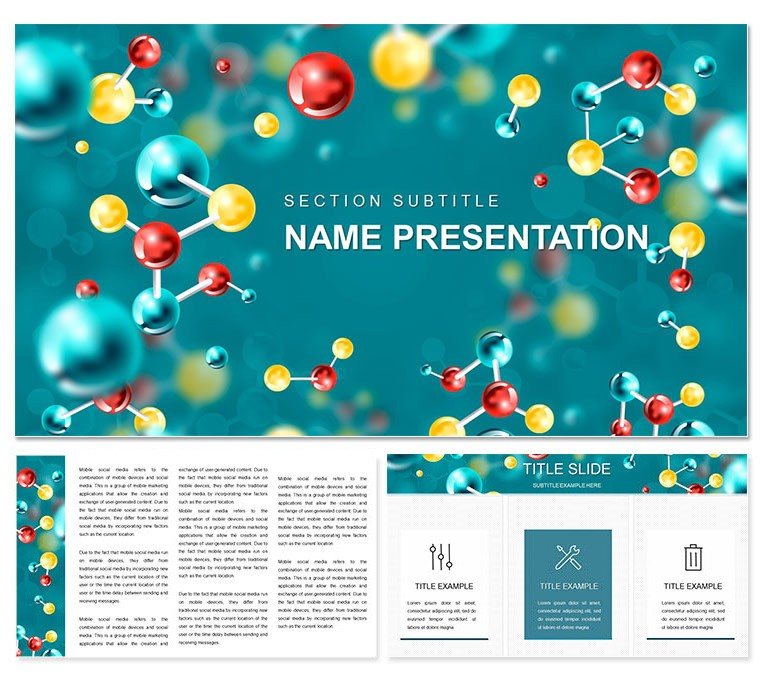
"Molecular Structure Chemistry Keynote Template: Building Bonds, One Slide at a Time"
| Format | .pptx |
| Slides | 3 unique layouts |
| Aspect ratio | 16:9 |
| Compatibility | PowerPoint |
| Animated | No |
| Language | English |
| License | Commercial |
| File size | — |
| Version | v1.0 |
| Last updated | February 2021 |
What's inside
Envision your audience leaning in as intricate molecular models assemble before their eyes, revealing the hidden dances of atoms. The Molecular Structure Chemistry Keynote Template makes that vision reality, empowering chemists, teachers, and innovators to craft presentations that don't just explain - they demonstrate the elegance of matter. Packed with 28 animation-rich diagrams, it demystifies structures from benzene rings to protein folds, all while keeping your workflow intuitive and inspired.
With a sleek, focused design, the template offers three masters and backgrounds that evoke crystalline clarity, ensuring adaptability from seminar screens to journal submissions. Every element - from vector icons to layered text - is fully editable, inviting you to infuse your unique data or hypotheses. It's more than slides; it's a canvas for scientific storytelling, compatible with standard Keynote setups for hassle-free creation.
Essential Features: Precision Crafted for Molecular Mastery
At the core, 28 diagrams span seven color schemes, each optimized for highlighting bonds, charges, or hybridizations. Animations add depth, like sequential reveals of electron clouds, turning static info into dynamic explorations.
- Animation Functionality: Built-in effects simulate rotations or vibrations, ideal for illustrating conformational changes.
- Editable Precision: Adjust bond lengths or atom labels with drag-and-drop ease, maintaining chemical accuracy.
- Background Versatility: Three options, from subtle grids to organic weaves, frame your content without interference.
In a grad lab meeting, a postdoc animated a peptide chain to show folding pathways, sparking collaborative tweaks that refined their model. Such interactivity turns passive viewing into active learning, a hallmark of this template's thoughtful build.
Versatile Applications: From Classroom to Conference
Suited for myriad contexts, it excels where structure matters. Teachers can sequence slides for valence shell lessons, using radial diagrams that expand outward like orbitals. For symposium speakers, timeline animations trace evolutionary chemistry, from primordial soups to modern catalysts.
Pharma developers find value in overlaying 3D models on flat charts, clarifying drug-receptor interactions for investor decks. Even outreach events benefit, simplifying quantum basics for non-experts with gentle color gradients.
Guided Steps to Molecular Magic
- Choose Your Framework: Pick a master that suits - detailed for close-ups or overview for broad scans.
- Assemble Structures: Populate a diagram with your coordinates, selecting a scheme that differentiates functional groups.
- Animate Insights: Set keyframes for bond formations, previewing in Keynote to match your pacing.
- Integrate and Iterate: Link to supplementary notes or export sections for handouts, refining as feedback flows.
A science communicator for a museum exhibit used this approach to demo DNA twists, engaging visitors in ways lectures alone couldn't. The template's adaptability fosters those "aha" moments effortlessly.
Elevating Beyond Basic Builds
Standard Keynote lacks the nuanced tools for science viz; this template bridges that with pre-rigged animations and scalable vectors that hold up under scrutiny. Colors aren't arbitrary - they're chosen for contrast, aiding quick scans of chiral centers or resonance forms.
Seamlessly weave in external renders from Avogadro or similar, positioning them atop base layers for hybrid views. For teams, the masters ensure consistency across collaborative edits.
Advanced Tweaks for Experts
- Mask elements to focus on substructures, like isolating a chromophore in photochemistry slides.
- Sync animations with audio cues for narrated walkthroughs of reaction mechanisms.
- Optimize for export, retaining fidelity in animated GIFs for social shares.
Computational chemists have harnessed these for visualizing simulations, distilling terabytes into intuitive flows that accelerate peer reviews.
Streamlined Creation: Download to Debut
Access the .key package and dive in - diagrams categorized for instant navigation. With three backgrounds, experiment with themes, like metallic sheens for inorganic focuses.
An undergrad thesis advisor praised how it simplified orbital hybridizations for defenses, freeing mentees to emphasize interpretations over illustrations. Reliability like that builds confidence.
Forge connections that last - get the Molecular Structure Chemistry Keynote Template for $22 now and animate your atomic tales.
Frequently Asked Questions
What animation styles are featured?
Progressive builds and rotations tailored for structural reveals, fully adjustable in Keynote.
Suitable for advanced topics?
Yes, from basic alkanes to supramolecular assemblies, with room for custom inserts.
How editable are the molecular diagrams?
Completely - alter atoms, bonds, and colors to match your research visuals.
Number of backgrounds included?
Three, each evoking different scientific aesthetics for varied presentations.
Compatible with collaboration tools?
Works with Keynote's sharing features for real-time team refinements.
Download contents?
.key file encompassing all 28 diagrams, masters, and schemes.
Good for
- Project roadmaps and sprint plans
- Product launch timelines
- Quarterly or annual review decks
- Company history and milestone summaries
Licence
reviews
Worked well for my organic chemistry class the pie charts for energy distributions were a hit.
The lab-themed graphics are nice but the overall design is a bit dated.
Not a bad template for researchers the animated bond formations were a cool feature.
Used this for a symposium on polymer chains and the vector elements scaled perfectly.
A solid chemistry template but I wish there were more diagram options.
FAQ
Will it work in Google Slides?
Are fonts embedded?
Can I use this for client work?
What's the refund policy?
Do you update the template after purchase?
Similar templates
See all Keynote templates →
All 1 slides