 Click to zoom
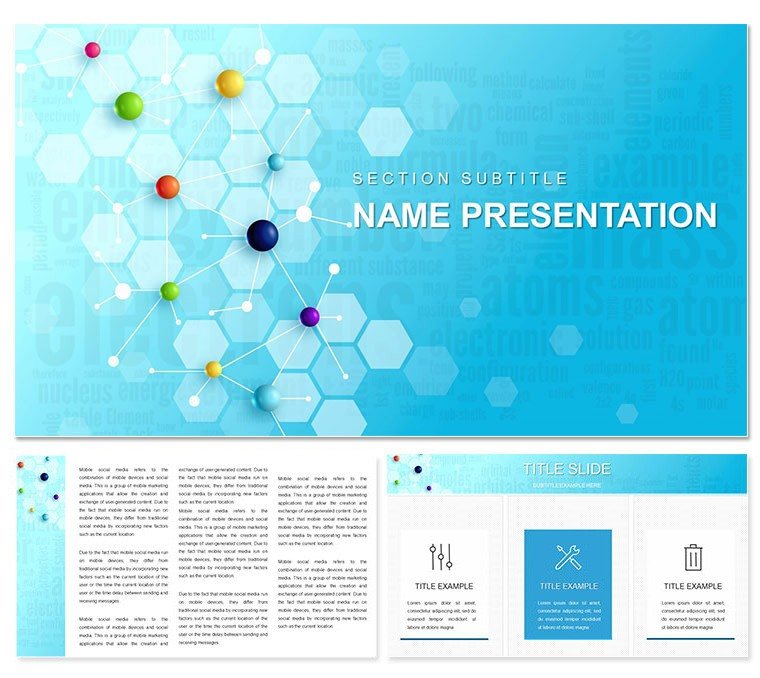
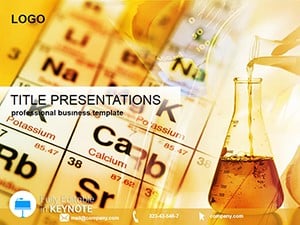
Chemistry Lessons Keynote Template: Ignite Curiosity in Every Slide
| Format | .pptx |
| Slides | 3 unique layouts |
| Aspect ratio | 16:9 |
| Compatibility | PowerPoint |
| Animated | No |
| Language | English |
| License | Commercial |
| File size | — |
| Version | v1.0 |
| Last updated | February 2021 |
What's inside
Imagine stepping into a lecture hall where your slides don't just inform - they spark wonder. That's the power of the Chemistry Lessons Keynote Template, crafted for educators, researchers, and lab enthusiasts who want to make complex chemical concepts accessible and engaging. With 28 meticulously designed diagrams, this template turns dry data into dynamic visuals that resonate with students and colleagues alike. Whether you're breaking down molecular reactions or outlining pharmaceutical processes, these slides help you focus on what matters: connecting ideas to real-world impact.
Built with a clean, modern aesthetic, the template includes three master layouts and three background options, ensuring your presentation adapts seamlessly to any screen size or setting. High-quality images and inscriptions draw the eye without overwhelming, while full editability lets you tweak colors, text, and photos in minutes. No more wrestling with basic Keynote tools - here, every element is positioned to amplify your narrative, from vibrant reaction schematics to streamlined lab workflow charts.
Unlock the Core Features That Make Your Lessons Unforgettable
Dive deeper into what sets this template apart. At its heart are 28 versatile diagrams, each available in seven distinct color schemes to match your branding or mood - think crisp blues for lab precision or energetic greens for discovery themes. These aren't generic placeholders; they're tailored for chemistry topics, including atomic structures, periodic table breakdowns, and experimental timelines.
- Seamless Customization: Swap out text for your latest findings or drag in custom photos of your team's experiments - all without disrupting the layout.
- Animation-Ready Elements: Subtle transitions bring chemical bonds to life, helping viewers follow the flow of reactions step by step.
- Master Layout Flexibility: Choose from three masters to set the tone, whether it's a formal seminar slide or an interactive classroom board.
Consider a university professor preparing for a freshman chem intro. By layering in these diagrams, she transformed a routine overview into an interactive journey, using color-coded bonds to illustrate valence electrons. The result? Students not only grasped the basics but started asking deeper questions. That's the template's quiet strength: it empowers you to teach with clarity and flair.
Real-World Applications: From Lecture Halls to Lab Briefings
This template shines in diverse scenarios, always prioritizing user needs like quick prep and audience retention. For educators, it's a go-to for lesson plans - envision a slide sequence mapping out the stages of photosynthesis, with editable icons for light absorption and energy release. Researchers can adapt it for conference talks, plugging in data visualizations that highlight breakthrough syntheses without the clutter of ad-hoc designs.
In pharmaceutical settings, use the timeline diagrams to chart drug development pipelines, noting key milestones like clinical trials. The backgrounds - subtle gradients evoking lab glassware - keep the focus on your content, ensuring even remote viewers stay hooked. And for corporate trainers in chemical engineering, the infographic-style layouts simplify safety protocols, turning compliance sessions into memorable overviews.
Step-by-Step: Building a Compelling Chemistry Pitch
- Select Your Base: Start with a master layout that aligns with your venue - projector-friendly for large halls or compact for virtual meets.
- Populate Diagrams: Insert your data into one of the 28 options, like a pie chart for element compositions, and apply a color scheme that echoes your lab's palette.
- Add Personal Touches: Overlay photos from recent experiments or adjust animations to reveal layers of a crystal lattice progressively.
- Preview and Polish: Run through on Keynote's presenter view to time transitions, ensuring your delivery flows as smoothly as a well-mixed solution.
One lab coordinator shared how she used a similar setup for a grant proposal, weaving in molecular models to demonstrate innovation potential. The visuals cut through the jargon, landing her funding faster than ever. Tailor this template to your workflow, and watch your presentations compound in effectiveness.
Why This Template Outshines Standard Keynote Options
Compared to vanilla Keynote slides, which often feel stark and uninspired, this template infuses science-specific motifs - like faint helix patterns or beaker silhouettes - without distracting from your message. It's compatible with iWork Keynote across versions, so your MacBook setup hums along effortlessly. Plus, the seven color schemes offer variety: neutral tones for professional reports, bold hues for student workshops.
Think about integration too. Pair it with tools like ChemDraw exports for precise structures, or embed QuickTime clips of bubbling reactions. The result is a cohesive deck that feels bespoke, saving hours you'd otherwise spend resizing shapes or hunting icons.
Pro Tips for Maximizing Impact
- Layer transparency on backgrounds to let diagrams pop during dimmed-room demos.
- Use the inscription fields for quick annotations, like labeling electron orbits on the fly.
- Test color accessibility with Keynote's built-in tools to ensure inclusivity for all viewers.
For those in education, this means more time for hands-on demos rather than slide tweaks. In labs, it streamlines briefings, letting teams focus on analysis over aesthetics.
Seamless Workflow: From Download to Delivery
Getting started is straightforward. Download the .key file, open in Keynote, and explore the bundled .kth themes. With everything vector-based, scaling holds sharp on retina displays. Update masters once, and changes ripple across your deck - ideal for iterative refinements before a big reveal.
A high school teacher adapted the template for a virtual science fair, swapping diagrams for student project overviews. The editable nature let her personalize each entry, fostering a sense of ownership that boosted participation. Whether you're prepping for A-level exams or industry webinars, this tool adapts to your rhythm.
Ready to infuse your next session with that same spark? Download the Chemistry Lessons Keynote Template for just $22 and start experimenting with visuals that stick.
Frequently Asked Questions
What makes this template ideal for chemistry educators?
Its 28 diagrams are pre-themed around chemical concepts, with easy edits to fit specific lessons like acid-base reactions.
Can I use it for non-educational purposes?
Absolutely - adapt it for pharma sales pitches or lab safety trainings by customizing the backgrounds and colors.
How many color options are available?
Seven schemes per diagram, allowing quick switches to match your institution's branding.
Is it compatible with older Keynote versions?
Yes, works with iWork Keynote 2016 and later, ensuring broad accessibility.
Does it include animation presets?
Basic transitions are built-in, with full control to add custom effects for molecular builds.
What's included in the download?
The .key file with 28 diagrams, three masters, three backgrounds, and seven color variants.
Good for
- Project roadmaps and sprint plans
- Product launch timelines
- Quarterly or annual review decks
- Company history and milestone summaries
Licence
reviews
This one has unique process flow diagrams. Colors vibrant, icons modern. Used for marketing strategy presentation successfully.
Slightly critical on text alignment in some slides but fixable. Overall good quality.
Student friendly with clear layouts. Helped visualize campaign steps.
Enthusiastic student review: diagrams made my ideas flow better on screen.
FAQ
Will it work in Google Slides?
Are fonts embedded?
Can I use this for client work?
What's the refund policy?
Do you update the template after purchase?
Similar templates
See all Keynote templates →
All 1 slides