 Click to zoom
Medical Ethics PowerPoint Template - Editable PPTX | ImagineLayout
| Format | .pptx |
| Slides | 3 unique layouts |
| Aspect ratio | 16:9 |
| Compatibility | PowerPoint |
| Animated | No |
| Language | English |
| License | Commercial |
| File size | — |
| Version | v1.0 |
| Last updated | April 2026 |
What's inside
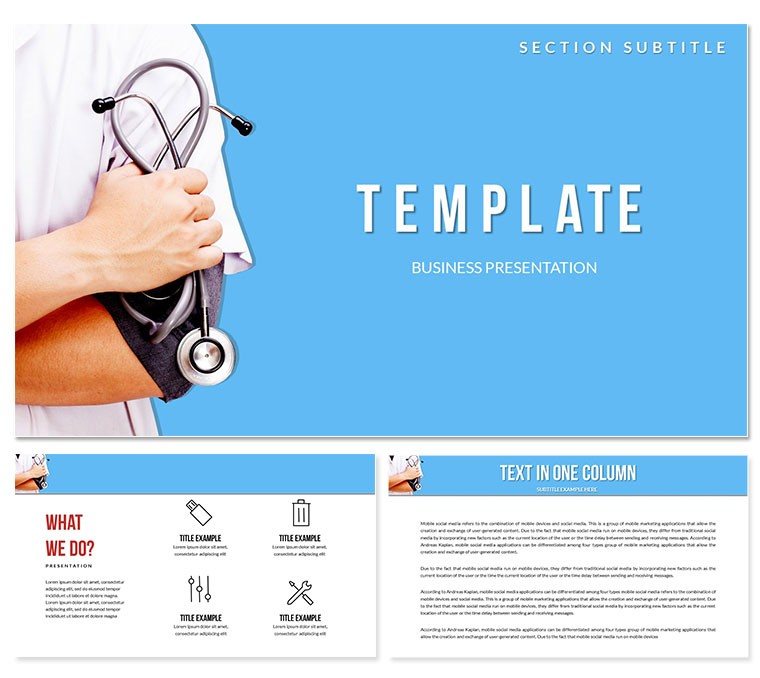
What is a medical ethics PowerPoint template? A medical ethics PowerPoint template is a pre-built slide set with editable diagrams, text placeholders, and color schemes designed specifically for presenting ethical principles, decision-making frameworks, and case discussions in clinical, academic, or compliance contexts.
What's Inside the Download
Formats first: the download includes .pptx and .potx files - the .pptx for direct editing in PowerPoint, the .potx as a reusable template that preserves the master structure across multiple decks. Both files are included in the paid tier. The free version provides 3 masters and 3 backgrounds, suitable for building a basic presentation shell around the theme.
The paid version adds 28 diagram slides across 7 color schemes. The diagrams cover the layout types common in medical ethics presentations: four-quadrant principle frameworks (autonomy, beneficence, non-maleficence, justice), comparison tables for case scenarios, process flows for clinical decision pathways, and hierarchical structures for institutional policy chains. Seven color schemes apply globally through the slide master, so shifting from a dark blue clinical palette to a neutral gray academic style takes under 3 minutes.
Compared to single-topic layouts built around a single chart type, this set handles the structural variety that a full ethics lecture or compliance briefing actually requires - the opening framework slide looks different from the case study slide, which looks different from the policy overview slide. That internal variety is built in, not assembled manually.
Format and Compatibility Details
FeatureDetailsSlides / diagrams included28 diagrams (paid); 3 masters + 3 backgrounds (free)Color schemes7 - switched globally via slide masterFile formats.pptx for editing sessions, .potx for reusable team templatePowerPoint compatibilityPowerPoint 2016, 2019, 365 on Windows and MacEditable shapesQuadrant blocks, flow arrows, hierarchy boxes - all resize and recolor independentlyText placeholdersPrinciple labels and case description fields update without ungroupingColor theme adjustmentsGlobal updates through View - Slide Master; per-slide overrides availableAnimation supportNo pre-set animations; elements are static by default, animations can be added manuallyFree vs paid differenceFree: 3 masters and 3 backgrounds; Paid ($27.00): adds 28 diagrams and 7 color schemesMasters and backgrounds3 masters, 3 backgrounds in both tiersFrom Download to Final Deck
Editing difficulty: Moderate - appropriate for anyone comfortable navigating the PowerPoint ribbon, even without design experience.
The most efficient workflow starts with the slide master, not the individual slides. Open the .pptx and go to View - Slide Master. The 7 color schemes appear as separate master layouts in the left panel. Selecting one applies it globally - every diagram, every background, every text area updates in one action. The most common mistake is skipping this step and trying to recolor slides individually; for a 28-slide deck, that approach adds 20-30 minutes of redundant work.
Once the color scheme is set, the editing sequence is straightforward. Replace the placeholder text in each diagram label - principle names, case descriptions, policy steps - by clicking directly on the text and typing. None of the grouped diagram elements need to be ungrouped for text edits. For shape recoloring at the individual slide level, select the shape, open Format - Shape Style, and enter a hex value to override the master color for that element only.
- Step 1 - Open .pptx in PowerPoint 2016 or later (1 min)
- Step 2 - Go to View - Slide Master, select target color scheme (2-3 min)
- Step 3 - Replace all diagram text labels in Normal view (8-12 min)
- Step 4 - Delete any diagram slides not needed for your presentation (2 min)
- Step 5 - Export as PDF for distribution or save .pptx for live delivery (1 min)
Real-World Use Cases
Before: a clinical ethics consultant at a teaching hospital spent 4 hours building a four-principles slide from scratch for a grand rounds presentation - sourcing icons, aligning boxes, applying a consistent color code across 12 slides. After: the same consultant used the template, replaced all text content, adjusted the color scheme to match the hospital's brand guidelines, and was presentation-ready in 40 minutes. The structural work was already done.
A second comparison: a bioethics lecturer preparing for a semester-opening lecture built a 20-slide deck from blank slides using consistent formatting rules they wrote themselves. Font size inconsistencies appeared across slides 8, 14, and 19. Using the template the following semester, with the master controlling all type and spacing, the inconsistencies didn't occur. Preparation time dropped from 3.5 hours to 55 minutes.
Download and start editing immediately
Building From Scratch vs. Starting Here
Replicating the visual structure of a four-quadrant ethics framework in PowerPoint from a blank slide requires drawing and aligning four separate shapes, adding connector lines, sizing text boxes to fit inside each quadrant, and then repeating the process across every slide variant. A designer with PowerPoint proficiency needs roughly 45 minutes per unique layout. Across 28 layouts, that is approximately 21 hours of layout work before any content is added.
In ethics and compliance presentations, the visual organization of principle frameworks is not decorative - it carries argumentative weight. The spatial relationship between the four principles in a Beauchamp-Childress framework matters: autonomy and beneficence in opposing quadrants signal tension; placing them adjacently implies compatibility. A diagram that places all four principles in a flat list removes that spatial argument entirely. The template preserves the quadrant relationship by default, which means the spatial logic is correct before the presenter types a single word.
Non-designers building from scratch also tend to underestimate the time required for color consistency across slides. A single off-brand color on slide 11 of a 20-slide compliance briefing signals carelessness to an institutional audience. The slide master eliminates that risk.
Download and start editing immediately
Frequently Asked Questions
Which versions of PowerPoint are compatible with this template?The .pptx and .potx files work with PowerPoint 2016, 2019, and Microsoft 365 on Windows and Mac. PowerPoint 2013 will open the files but may not render all master palette variations correctly. If you are accessing PowerPoint through a Microsoft 365 subscription on Mac, all 7 color schemes and master functions operate as expected. PowerPoint 2010 and earlier are not supported - the .potx format may show compatibility mode warnings and grouped diagram elements may shift from their designed positions.
How do I switch between the 7 color schemes?Go to View - Slide Master in PowerPoint. The 7 color scheme variants appear as separate master layouts in the thumbnail panel on the left. Click the one you want - all slides linked to that master update immediately. If you want to preview each scheme before committing, click through the master layouts one at a time and watch the main editing area update in real time. To apply a scheme to only a subset of slides (for example, a different palette for a case study section), select those slides in Normal view, right-click, and choose Layout - select the master variant you want for that section.
What does the free version include versus the paid version?The free version contains 3 masters and 3 backgrounds - the structural frame of the template without the diagram content. The paid version at $27.00 adds 28 diagram slides and 7 full color schemes. For a medical ethics presentation, the diagrams are the core deliverable: they include the principle frameworks, decision flow layouts, and case comparison structures. The masters and backgrounds alone are sufficient only if you plan to build all content slides from scratch using the template's visual style as a guide.
Can I use this template in paid client or institutional work?The standard license covers internal organizational use, educational presentations, and personal projects. Delivering a branded ethics training deck to a paying client as part of a consultancy engagement falls into a commercial use category - review ImagineLayout's Terms of Use for the applicable license conditions. The template may not be redistributed, resold, or included in third-party template collections. For most hospital educators, university bioethics departments, and compliance training teams preparing decks for their own institution's use, the standard license applies without restriction.
Can multiple team members use the same license?A single license covers one user. If a compliance team or academic department needs multiple members to edit and present from the same template, each person working with the file independently should hold their own license. Sharing the downloaded file internally for collaborative editing within a single presentation project is generally within the spirit of the standard license, but distributing the original download file to multiple individuals for separate independent use is not. For institutional licensing needs covering an entire department, contact ImagineLayout directly through their support page.
What is the refund policy?Refunds apply when the downloaded file is defective - for example, if the .pptx fails to open in a compatible PowerPoint version, or if the diagram slides are missing from the paid download. Refunds are not typically issued after a file has been downloaded and used successfully. To request a refund, contact ImagineLayout support with your order number and a specific description of the problem. The full refund conditions are documented at imaginelayout.com/refund-policy/.
Browse the full Medicine - Pharma PowerPoint template collection for related options. For a related clinical context, the Medical Education PowerPoint templates offer a parallel structure suited to teaching settings. Those needing documentation-oriented layouts may also find the Obtaining Medical Records PowerPoint templates a complementary resource.
Good for
- Project roadmaps and sprint plans
- Product launch timelines
- Quarterly or annual review decks
- Company history and milestone summaries
Licence
reviews
Used this for a school project on the water cycle. The infographic slides are great for visualizing data
but the colors are a bit bright.
Pulled this out for a social media report. The chart layouts are clean
but I found the icons to be a bit generic.
It's a decent set for visual presentations. I used a timeline that was perfect for showing the history of our company.
I'm not a fan of the 3D charts
but the rest of the pack is solid. It's worth the download.
but it feels a bit like a PowerPoint from the early 2000s. It could use a refresh.
FAQ
Will it work in Google Slides?
Are fonts embedded?
Can I use this for client work?
What's the refund policy?
Do you update the template after purchase?
Similar templates
See all PowerPoint Templates →

All 1 slides