 Click to zoom
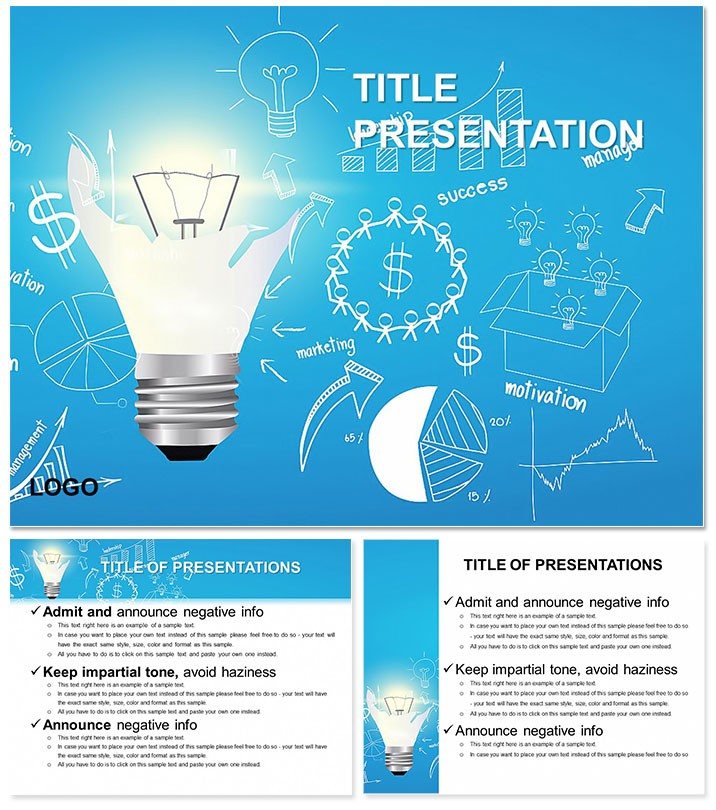
Maximum Knowledge PowerPoint Template - Professional Presentation
| Format | .pptx |
| Slides | 3 unique layouts |
| Aspect ratio | 16:9 |
| Compatibility | PowerPoint |
| Animated | No |
| Language | English |
| License | Commercial |
| File size | — |
| Version | v1.0 |
| Last updated | June 2023 |
What's inside
In a world overflowing with information, the real power lies in how you package it - turning raw data into digestible insights that stick. The Maximum Knowledge PowerPoint Template does exactly that, arming professionals, educators, and students with 28 infographic-rich slides to convey complex ideas with effortless sophistication. Featuring three masters and backgrounds, plus compatibility across PPTX and Google Slides, it`s your shortcut to presentations that command attention. Whether you`re a consultant unpacking industry trends or a professor illustrating theories, this template bridges the gap between mundane slides and memorable narratives.
Knowledge isn`t static; it`s a tool for decision-making, and visuals are its sharpest edge. This template shines by offering seven color schemes - from corporate grays for reports to energetic greens for motivational talks - ensuring adaptability without rework. Dive into diagrams that range from stacked bar charts for comparative analysis to interconnected node maps for concept webs, all editable down to the finest line. Built for PowerPoint 2016+, it supports seamless collaboration, letting teams co-edit in real-time for polished results.
Standout Features for Impactful Delivery
Flexibility meets finesse in every element. The three backgrounds - minimalist grids, subtle wave patterns, and clean solids - frame your content without competing for focus. With 28 diagrams at your disposal, you`re equipped for any scenario: radial suns for idea expansion, horizontal swimmers for process steps, or vertical ladders for hierarchy climbs. Vector precision means no quality loss on large screens, and JPG sources provide instant thumbnails for planning.
- Infographic Diversity: Charts for metrics, timelines for histories, and matrices for evaluations - each primed for your data.
- Cross-Platform Ease: Native PPTX support plus Google Slides import for hybrid workflows.
- Scheme Variety: Seven palettes to evoke professionalism, from blues for trust to reds for urgency.
A business analyst once adapted the concept web for a client merger overview, linking entities in a way that clarified synergies at first glance. Such applications underscore the template`s role in distilling expertise into actionable visuals, akin to strategies in Harvard Business Review case studies.
Crafting Your Presentation: Hands-On Steps
- Load the File: Open the PPTX in your preferred app and pick a master that aligns with your talk`s structure.
- Infuse Data: Select a diagram, input values, and watch charts regenerate automatically.
- Harmonize Design: Apply a color scheme and adjust fonts for brand consistency.
- Add Dynamics: Layer entrance animations to unveil layers progressively.
- Validate Output: Export to PDF for backups or rehearse in presenter view.
This methodical approach, inspired by presentation pros, minimizes errors and maximizes flow, ensuring your knowledge lands with authority.
Versatile Scenarios for Knowledge Sharers
Tailor it to your context: executives use metric dashboards to forecast quarters, while students layer theory diagrams for thesis defenses. In training sessions, process flows guide new hires through protocols, reducing onboarding confusion. The beauty is in the breadth - from TED-style keynotes with expansive mind maps to webinar breakdowns via segmented pies.
For a marketing team mapping consumer behaviors, the relationship diagram reveals pain points, prompting targeted strategies. These uses highlight user value: quicker prep means more time refining arguments, not resizing boxes. Keep it user-focused by prioritizing scannability - one glance, full understanding.
Pro Tips for Maximum Resonance
Pair diagrams with sparse text, letting icons amplify points - like gears for mechanisms. This echoes clean design ethos from interfaces like Canva, keeping audiences engaged. Transform your sessions from informative to transformative - secure this template for $22 and unleash your inner expert.
Frequently Asked Questions
Does it work with Google Slides?
Yes, import the PPTX directly for full functionality with minor animation tweaks.
What types of infographics are included?
28 varied ones, including charts, timelines, and maps for diverse topics.
Are the designs fully customizable?
Completely - edit colors, shapes, and data inputs without design skills.
Which PowerPoint versions are supported?
PowerPoint 2016 and later, on Windows and Mac.
How many backgrounds come with it?
Three options to suit different presentation styles.
Can I use it for educational purposes?
Ideal for classrooms, with tools for interactive learning visuals.
Good for
- Project roadmaps and sprint plans
- Product launch timelines
- Quarterly or annual review decks
- Company history and milestone summaries
Licence
reviews
Needed a quick pitch deck for a consulting side gig, the stacked bar charts and interconnected node maps for concept webs let me plug in my data without reformatting a thing.
It works fine for text, but the infographics are a bit generic; I had to tweak the colors heavily to not look like a standard corporate template.
The radial suns for idea expansion and the vertical ladders for hierarchy climbs are solid, and the 7 color schemes let me switch from a serious tone to an energetic one easily.
Used it for a university thesis presentation, the cross-platform ease (PPTX to Google Slides) saved me from a compatibility nightmare at the last minute.
It is a decent set of 28 diagrams, but I wish the minimalist grids background had a few more options for academic settings, though the vector precision is very good.
FAQ
Will it work in Google Slides?
Are fonts embedded?
Can I use this for client work?
What's the refund policy?
Do you update the template after purchase?
Similar templates
See all PowerPoint Templates →


All 1 slides