 Click to zoom
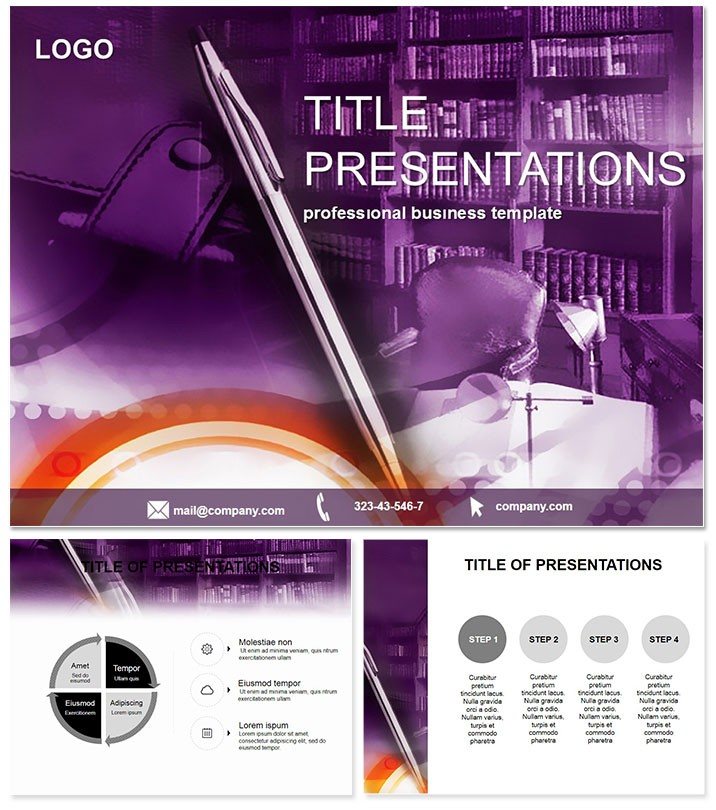
Pen Business Planning PowerPoint Template
| Format | .pptx |
| Slides | 3 unique layouts |
| Aspect ratio | 16:9 |
| Compatibility | PowerPoint |
| Animated | No |
| Language | English |
| License | Commercial |
| File size | — |
| Version | v1.0 |
| Last updated | September 2023 |
What's inside
Imagine turning complex business strategies into crystal-clear visuals that captivate your audience and drive decisions forward. That`s the power of the Pen Business Planning PowerPoint Template, designed specifically for professionals who need to articulate plans with precision and style. Whether you`re pitching a new project or outlining quarterly goals, this template equips you with ready-to-use diagrams that blend creativity and functionality, saving you hours of design time while ensuring your message lands with impact.
In today`s fast-paced business world, where attention spans are short and stakes are high, a well-crafted presentation can be the difference between approval and oversight. This template rises to the challenge by offering a suite of 28 meticulously crafted diagrams, each adaptable to your unique needs. From flowcharts mapping out operational workflows to timelines tracking milestone achievements, every element is built to enhance comprehension and foster engagement. Professionals in consulting, finance, and management will find it indispensable, as it aligns seamlessly with corporate branding and delivers polished results every time.
What sets this template apart is its intuitive structure, allowing even non-designers to produce executive-level slides effortlessly. Compatible with PowerPoint 2016 and later versions, plus Google Slides for collaborative ease, it supports a lifetime license for unlimited use across your projects. At a one-time cost of $22, it`s an investment that pays dividends in time saved and presentations won. Ready to streamline your planning process? Download now and start customizing instantly.
Unlocking the Core Features
Dive deeper into what makes this template a standout choice for business communicators. At its heart are three master slides that serve as the foundation for consistent theming, paired with three versatile backgrounds to match any boardroom aesthetic - from sleek minimalism to subtle gradients that evoke trust and innovation.
- 28 Dynamic Diagrams: Ranging from hierarchical org charts to interconnected process maps, these slides cover every angle of business planning. Each diagram is vector-based for crisp scalability, ensuring your visuals remain sharp on any screen size.
- 7 Color Schemes: Tailor your palette to reflect brand guidelines or audience preferences, with options spanning cool blues for strategy sessions to warm earth tones for team-building pitches.
- Fully Editable Elements: Swap text, adjust shapes, and integrate data without losing design integrity. Built-in animations add subtle transitions that guide the eye without overwhelming the content.
- High-Resolution Assets: All elements are optimized for 16:9 widescreen format, with placeholders for charts, icons, and images to personalize your story.
These features aren`t just bells and whistles; they`re tools honed from real-world feedback, ensuring your presentations resonate in high-stakes environments like investor meetings or strategic reviews.
Real-World Applications and Use Cases
Picture this: You`re a finance consultant preparing a merger proposal. Traditional PowerPoint defaults leave your slides looking flat and uninspired. With the Pen Business Planning Template, you layer in a Gantt chart slide to visualize timelines, a SWOT analysis diagram to highlight risks and opportunities, and a pyramid structure to prioritize initiatives. The result? A narrative that flows logically, backed by visuals that make data digestible and persuasive.
In educational training sessions, trainers use the template`s cycle diagrams to illustrate continuous improvement models, engaging learners with interactive elements that encourage questions and discussions. For sales teams, radial charts become powerful tools for segmenting market shares, turning dry stats into compelling stories that close deals.
Compared to vanilla PowerPoint, which demands manual alignment and color matching, this template automates the heavy lifting. You`ll spend less time tweaking and more time refining your message, leading to higher audience retention - studies show visually aided presentations boost recall by up to 65%. Whether in consulting firms mapping client journeys or accounting departments forecasting budgets, this tool adapts to diverse scenarios, proving its versatility across industries.
Why It Outshines Default Options
Default PowerPoint shapes often feel generic and rigid, lacking the finesse needed for professional discourse. This template counters that with pre-aligned components that snap into place, color-coordinated themes that maintain harmony, and diagram varieties that go beyond basics - like layered funnels for conversion tracking or bubble maps for competitive landscapes. The endgame? Presentations that not only inform but inspire action.
Seamless Integration into Your Workflow
Integrating this template into your daily routine is as simple as unzipping the file and opening in PowerPoint. Start by selecting a master slide to set your global style, then populate the diagrams with your data via drag-and-drop. For collaborative teams, export to Google Slides for real-time edits, ensuring everyone stays aligned without version conflicts.
Pro tip: Use the timeline slide for project roadmaps by linking it to Excel data for automatic updates - perfect for dynamic business environments where plans evolve rapidly. This level of integration means your presentations evolve with your business, maintaining relevance and accuracy.
Building Trust Through Design Excellence
Every aspect of this template is user-tested, drawing from best practices in visual communication to build credibility. The clean lines and balanced whitespace evoke professionalism, while the pen-inspired motifs subtly nod to thoughtful planning. It`s not just a tool; it`s a partner in persuasion, trusted by executives who demand excellence.
Elevate your next boardroom pitch - customize this template today and watch your ideas take flight.
Frequently Asked Questions
What file formats are supported?
The template is available in PPTX for PowerPoint and fully compatible with Google Slides, ensuring broad accessibility.
Can I use it for commercial purposes?
Yes, with a lifetime license, you can use it unlimited times for personal or commercial projects.
How many slides are included?
It features 28 diagram slides, plus masters and backgrounds for endless customization.
Is it suitable for beginners?
Absolutely - its drag-and-drop interface makes it easy for anyone to create pro-level slides.
Does it work on Mac?
Yes, compatible with PowerPoint 2016+ on both Windows and Mac.
What`s the refund policy?
We offer a satisfaction guarantee; contact support within 30 days for assistance.
Good for
- Project roadmaps and sprint plans
- Product launch timelines
- Quarterly or annual review decks
- Company history and milestone summaries
Licence
reviews
Our consultant used this for a merger proposal and the Gantt charts for timelines and swot analysis diagrams for risks were a huge hit. The pyramid structures for prioritizing initiatives and cycle diagrams for continuous improvement are very detailed.
The cool blues and warm earth tones color schemes are perfect for business planning. The sleek minimalism and subtle gradients backgrounds are well thought out.
Used this for a sales pitch and the radial charts for segmenting market shares and process maps for operational workflows helped us close a big deal. The client was impressed.
Not bad but a bit too standard for creative agencies
the briefcase icons and handshake vectors are best for consulting firms. The excel links for dynamic data are a lifesaver.
the executive summaries and granular details are well organized. The 65% boost in recall metric is impressive.
FAQ
Will it work in Google Slides?
Are fonts embedded?
Can I use this for client work?
What's the refund policy?
Do you update the template after purchase?
Similar templates
See all PowerPoint Templates →



All 1 slides