 Click to zoom
Laser Correction of Vision PowerPoint Template for Presentation
| Format | .pptx |
| Slides | 3 unique layouts |
| Aspect ratio | 16:9 |
| Compatibility | PowerPoint |
| Animated | No |
| Language | English |
| License | Commercial |
| File size | — |
| Version | v1.0 |
| Last updated | February 2023 |
What's inside
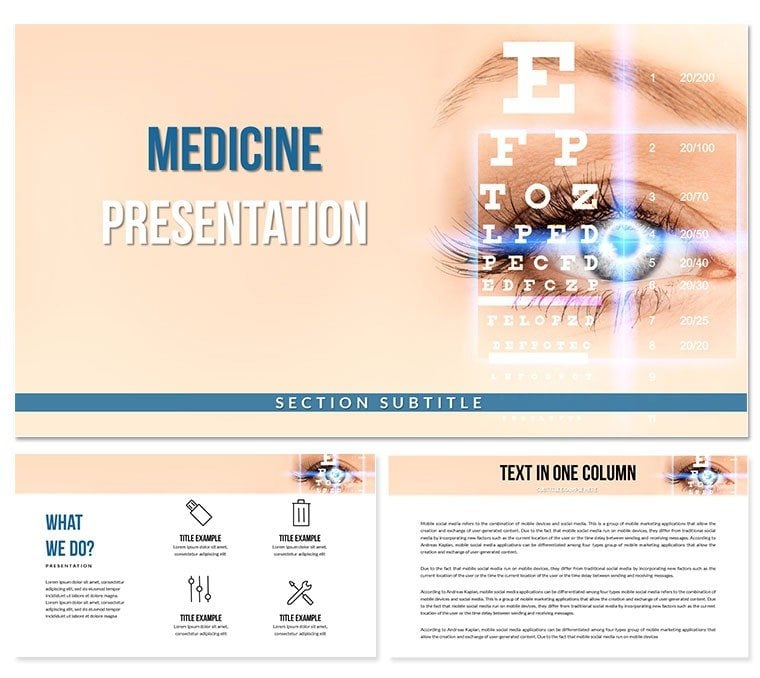
PowerPoint presentations are an effective way to convey information and ideas to a large audience. To create a visually appealing and professional-looking presentation, it's essential to use a suitable template. The Laser Correction Vision theme PowerPoint template is a perfect choice for presentations related to eye care and vision.
This template has a clean and modern design with a color scheme that emphasizes shades of blue and green. The background of the slides features a subtle pattern that resembles a vision chart. The slides have different layouts, including title slides, content slides, and picture slides, which offer flexibility and variety to the presentation.
The Laser Correction Vision PowerPoint template includes eye-catching visuals that help to keep the audience engaged. For example, the template features images of eye exams, eye charts, and corrective lenses. These visuals help to illustrate the importance of maintaining good eye health and highlight the benefits of corrective vision procedures.
The template also has pre-designed charts and graphs that can be used to display data and statistics related to eye care. These visuals help to convey complex information in a more accessible and visually appealing format.
The Laser Correction Vision PowerPoint template is easy to customize to fit your needs. You can easily change the color scheme, font style, and size to match your brand or presentation topic. The template is compatible with both Windows and Mac and can be used with PowerPoint and above.
In conclusion, the Laser Correction Vision theme PowerPoint template is an excellent choice for presentations related to eye care and vision. The visually appealing design, eye-catching visuals, and easy customization make this template an ideal choice for creating a professional and engaging presentation.
Good for
- Project roadmaps and sprint plans
- Product launch timelines
- Quarterly or annual review decks
- Company history and milestone summaries
Licence
reviews
Used this for a product roadmap review. The timeline slides are easy to use and the milestone markers are helpful.
Good for a quarterly business review. The template is solid
but I had to add a lot of my own data callouts.
It's an okay pack. I used a few of the slides for a project status report
and they worked without any issues.
I just needed a simple table slide
and this one had a few decent options. It's fine.
The template is fine for internal use
but it's too bland for anything external. I'd recommend a more modern set.
FAQ
Will it work in Google Slides?
Are fonts embedded?
Can I use this for client work?
What's the refund policy?
Do you update the template after purchase?
Similar templates
See all PowerPoint Templates →



All 1 slides