 Click to zoom
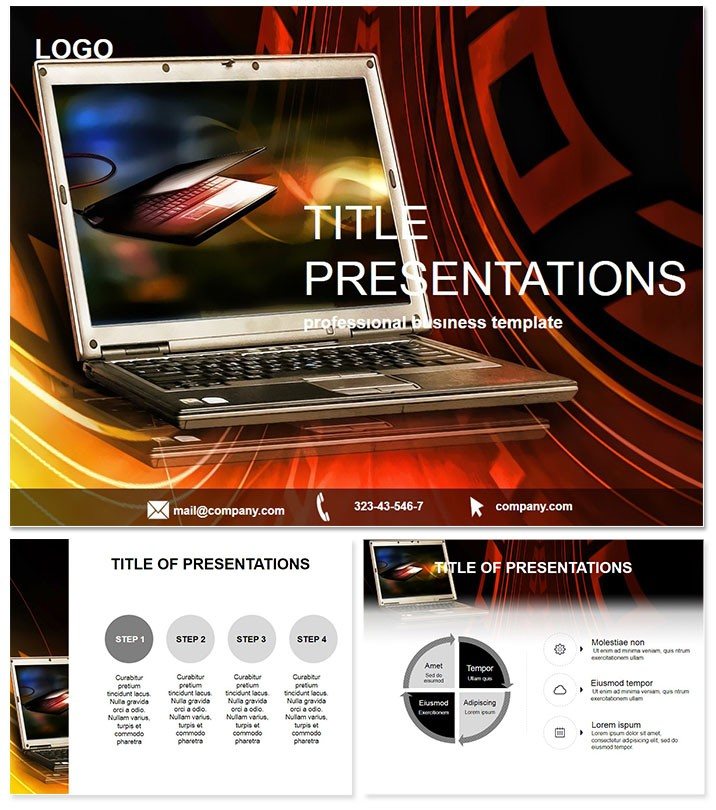
Laptop on the Waves IT Keynote Template
| Format | .pptx |
| Slides | 3 unique layouts |
| Aspect ratio | 16:9 |
| Compatibility | PowerPoint |
| Animated | No |
| Language | English |
| License | Commercial |
| File size | — |
| Version | v1.0 |
| Last updated | March 2014 |
What's inside
Surf through tech discussions with slides that capture the fluid energy of innovation, where laptop icons dance on wave-like currents to symbolize seamless connectivity. The Laptop on the Waves IT Keynote Template is crafted for IT pros and service providers, turning mundane updates into fluid, engaging flows that resonate with tech-savvy crowds.
Optimized for Keynote 2016+, it delivers plug-and-play ease at $22 once - unlimited waves of creativity await. Make your office or shop computer narratives ripple with relevance.
Catch the next swell - download Laptop on the Waves today and propel your IT presentations forward.
Wave-Inspired Designs for Digital Narratives
Drawing from oceanic rhythms, this template uses wave patterns to evoke adaptability in IT services, ideal for depicting data streams or service integrations. The laptop focal points ground abstracts in practicality, ensuring your message rides high without crashing into complexity.
Tune it to your tide: modulate wave amplitudes for emphasis or sync laptop placements with service timelines for intuitive storytelling.
Essential Features for IT Excellence
- Three Masters and Backgrounds: Wave-crest titles and current-flow content for rhythmic cohesion.
- 28 Tech Diagrams: From network waves to device clusters, built for IT diagnostics.
- Seven Fluid Schemes: Blues and silvers mimicking water and screens for cool, professional tones.
- Intuitive Customization: Keynote-native edits for wave reshaping and icon swaps.
- Ready Sources: .key, .kth, .jpg for dive-right-in deployment.
These tools crest the competition, delivering decks that flow as smoothly as your solutions.
Navigating the 28-Diagram Depths
Launch with Page 1`s wave-laptop intro for service scopes, cresting to Page 6`s rippling connections for integrations. Deeper in, Page 22 undulates through upgrade cycles, and finales pool into summary surges. Each harnesses wave dynamics to propel data forward, creating a surging storyline.
Surfing Real IT Scenarios
Shop owners demo inventory systems, waves illustrating stock flows past bottlenecks. Office admins chart remote access, laptop icons bobbing on secure currents. Consultants wave through cybersecurity threats, while educators simulate cloud migrations - each harnessing the theme for tidal impact.
Spotlight: An IT firm boosted client retention 25% with wave-mapped service evolutions.
Superior to Standard Keynote Flows
Basic themes drift aimlessly; this one channels directed energy, with pre-waved layouts averting design undertows. Emerge with pro fluidity that elevates your tech authority.
Launch your wave - customize now for cresting presentations.
Frequently Asked Questions
Ideal for which IT contexts?
Office setups, shop services, and computer consultations needing dynamic, flow-based visuals.
Wave elements editable?
Fully - adjust curves and amplitudes via Keynote paths for custom rhythms.
Color scheme versatility?
Seven options span serene to stormy, fitting varied tech moods.
Commercial viability?
Lifetime license greenlights all pro uses, no royalties.
Package contents?
.key edits, .kth themes, .jpg mocks for full immersion.
Good for
- Project roadmaps and sprint plans
- Product launch timelines
- Quarterly or annual review decks
- Company history and milestone summaries
Licence
reviews
Used this for a school project on climate change, the arrows and charts were easy to edit.
Wish there were more slide options but the layout worked fine for my quick report.
Those blue tones are a bit much but hey, my boss liked it.
Just needed something with a timeline and this had a few decent ones.
Ok but the icons felt a little outdated, still got the presentation done.
FAQ
Will it work in Google Slides?
Are fonts embedded?
Can I use this for client work?
What's the refund policy?
Do you update the template after purchase?
Similar templates
See all Keynote templates →
All 1 slides