 Click to zoom
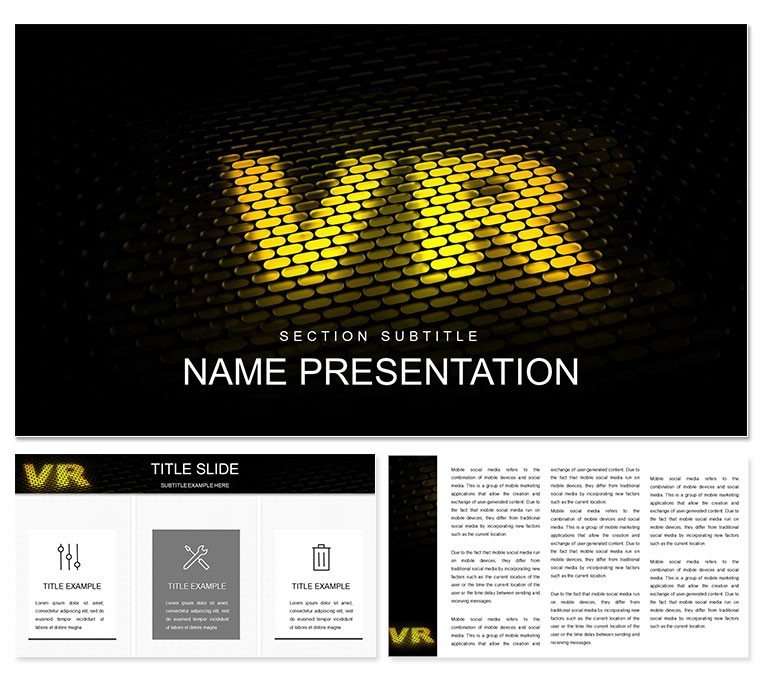
Immersive Virtual Reality PPT Template
| Format | .pptx |
| Slides | 3 unique layouts |
| Aspect ratio | 16:9 |
| Compatibility | PowerPoint |
| Animated | No |
| Language | English |
| License | Commercial |
| File size | — |
| Version | v1.0 |
| Last updated | January 2025 |
What's inside
Ever wished your virtual reality pitch could transport the room, making skeptics feel the thrill of a digital world? This Immersive Virtual Reality PowerPoint Template makes that possible, equipping innovators, teachers, and advertisers with 28 ready-to-adapt diagrams across three masters and backgrounds. Seven color palettes - from ethereal blues to vibrant cyber pinks - let you set the immersive tone, ensuring your slides resonate as deeply as the tech itself.
Designed to bridge the gap between complex VR mechanics and audience understanding, the template starts with an ecosystem overview slide, a radial diagram fanning out from core hardware to peripheral applications. It's the perfect opener for startup demos, where each spoke leads to layered details on sensors or rendering engines, unveiled through subtle wipes that mimic depth perception.
Building Depth with VR-Focused Visual Strategies
The magic unfolds in how these slides layer information like VR environments themselves. A standout is the journey map, tracing user progression from setup to full engagement, with branching paths for different scenarios - gaming versus therapy. Icons of headsets and controllers dot the route, customizable to spotlight your unique angle, echoing the structured reveals in VR design docs from firms like Oculus.
Editing flows naturally: select a path, adjust curvatures for emphasis, or infuse with gradients that suggest motion blur. For dynamic talks, embed interactive elements like quiz slides that poll audience familiarity, feeding results into live-updating charts for on-the-fly adjustments.
Core Diagram Toolkit for VR Storytelling
- Layered Infographics for Tech Stacks: Stacked transparencies illustrating software layers over hardware bases, peelable for focus.
- Flowcharts for Development Processes: Sequential boxes linking ideation to deployment, with decision diamonds for branching choices.
- Showcase Grids for Application Examples: Tiled panels grouping use cases like education or retail, expandable for deeper dives.
High-resolution vectors keep everything sharp, whether zoomed in during Q&A or shared via screen record.
From Classroom to Boardroom: VR Use Cases
In a university lecture hall, instructors use the stats dashboard to visualize VR's impact on learning retention, bars rising to represent study outcomes across disciplines. Students then remix the template for theses, inserting their prototypes into showcase slots for peer reviews that feel collaborative and cutting-edge.
Ad agencies harness the comparison slides to contrast VR campaigns against traditional media, matrices filling with engagement metrics and ROI visuals, swaying clients with evidence-backed narratives. It's the deck that lands the big contract, turning abstract pitches into proven potentials.
For product launches, the timeline integrates milestones with teaser embeds - short clips of VR walkthroughs - building anticipation slide by slide, much like a narrative arc in interactive fiction.
Seamless Customization Steps
- Setup Basics: Load into PowerPoint 2016+, navigate masters to lock in your color choice.
- Content Swap: Overwrite placeholders; align new elements using snap-to-grid for precision.
- Boost Engagement: Apply morph transitions between similar layouts for fluid VR-like shifts.
- Delivery Prep: Test on multiple devices, export to MP4 for versatile sharing.
These steps condense prep time, letting you focus on the story your VR vision tells.
Surpassing Vanilla Presentation Norms
Default PowerPoint often feels flat against VR's dimensionality; this template counters with 3D-inspired shadows and perspective lines that add perceived depth. Themed assets, from pixel grids to portal motifs, infuse authenticity tailored to tech frontiers.
Seamless Google Slides syncing supports remote brainstorming, while built-in responsive elements adapt to mobile views for on-the-go tweaks. Prioritizing clarity, every diagram includes logical grouping for easy dissection.
Acquire the Immersive Virtual Reality PPT Template and elevate your narratives to new dimensions. Let your slides simulate success.
Frequently Asked Questions
How can I add custom VR images to the slides?
Simply drag and drop into designated frames; resize proportionally and apply matching filters from the theme for cohesion.
Is animation included for VR effect simulations?
Pre-set fades and zooms mimic immersion; customize via the timeline for synchronized reveals across elements.
Does it work for non-tech VR topics like art?
Yes, flexible diagrams suit creative fields, adapting to virtual galleries or experiential designs.
What makes the backgrounds unique?
Three options with subtle grid or nebula patterns, enhancing VR themes without distracting from content.
Good for
- Project roadmaps and sprint plans
- Product launch timelines
- Quarterly or annual review decks
- Company history and milestone summaries
Licence
reviews
The fire and flames are hot. Used this for a "Fast Growth" startup metrics.
Good for a "Fire Drill" emergency practice.
I used the "Douse the Flames" slide for customer complaint resolution.
The matchstick timeline is fragile but unique.
The bonfire gathering diagram is good for community building events.
FAQ
Will it work in Google Slides?
Are fonts embedded?
Can I use this for client work?
What's the refund policy?
Do you update the template after purchase?
Similar templates
See all PowerPoint Templates →

All 1 slides