 Click to zoom
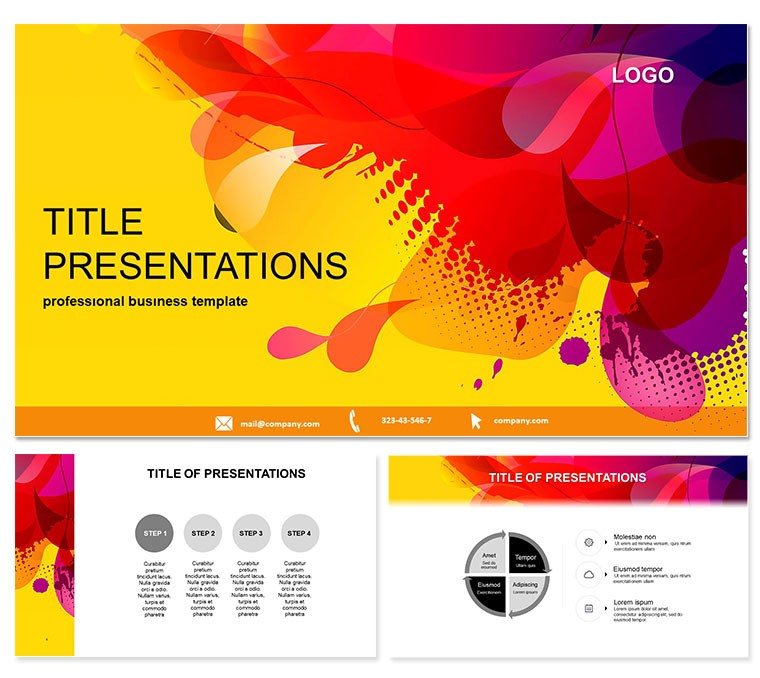
Fun Paint Spots Background Keynote Theme
| Format | .pptx |
| Slides | 3 unique layouts |
| Aspect ratio | 16:9 |
| Compatibility | PowerPoint |
| Animated | No |
| Language | English |
| License | Commercial |
| File size | — |
| Version | v1.0 |
| Last updated | October 2021 |
What's inside
Picture a Keynote deck splashed with whimsical paint spots, igniting laughter and learning in every slide. The Paint Spots Keynote Template turns presentations into playful adventures, perfect for nurturing young imaginations or adding levity to adult creatives` work.
Designed for educators and artists alike, it boasts 28 diagrams in seven cheerful schemes, with three masters and backgrounds that evoke a studio`s chaos - controlled and captivating. Runs smoothly on Keynote 2016+, fully tweakable. At $22 once, enjoy forever - ideal for repeated classroom joys. Paint your story vivid; snag this template now and watch creativity splash across screens.
Delving into Playful Components
Three masters anchor fun structures, while three spotty backgrounds set a vibrant tone without chaos. The 28 diagrams include bubbly charts and splatter timelines, all editable for personal touches.
Seven schemes from primaries to pastels ensure age-appropriate appeal, with vector precision for zoom-proof clarity. Keynote`s tools make splashes interactive - add hyperlinks or builds for exploratory fun, eclipsing plain themes.
- Diagram Delights: Spot-infused pies and flows for storybook data.
- Color Carnival: Schemes that delight without overwhelming senses.
- Master Magic: Three for intros, activities, and wrap-ups.
- Backdrop Bursts: Three paint patterns for thematic immersion.
Engaging Everyday Adventures
Elementary teachers use it for science fairs, spotting experiment steps with diagrams that mimic lab spills, boosting retention through humor. Young artists` portfolios gain whimsy, showcasing techniques via splatter maps that impress juries.
In team-building, facilitators deploy for icebreakers, color-coding roles with spots to foster bonds. A community center`s youth program saw attendance soar with themed story sessions. Defaults lag in joy; this halves design time for more interaction.
Beyond Basics: Joyful Edges
Spot designs scale flawlessly, supporting collaborative edits via shared links. Updates align with Keynote evolutions, keeping fun fresh. Therapists note its calming chaos for emotional expression workshops.
Quick-Start Creativity
Insert masters, populate spots with kid inputs, animate drips for reveals - pure magic in minutes.
Frequently Asked Questions
Ideal for children`s presentations?
Yes, paint spots and diagrams engage young audiences playfully.
Keynote compatibility?
2016+ versions, macOS inclusive.
Customization for groups?
Easy edits to match class themes or ages.
Slide elements count?
28 diagrams, three masters, three backgrounds.
Licensing info?
$22 one-time, lifetime for multiple uses.
Interactive features?
Supports builds and links for hands-on fun.
Good for
- Project roadmaps and sprint plans
- Product launch timelines
- Quarterly or annual review decks
- Company history and milestone summaries
Licence
reviews
The paint splatter timelines made my elementary science fair presentation actually fun for the kids.
Used the spotty backgrounds and bubbly charts for an art workshop and the participants loved the playful vibe.
The primary color schemes are bright but the paint spot motifs might be too childish for adult training.
The splash animations and drips kept my students' attention during a long lesson about color mixing.
Good for children's presentations but I wouldn't use this for anything corporate or professional.
FAQ
Will it work in Google Slides?
Are fonts embedded?
Can I use this for client work?
What's the refund policy?
Do you update the template after purchase?
Similar templates
See all Keynote templates →

All 1 slides