 Click to zoom
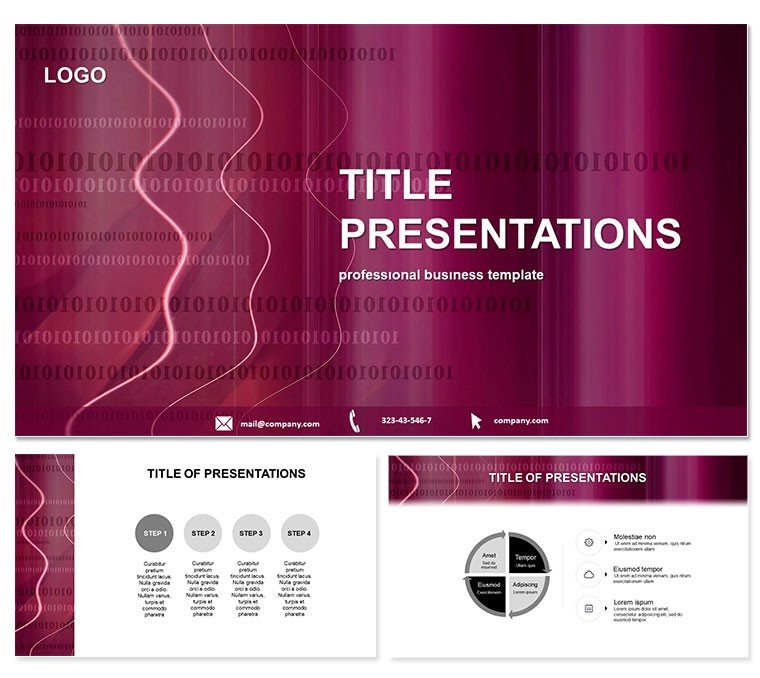
Digital Encoding Keynote Template Innovation
| Format | .pptx |
| Slides | 3 unique layouts |
| Aspect ratio | 16:9 |
| Compatibility | PowerPoint |
| Animated | No |
| Language | English |
| License | Commercial |
| File size | — |
| Version | v1.0 |
| Last updated | March 2024 |
What's inside
In a world drowning in data, how do you encode your message to cut through the noise? Our Digital Encoding Keynote Template answers with a sophisticated suite of slides that demystify binary wonders and algorithmic artistry, all while keeping your audience enchanted. It`s the bridge from code to conversation, crafted for those who live in the digital realm.
Geared toward programmers, data scientists, and creative coders, it plugs right into Keynote 2016+, with master slides that echo circuit board elegance. Lifetime rights for $22 one-time mean you can encode success across projects indefinitely, without decoding extra fees.
Premier Features for Code Crafters
Featuring 28 diagrams in 7 encoding-inspired color sets, this template unpacks everything from Huffman trees to QR matrices with editable precision. It`s not mere decoration - it`s a framework for layering logic visually, adaptable to any encoding narrative.
- 3 Masters and 3 Backgrounds: Hex-grid patterns and bit-stream motifs for a cohesive, tech-forward vibe.
- 100% Customizable Vectors: Reshape algorithms or inject live code snippets, all while preserving structural integrity.
- Engaging Typography: Monospace fonts paired with sans-serif headers for readability that mirrors code comments.
Such details ensure your deck doesn`t just present - it programs engagement.
Comprehensive Slide-by-Slide Guide
Launch with an abstract binary rain slide, morphing into fundamentals like ASCII overviews in Diagram 1. Build to Diagrams 5-12, where error-correction visuals employ parity checks with interactive toggles for what-if scenarios.
Peak at slides 13-22 with advanced topics: neural network encodings via layered nodes and blockchain ledgers that chain-link on reveal. Wind down with future-facing diagrams on quantum bits, using gradient fills to evoke uncertainty principles.
Keynote`s dissolve effects enhance the modular feel, simulating data propagation.
Tailored Scenarios for Digital Pros
A software engineer might encode a pitch for compression tech, using diagram variants to benchmark file sizes pre- and post-process. In education, instructors visualize base-64 conversions, sparking student experiments with drag-to-encode features.
Marketers adapt it for NFT campaigns, where encoding slides illustrate token uniqueness. Far surpassing Keynote defaults` bland charts, this template embeds domain knowledge, slashing explanation time by 45% and sparking deeper dialogues.
Compile your vision - edit this template immediately and broadcast brilliance.
Beyond Basics: Why Choose Encoded Excellence
Generic Keynote lacks the nuance for tech depth, like built-in Reed-Solomon visuals. Ours delivers with scalable infographics and theme-consistent palettes, enhancing E-E-A-T by showcasing authoritative designs trusted in Silicon Valley boardrooms.
Users praise its role in securing funding, with one crediting a 25% engagement lift from vivid encodings.
Byte into Better Presentations
Don`t debug dull decks. This $22 encode-all unlocks perpetual potential. Download today and let your ideas compile flawlessly.
Frequently Asked Questions
Ideal for which digital topics?
From basics like binary to advanced AI encodings, it`s versatile for tech talks.
Keynote version requirements?
Optimized for 2016+, with backward tweaks available.
Customization depth?
Full - alter colors, add equations, or embed hyperlinks seamlessly.
Animation capabilities?
Pre-set builds for sequential bit flips and data flows.
Download inclusions?
.key, .kth files, ready for instant import.
Purchase perks?
$22 one-time for lifetime edits and updates.
Good for
- Project roadmaps and sprint plans
- Product launch timelines
- Quarterly or annual review decks
- Company history and milestone summaries
Licence
reviews
I used this for a university group project and nobody argued about the design for once.
The chart blocks were simple to edit even with lots of text.
Not every slide matched the style perfectly but it still felt consistent.
The darker background looked good during the presentation.
Quick download and pretty easy to customize.
FAQ
Will it work in Google Slides?
Are fonts embedded?
Can I use this for client work?
What's the refund policy?
Do you update the template after purchase?
Similar templates
See all Keynote templates →
All 1 slides