 Click to zoom
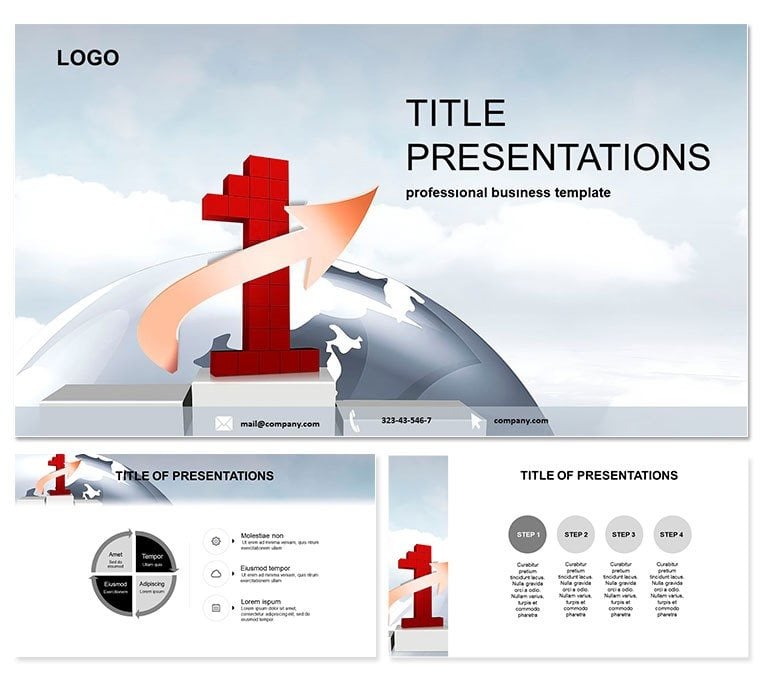
First Place PowerPoint Template: Lead the Pack
| Format | .pptx |
| Slides | 3 unique layouts |
| Aspect ratio | 16:9 |
| Compatibility | PowerPoint |
| Animated | No |
| Language | English |
| License | Commercial |
| File size | — |
| Version | v1.0 |
| Last updated | October 2021 |
What's inside
Ever watched a presentation where the slides alone sparked applause? That`s the magic of the First Place PowerPoint Template, built for finance aces and account managers who turn numbers into narratives of triumph. With 28 precision-engineered diagrams, three master layouts, and seven tailored color palettes, it equips you to highlight quarterly wins or strategic leaps with effortless authority. Forget fading into the background - this deck positions you front and center, every time.
Works seamlessly with PowerPoint 2016 and beyond, this $22 lifetime license means endless tweaks without extra costs. It`s the upgrade your toolbox needs, blending sharp visuals with intuitive edits to make complex data digestible and decisive.
Master the Essentials: Diagrams That Deliver
Dive deeper into what sets this template apart: three master slides anchor your flow, offering podium-ready layouts that unify your message. Choose from three backgrounds - crisp whites for clarity or metallic sheens for that gold-medal glow - to set the stage.
The 28 diagrams are the stars here. Slide 1 launches with a victory podium org chart, mapping hierarchies that culminate in leadership peaks. By slide 8, a medal matrix breaks down performance metrics, color-coded for instant insights. Slide 20`s ribbon roadmap charts growth trajectories, with editable nodes for forecasts that forecast futures.
Seven color schemes ensure brand alignment, from corporate navies to celebratory coppers. All elements are fully editable, with smart art that resizes without distortion, making your finance reports not just seen, but celebrated.
Practical Scenarios: Finance to Frontline Success
In a bustling accounting firm, envision the CFO unveiling annual results. Using slide 14`s trophy timeline, she traces revenue climbs, turning dry figures into a story of resilience that rallies the board for bold investments.
Shift to sales teams in fintech: Customize slide 25`s achievement arch to showcase client acquisitions, transforming pitches from persuasive to persuasive-proof. Or in consulting gigs, where partners deploy slide 3`s podium process flow to outline audit wins, earning nods and new contracts on the spot.
Even in educational finance workshops, this template shines - slide 11`s gold bar graphs illustrate budgeting basics, engaging students with visuals that stick long after the session ends.
Beyond Basics: Elevate Over Standard Slides
Why wrestle with PowerPoint`s vanilla charts when this template offers animated podium reveals that unfold like award ceremonies? Defaults lack the thematic punch; here, every slide reinforces your narrative of excellence, with hyperlinks for seamless navigation.
Team-friendly too - export to PDF for reviews or collaborate in real-time via OneDrive. It`s the pro tool that saves hours, letting you focus on strategy over styling.
Seize your podium moment: Customize the First Place PowerPoint Template instantly and lead with lasting impact.
Frequently Asked Questions
How does this template fit finance presentations?
Its diagrams specialize in metrics and milestones, ideal for reports that highlight fiscal achievements.
Are animations included?
Yes, subtle entrance effects enhance flow without overwhelming your content.
Does it work on older PowerPoint versions?
Optimized for 2016+, but backward-compatible tweaks are simple if needed.
Can I integrate my company logo?
Easily - masters include placeholder spots for seamless branding.
What`s the file size for sharing?
Compact at under 10MB, perfect for email or cloud uploads.
Good for
- Project roadmaps and sprint plans
- Product launch timelines
- Quarterly or annual review decks
- Company history and milestone summaries
Licence
reviews
The mockup slides were great for a product designer.
Used the device frames and isometric views.
The design is very realistic.
The shadows and reflections are well done.
FAQ
Will it work in Google Slides?
Are fonts embedded?
Can I use this for client work?
What's the refund policy?
Do you update the template after purchase?
Similar templates
See all PowerPoint Templates →


All 1 slides