 Click to zoom
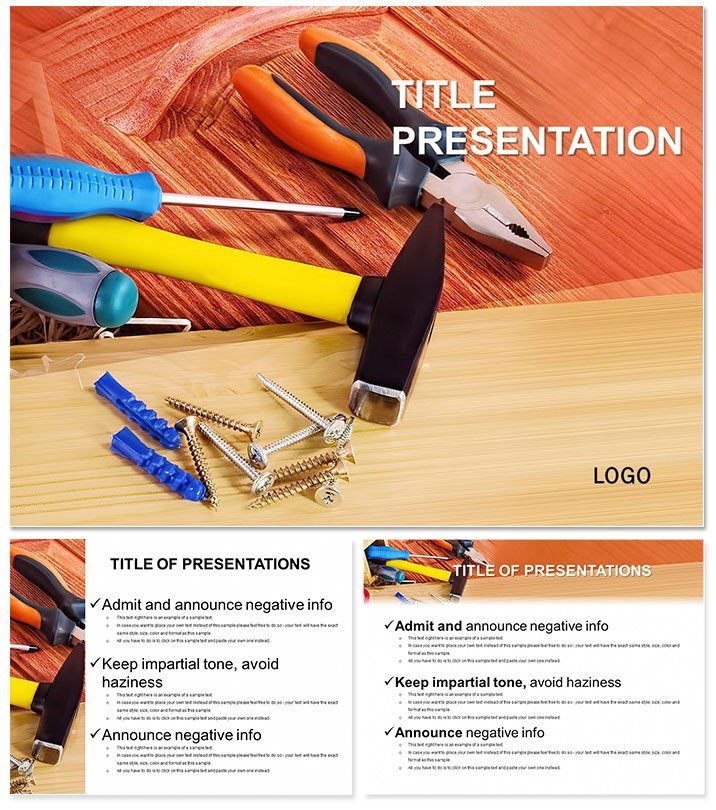
Essential Plumbing Tools Keynote Template: Master Your Trade Visuals
| Format | .pptx |
| Slides | 3 unique layouts |
| Aspect ratio | 16:9 |
| Compatibility | PowerPoint |
| Animated | No |
| Language | English |
| License | Commercial |
| File size | — |
| Version | v1.0 |
| Last updated | January 2014 |
What's inside
Picture a construction site briefing where every tool`s role is crystal clear, sparking questions and collaboration instead of confusion. Enter the Plumbing Tools Keynote template, featuring 28 precision-engineered diagrams that demystify everything from pipe cutters to clamps. Tailored for industry experts, this template turns technical specs into accessible narratives, ensuring your audience - be it apprentices or project managers - grasps the essentials at a glance.
Built for Keynote 2016+, it integrates flawlessly with your existing files, offering widescreen and standard formats for any display. With three masters and backgrounds, customization is a breeze: adjust icons, add annotations, and export in .key or .jpg without losing detail. Say goodbye to sketching on napkins - download this template today and elevate your on-site demos to professional heights.
Standout Features for Construction Clarity
At its core, this template boasts 28 diagrams across seven color schemes, each highlighting specific tools like benders, dies, and wrenches. The layouts prioritize functionality, with labeled sections that scale effortlessly for group viewings or handouts.
- Tool-Focused Icons: Realistic yet stylized graphics that accurately represent gear without overwhelming the slide.
- Flexible Sizing: Supports 16:9, 4:3, and 16:10 ratios for projectors, laptops, or prints.
- Quick Edits: Keynote-native elements let you swap text or colors in under a minute.
Unlike Keynote`s stock industrial templates, which are often cluttered with unrelated motifs, this one zeros in on plumbing specifics. Defaults might suffice for general overviews, but they falter in detail - here, every diagram educates while engaging, reducing miscommunication on job sites.
Exploring the Diagram Breakdown
Slide 1 sets the stage with an overview master, categorizing tools by function: cutting, bending, securing. Diagram 8 delves into pipe clamps, using exploded views to show assembly steps, ideal for safety training. By diagram 15, you`re examining specialized keys with comparative sizing charts that prevent selection errors.
Workflow-wise, import tool inventories directly into tables, then visualize with the template`s smart objects. Animate sequences to mimic real usage - watch a virtual pipe bend form in real-time, reinforcing techniques for trainees. This approach not only saves prep time but also boosts skill retention through interactive storytelling.
Targeted Use Cases in the Field
For contractors leading site walkthroughs, this template shines in illustrating assembly lines, where a single slide can outline a full plumbing install, cutting explanation time by half. A plumbing firm owner reported using it for bid presentations, where clear visuals helped secure a major contract by showcasing expertise upfront.
In vocational schools, instructors pair it with hands-on labs: Pre-lecture slides build theory, post-lab reviews reinforce with annotated diagrams. Even in regulatory compliance sessions, highlight safety protocols with color-coded warnings, ensuring teams stay aligned and accident-free.
Consider a renovation project manager juggling subcontractors - the template`s modular design lets you create custom subsets, like a five-slide deep-dive on HVAC integrations, fostering smoother collaborations and fewer costly revisions.
Superior to Basic Keynote Builds
Standard Keynote tools offer basic shapes, but assembling a plumbing schematic from scratch is tedious and error-prone. This template pre-assembles complex views, with alignment guides that keep everything plumb - pun intended. It also includes subtle textures evoking metal and pipe finishes, adding realism without distracting from content.
Lifetime licensing means it`s a one-time asset for your team`s library, adaptable for ongoing needs like seasonal hires or certification refreshers. In high-stakes bids, where visuals can sway decisions, this edge translates to tangible wins.
Enhance your toolkit further by linking diagrams to external specs - embed hyperlinks to manuals for instant reference during presentations.
Success Story: Streamlining Team Onboarding
A large contractor adopted this for new hire orientations, condensing a two-hour tool rundown into 30 dynamic minutes. Feedback highlighted improved confidence levels, with 90% of rookies feeling prepared for fieldwork. Such outcomes illustrate how targeted visuals bridge knowledge gaps efficiently.
Beyond construction, adapt for home improvement workshops, where DIY enthusiasts appreciate the straightforward breakdowns. Or in engineering reviews, cross-reference with CAD exports for hybrid tech-traditional flows.
Pro Tips for Optimal Use
Begin with a background that matches your company`s safety colors - green for go, red for hazards. Use the masters to standardize headers with project logos, ensuring brand recall. For mobile use, optimize for 16:10 on tablets, where touch edits feel natural.
In group settings, leverage Keynote`s presenter notes to add verbal cues per diagram, syncing voice with visuals for polished delivery. Over iterations, you`ll refine it into a signature asset, perhaps evolving into a full course module.
Wrapping Up: Pipe Up Your Presentations
The Plumbing Tools Keynote template is more than slides - it`s a blueprint for clearer communication in a hands-on industry. By distilling complexity into compelling formats, it empowers you to lead with authority and precision.
Secure your copy now and watch your presentations flow as smoothly as a well-installed line.
Frequently Asked Questions
What tools are covered in the diagrams?
From basics like hammers to specialties like pipe benders and clamps, all essentials for plumbing work.
Does it support different screen ratios?
Yes, including 16:9 widescreen, 4:3 standard, and 16:10 for versatile setups.
Is customization beginner-friendly?
Definitely - drag-and-drop features make it accessible for all skill levels.
Can I export for non-Keynote users?
Absolutely, .jpg exports ensure compatibility across platforms.
How many color options are there?
Seven schemes to match any project theme or branding.
Good for
- Project roadmaps and sprint plans
- Product launch timelines
- Quarterly or annual review decks
- Company history and milestone summaries
Licence
reviews
Grabbed this template for a quarterly office review.
The chart pages were the most useful part for me.
A few layouts felt too crowded with arrows and shapes.
I liked the cleaner slides with simple titles.
Worked normally without any formatting issues.
FAQ
Will it work in Google Slides?
Are fonts embedded?
Can I use this for client work?
What's the refund policy?
Do you update the template after purchase?
Similar templates
See all Keynote templates →


All 1 slides